
How Do I Advertise With Google: A Guide For UK SMEs

How Do I Advertise With Google: A Guide For UK SMEs – Getting your business seen on Google is pretty straightforward on the surface: you sign up for Google Ads, pick a campaign that fits your goals, choose who you want to see your ads, and set your budget. Simple, right? It’s a direct line to customers who are already looking for what you sell.
How Do I Advertise With Google: Your Essential Starting Point For Google Ads
Knowing how to advertise on Google is the first hurdle. But understanding why it’s a non-negotiable for UK businesses is what sets you up for actual success. This isn’t just another box to tick in your marketing plan; it’s the main arena where your customers are making buying decisions every single day.
Think about it. When someone in the UK needs a local plumber, starts hunting for the best running shoes, or compares business software, where do they go? Straight to Google. It’s become the digital high street for pretty much every industry you can imagine. For a small or medium-sized business, this is a massive opportunity to go toe-to-toe with the big guys on a surprisingly level playing field.
Why Google Is Non-Negotiable For UK Businesses
The sheer dominance of Google in the UK makes it impossible to ignore. The latest figures show Google consistently owns between 93.51% and 93.69% of the UK search market. That’s not just on desktops, either – it’s across all devices, especially mobile, which is where most searches happen now.
This level of market concentration puts it in stark terms: if you’re not visible on Google, you’re practically invisible to the vast majority of your potential customers.
The golden rule of advertising has always been to be where your customers are. In this century, for any UK business, that place is unequivocally Google. Not being there is like having a shop on the high street but keeping the doors bolted shut.
The Strategic Advantage of Google Ads (How Do I Advertise With Google)
Unlike old-school advertising that just shouts a message at a passive audience, Google Ads lets you pull in an active one. You’re connecting with people who have literally raised their hands and declared their interest by typing something into a search bar. This intent-driven approach is what makes it so incredibly powerful.
Before you jump into the setup, it’s worth getting your head around the mechanics of the platform. For a solid foundation, take a look at our detailed breakdown of how Google Ads work. Knowing this will help you make much smarter decisions as we go through the next steps. For now, here are the main perks for your business:
- Pinpoint Targeting: You can get incredibly specific, targeting customers based on their location, age, interests, and the exact words they’re typing into Google.
- Totally Measurable Results: Every single pound you spend is trackable. You can see exactly which ads are leading to phone calls, contact form submissions, and actual sales.
- You’re in Control of the Budget: You have complete command over your spending. Set daily budgets, cap your bids, and pause campaigns whenever you like. You’ll never spend more than you’re comfortable with.
How Do I Advertise With Google: Building A Solid Google Ads Account Foundation
Getting your Google Ads account set up properly from day one is the single best way to stop wasting money before you’ve even started. Think of it like laying the foundations for a house; if you rush it or get it wrong, you’re just building problems for yourself down the line. We’ll walk through the essentials, focusing on what really matters for a UK business.
When you first create your account, Google will ask for your country, time zone, and currency. This might seem basic, but it’s critically important. Make sure you select the United Kingdom, (GMT+00:00) London time, and British Pound (£).
You can’t change these settings later. Get them wrong, and your billing, reporting, and ad scheduling will be a complete mess. Double-check before you click continue.
Organising Your Account For Success
Beyond the initial details, the most important concept to get your head around is account structure. I’ve seen it time and time again: a disorganised account is an expensive account. A logical structure isn’t just about being tidy; it’s fundamental to how Google sees your ads, calculates your Quality Score, and, ultimately, decides how much you pay for every single click.
Let’s say you run a UK-based online clothing shop. A sensible structure would look something like this:
- Campaigns: You’d create separate campaigns for your main product lines, like ‘Men’s Coats’ and ‘Women’s Dresses’. This lets you set completely different budgets and geographical targets for each major category.
- Ad Groups: Inside the ‘Men’s Coats’ campaign, you’d then build more specific ad groups for things like ‘Men’s Wool Coats’, ‘Men’s Trench Coats’, and ‘Men’s Parkas’. Each of these ad groups will have its own tightly-themed keywords and ads.
This granular approach means that when someone searches for a “men’s wool overcoat,” they see an ad specifically about your wool coats—not a generic one about your entire shop. Google rewards this kind of relevance with better ad positions and lower costs. It’s a win-win.
The diagram below shows this hierarchy in action. You can see how the main account settings flow down into individual campaigns, each with its own budget and audience.
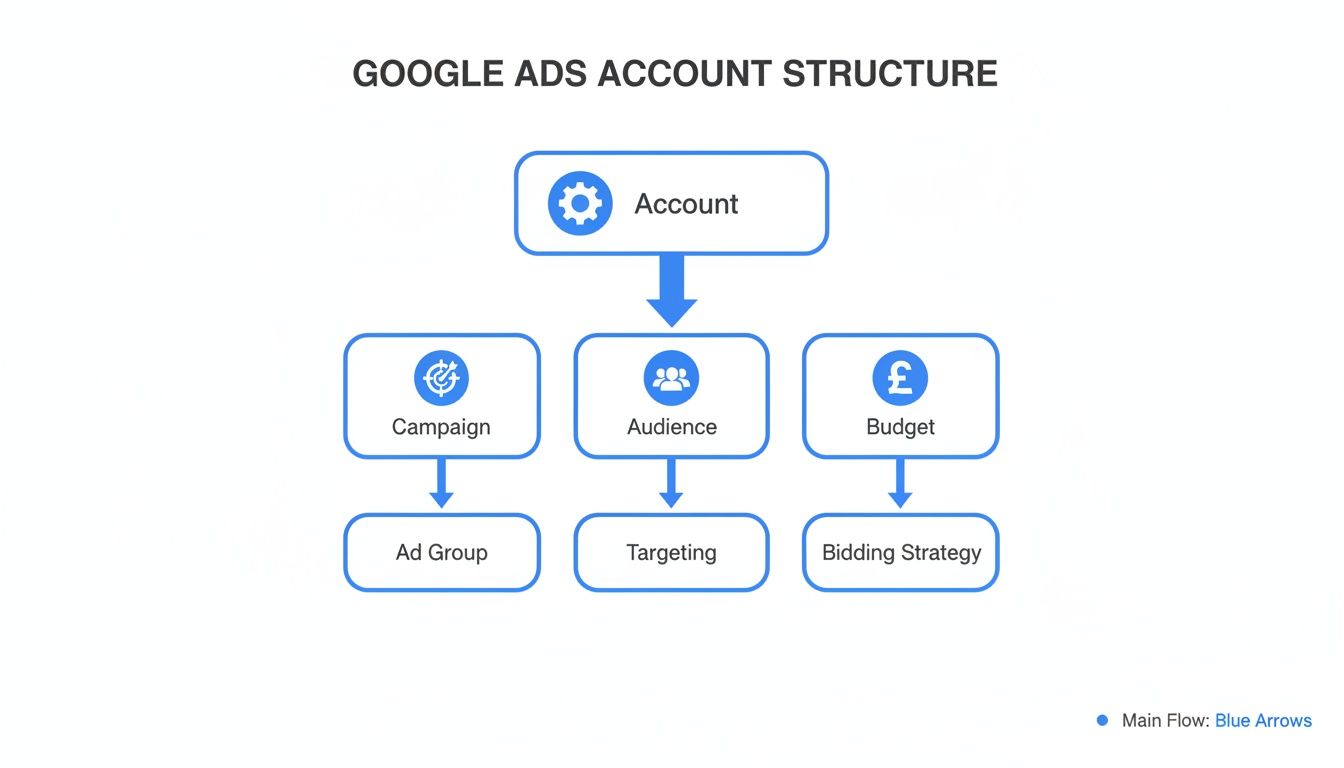
The key takeaway is that you have different levels of control. This lets you manage big-picture budgets for major initiatives while fine-tuning your targeting for really specific product groups.
The Logic Behind A Tiered Structure (How Do I Advertise With Google)
So, why does this all matter so much? Because a well-structured account lets you perfectly align your budget and your message with what your customer is actually looking for. You can pump more money into your ‘Women’s Summer Dresses’ campaign when the sun’s out and pull back on ‘Men’s Wool Coats’ during a heatwave.
A structured account allows you to tell Google, “For this specific group of keywords, show these specific ads, and direct them to this specific page.” This precision is the cornerstone of a profitable campaign.
This tiered approach is a core principle of any successful PPC campaign. If you want to go deeper, The Ultimate Google Adwords PPC Checklist for UK Digital Marketing Managers covers many of these foundational elements in more detail.
Taking the time to build this logical framework pays for itself almost immediately. It makes your account far easier to manage, analyse, and scale as your business grows. It transforms a potentially chaotic mess into a well-oiled machine, built for performance right from the start.
How Do I Advertise With Google: Choosing Your Campaign And Targeting Strategy
Right, with a solid account structure in place, the next big decision is picking the right campaign type and figuring out your targeting. This is where you decide exactly how you’re going to reach your customers across Google’s massive network. Get this right, and your budget works a whole lot harder, connecting you with people who are actually looking for what you sell.
The campaign you choose should map directly back to your business goals. There’s no magic bullet here; the best option depends entirely on what you want to achieve. A local plumber needs immediate leads, while a new e-commerce brand might want to focus on just getting its name out there first.

Matching Campaign Types To Your Goals
Let’s break down the most effective campaign types for UK SMEs, using some real-world examples to make it click.
- Search Campaigns: This is the classic Google Ad. Your text ads pop up on the search results page when someone types in a relevant keyword. It’s absolutely perfect for grabbing high-intent customers who are actively looking for a solution right now. For example, an electrician in Manchester would use a Search campaign to target phrases like “emergency electrician Manchester” to catch customers at their exact moment of need.
- Display Campaigns: Think visual ads – images and videos that show up across a huge network of websites, apps, and even on YouTube. These are brilliant for building brand awareness. A new craft gin distillery in Cornwall could use Display ads to show their beautifully designed bottles on food blogs and cocktail recipe sites, introducing their brand to a relevant, interested audience.
- Shopping Campaigns: An absolute must for any e-commerce business, full stop. These campaigns show your product image, title, and price directly in the search results. They’re eye-catching and incredibly effective at driving sales for online stores selling physical goods.
- Performance Max (PMax): This is Google’s all-in-one, AI-powered campaign. You feed it your assets (text, images, videos) and your goals, and Google’s machine learning gets to work finding customers across every single one of its channels—Search, Display, YouTube, you name it. It’s a powerful, goal-focused option that works best when you have clear conversion data for it to learn from.
Pinpointing Your Ideal Customer (How Do I Advertise With Google)
Once you’ve picked your campaign type, the next critical layer is targeting. This is how you make sure your ads are shown to the right people, in the right place, at the right time. Spending your budget wisely means focusing only on users who are likely to convert, not just casual window shoppers.
Your main targeting tools will change a bit depending on the campaign, but the core ideas are the same.
Keyword Targeting
This is the bread and butter of Search campaigns. You build a list of keywords and phrases that you believe your ideal customer would use to find you. The goal here is all about matching user intent. Someone searching for “buy waterproof hiking boots UK” is miles closer to buying than someone just typing “what are hiking boots“.
Your keyword list is a direct line into your customer’s mindset. Get it right, and you’re not just finding customers; you’re solving their problems at the very moment they ask for help.
Audience Targeting
Beyond just keywords, you can get much more granular about who sees your ads based on their online behaviour and personal characteristics. This is where you move from what people are searching for to who they are.
This includes things like:
- Demographics: Targeting users based on their location (country, city, or even down to the postcode), age, and gender.
- Affinity Audiences: Reaching people based on their long-term interests and hobbies, like “Foodies” or “Keen Investors.”
- In-Market Audiences: This one is incredibly powerful. It lets you target users who Google has identified as being actively in the market to buy something specific, like “Used Cars” or “Home Insurance.”
Layering these options effectively is the key to a truly successful strategy. For a proper deep dive on this, our guide on what is audience targeting breaks it all down. Combining precise keywords with well-defined audiences ensures you’re not just shouting into the void, but actually having a meaningful conversation with potential buyers.
How Do I Advertise With Google: Mastering Your Budgets, Bidding And Conversions
Alright, let’s talk about the bit that really matters: the money. Knowing how to spend your budget wisely and, more importantly, understanding what you’re getting back for every pound is what turns Google Ads from an expensive hobby into a serious business driver. This all comes down to setting a sensible budget, picking the right bidding strategy, and tracking the actions that actually count.
First up is your daily budget. This is simply the average amount you’re comfortable spending per day on any given campaign. You’ll notice Google might spend a bit more on some days and less on others, but it will never go over your average daily budget multiplied by the number of days in the month.
So, if you set a £20 daily budget, you can rest easy knowing you won’t be charged more than roughly £608 over a 30-day month. This puts you in complete control and avoids any nasty surprises when the invoice arrives.
Choosing The Right Bidding Strategy
Your bidding strategy is your instruction manual for Google. It tells the platform how to spend your money to hit your goals. Do you want it to chase as many clicks as possible, or are you only interested in users who are likely to become paying customers? The choice you make here will make or break your campaign’s performance.
Bidding strategies fall into two main camps: manual and automated. Manual bidding gives you pinpoint control, letting you set a maximum cost-per-click (CPC) for individual keywords. Automated strategies, or “Smart Bidding,” use Google’s AI to do the heavy lifting for you.
For example, a new UK-based consulting firm might start with Manual CPC just to get a feel for the auction landscape. But once they’ve gathered some initial data, switching to an automated strategy like Maximise Conversions is a game-changer. This tells Google’s AI to leverage its vast user signals to find people who are most likely to fill out their “Request a Demo” form, almost always leading to a better return.
To make things a bit clearer, we’ve put together a simple table comparing some of the most common bidding strategies and when you might use them for your business.
Common Bidding Strategies Compared (How Do I Advertise With Google)
| Bidding Strategy | Primary Goal | Best Suited For |
|---|---|---|
| Maximise Clicks | Drive as much website traffic as possible. | Businesses focused on brand awareness or building an email list. |
| Maximise Conversions | Generate the most leads or sales within your budget. | Lead generation and e-commerce with solid tracking in place. |
| Target CPA | Get conversions at a specific cost-per-acquisition. | Businesses that have a clear, fixed cost they can afford per lead. |
| Target ROAS | Achieve a target Return on Ad Spend. | E-commerce stores aiming for a specific level of profitability. |
These AI-powered options can be incredibly powerful. For a deeper dive into how they work, check out our guide on Google Ads Smart Bidding, which breaks down the mechanics in more detail.
The Non-Negotiable Role Of Conversion Tracking
If you only take one piece of advice from this entire guide, let it be this: without conversion tracking, you are flying blind. You might be getting plenty of clicks, but you’ll have absolutely no idea if those clicks are turning into phone calls, form submissions, or actual sales. It’s the only way to prove your ads are delivering real value.
A “conversion” is any action a user takes that’s valuable to your business after they’ve clicked your ad. Setting this up properly is the most critical part of answering the question, “how do I advertise with Google effectively?”.
Conversion tracking turns your ad spend from an expense into an investment. It’s the mechanism that allows you to calculate your Return on Investment (ROI) and make data-driven decisions to grow your business.
Let’s go back to that consulting firm. Their most important conversion is when a potential client fills out the “Request a Demo” form. By setting up conversion tracking, they can see exactly which keywords, ads, and campaigns are driving those valuable leads.
Here’s a quick rundown of how they’d track that specific goal:
- Create a Conversion Action: Inside Google Ads, you define a new conversion. You’d specify it’s a “Website” action and categorise it as a “Submit lead form.”
- Install the Tracking Tag: Google provides a small piece of code (a tag). The main part of this tag goes on every page of your website. A special “event snippet” goes only on the “Thank You” page that users land on immediately after submitting the form.
- Test and Verify: Once the code is in place, you can use Google’s own tools to make sure it’s firing correctly.
With this simple setup, your Google Ads dashboard is transformed. Instead of just seeing clicks and costs, you’ll now see the number of demos requested and, crucially, your cost per acquisition (CPA). Now you can confidently decide where to pump more budget and which underperforming areas need a rethink.
How Do I Advertise With Google: Optimising Your Campaigns For Better ROI
Launching a campaign is just the start. The real magic—and the real profits—happen with consistent, data-driven improvements. Think of your new campaign as your best guess. Now it’s time to test, learn, and turn that guess into a reliable growth engine. This process, known as optimisation, is what separates campaigns that fizzle out from those that deliver a brilliant return on investment (ROI).
You don’t need to live inside your Google Ads account, but getting into a simple routine of checking in weekly or fortnightly is crucial. This is how you stop wasting money and start spotting powerful opportunities. The goal is to make small, informed tweaks that add up over time.
This dashboard is your campaign’s health check, showing the key metrics that tell you exactly how things are performing.
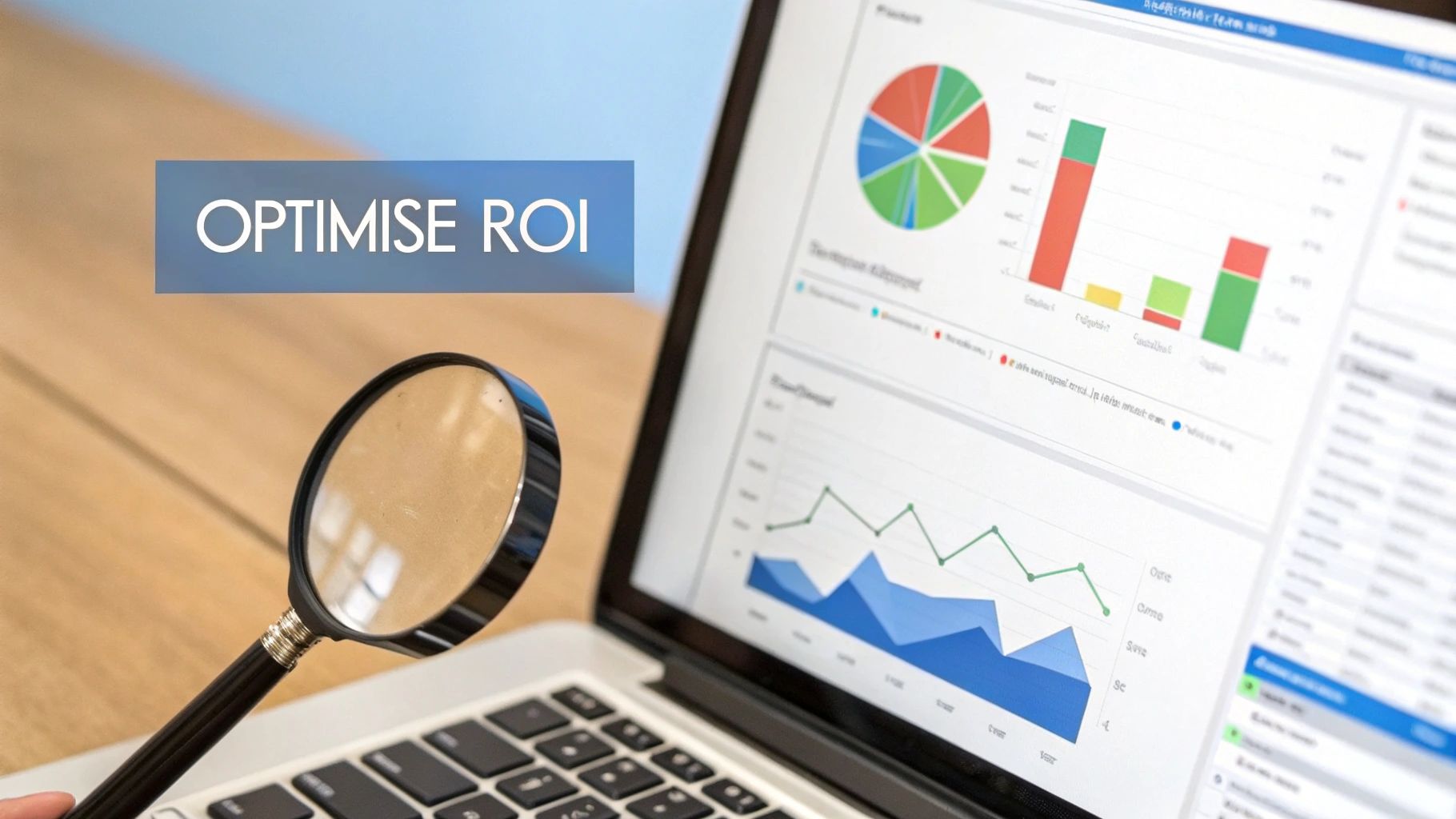
Here, you can quickly assess the vital signs like clicks, impressions, and cost. They’re the first clues as to what’s working and what isn’t.
Reading The Key Metrics
When you first log in, you’re hit with a wall of data. It’s easy to feel overwhelmed. To cut through the noise, just focus on the numbers that directly affect your bottom line.
- Click-Through Rate (CTR): This is the percentage of people who saw your ad and actually clicked it. A low CTR could mean your ad copy isn’t hitting the mark or your keywords aren’t relevant enough.
- Cost Per Acquisition (CPA): This is the big one. It tells you exactly how much you’re spending, on average, to get one conversion (like a sale or a lead). Your main job is to push this number down over time.
- Conversion Rate: This shows you what percentage of clicks turned into a genuine conversion. A high conversion rate is a great sign that your landing page and offer are doing their job and convincing people to take action.
Remember, these numbers don’t live in a vacuum. A sky-high CTR is great, but if those clicks have a rock-bottom conversion rate, you might be pulling in the wrong crowd. You have to look at them together to get the full story.
Uncovering Insights In The Search Terms Report (How Do I Advertise With Google)
One of the most powerful—and often overlooked—tools in your Google Ads account is the Search Terms report. This isn’t your keyword list; this report shows you the actual search queries people typed into Google right before clicking your ad.
Honestly, it’s a goldmine. Checking it regularly helps you do two critical things:
- Discover New High-Intent Keywords: You’ll often stumble upon valuable, long-tail keywords you’d never have thought of. Imagine a pet supply shop sees people are converting after searching for “hypoallergenic dog food for border terriers.” They can immediately add that as a specific keyword to capture more of that super-relevant traffic.
- Add Negative Keywords: This is absolutely essential for cutting out wasted spend. If that same pet shop sees clicks coming from searches like “free dog food samples” or “dog grooming jobs,” they can add ‘free’ and ‘jobs’ as negative keywords. This instantly stops their ads from showing up for those irrelevant, money-draining searches.
The Search Terms report is your direct line into the customer’s mind. It closes the gap between the keywords you think people use and the ones they actually use.
The Power Of Continuous A/B Testing
Never, ever assume your first ad is your best ad. A/B testing, or split testing, is simply creating a couple of variations of your ad copy to see which one performs better. You let your audience vote with their clicks.
You can test different elements to see what resonates most with your UK audience.
- Headlines: Try a question versus a statement. For example, “Need an Emergency Plumber?” vs. “24/7 Emergency Plumbers in Leeds.”
- Descriptions: Test different calls to action. Something like, “Shop Our Sale Now” against “Get a Free Quote Today.”
- Offers: Experiment with highlighting different benefits. Does “Free UK Delivery” work better than a “5-Year Guarantee”?
By running two ads against each other in the same ad group, you let the data pick the winner. After a while, you pause the underperformer and create a new challenger based on what you’ve learned. This creates a constant feedback loop, making sure your messaging gets sharper, your CTR climbs, and your ad spend becomes more and more efficient.
How Do I Advertise With Google: Time to Call in the Pros? Knowing When to Partner with an Expert
Let’s be honest, managing your own Google Ads can be incredibly rewarding. You’re in the driver’s seat, directly controlling your marketing destiny. But there’s a point every business owner hits where the smartest move isn’t to do more, but to bring in a specialist.
So, how do you spot that tipping point? The signs are usually hiding in plain sight, buried in your campaign data and your ever-shrinking weekly schedule.
This isn’t about admitting defeat. Far from it. It’s a strategic decision to accelerate your growth, recognising that your time is better spent running your business, not trying to become a full-time digital advertising guru on the side. Handing the reins to an expert is often the fastest way to get a much better return on your investment.
The Tell-Tale Signs You Need a Specialist
Are your results starting to flatline? Maybe that cost per lead is creeping up, month after month, slowly chipping away at your profit margins. These are classic symptoms that your account has outgrown its current strategy and needs a more advanced touch to keep scaling.
Do any of these sound painfully familiar?
- Wasted Spend: You keep seeing clicks from completely irrelevant search terms, but you’re not quite sure how to make them stop for good.
- Stalled Performance: Your campaigns were doing great, but now growth has hit a wall, and you’re out of ideas.
- The Time Suck: You’re so buried in day-to-day operations that the campaigns just aren’t getting the consistent TLC they desperately need.
- Big Ambitions, No Roadmap: You’re keen to explore powerful tools like Performance Max or set up sophisticated remarketing funnels, but you have no idea where to start.
If you’re spending more than a few hundred pounds a month, a professional audit can often pay for itself almost immediately just by plugging the leaks and cutting out wasted spend. It gives you a clear, actionable roadmap for improvement without locking you into a long-term contract.
The Real Value an Agency Brings to the Table (How Do I Advertise With Google)
So, what does an expert actually do that you can’t? A specialist agency goes way beyond the basics of setting up a campaign. Their real value is in applying deep industry experience and advanced techniques that a busy business owner simply doesn’t have the time to learn. This is where you unlock that next level of performance.
An experienced partner delivers:
- Advanced Bid Management: They use complex, data-driven strategies to squeeze the most value out of every single pound you spend in the ad auction.
- Deep-Dive Competitor Analysis: They systematically figure out what your competitors are doing, what’s working for them, and how you can get a serious edge.
- Expert Conversion Rate Optimisation (CRO): They don’t just send you traffic; they analyse your landing pages and user journey to turn more of those visitors into actual paying customers.
Ultimately, teaming up with an expert is a strategic investment in efficiency and growth. It frees you up to focus on what you do best, knowing your advertising budget is being managed by someone whose entire job is to deliver the best possible return. An expert audit is the perfect first step to see just how much untapped potential is sitting inside your account.
Got Questions About Advertising on Google?
Dipping your toes into Google Ads for the first time usually brings up a few common questions. We hear these all the time from UK business owners, so let’s get them answered and set some realistic expectations before you dive in.
How Much Should a Small Business Spend on Google Ads?
There’s no magic number, but a sensible starting budget for most UK SMEs is somewhere in the £500 to £1,500 per month range. That said, this can swing wildly depending on how cut-throat your industry is online.
Forget the starting figure for a moment. The most important metric is your Return on Investment (ROI). Start with a test budget you’re genuinely comfortable with, make sure your conversion tracking is nailed on from day one, and only scale up when you see profitable results coming through.
How Long Until I See Results from Google Ads?
Clicks and traffic? You’ll see those almost immediately after your campaigns go live. But meaningful business results—a steady flow of actual leads and sales—take a bit longer to materialise.
You need to give it an initial 30-90 day period. This isn’t about turning a profit straight away; it’s your data-gathering phase. Think of it as an investment in learning. Real, predictable profitability is built on the tweaks and optimisations you make after you’ve collected this crucial initial data.
Can I Run Google Ads Without a Website?
Technically, yes, but your options are pretty limited. Google has specific campaign types, like call-only ads or campaigns that point people to your Google Business Profile. For a local plumber or electrician who just wants the phone to ring, these can be brilliant.
But let’s be realistic. For any kind of significant, scalable growth, a proper website or a dedicated landing page is non-negotiable. It’s your digital shop front—the place where you build trust, share vital information, and, critically, track the conversions that prove your ad spend is actually working.
What’s the Difference Between Google Ads and SEO?
This is a big one, and it’s vital to understand the distinction. They aren’t rivals; they’re two sides of the same coin and work best when they’re working together.
- Google Ads (PPC): This is paid advertising. You’re essentially paying Google to put your business in prime position in the search results for instant visibility. When you stop paying, the visibility stops.
- SEO (Search Engine Optimisation): This is the long game. It’s the organic process of improving your website’s authority so it ranks highly in the unpaid search results, building a sustainable source of free traffic over time.
PPC gives you instant traffic and a goldmine of keyword data that can supercharge your SEO strategy. In return, strong SEO builds brand authority and a foundation of “free” traffic, which means you’re not solely reliant on paid ads forever.
Feeling like you need an expert eye on your account to unlock its true potential? The team at PPC Geeks offers a completely free, in-depth Google Ads audit to show you exactly where you can improve performance and cut wasted spend. Get your free PPC audit today.
Author

Search Blog
Free PPC Audit
Subscribe to our Newsletter

The Voices of Our Success: Your Words, Our Pride
Don't just take our word for it. With over 100+ five-star reviews, we let our work-and our satisfied clients-speak for us.

"We have been working with PPC Geeks for around 6 months and have found Mark and the team to be very impressive. Having worked with a few companies in this and similar sectors, I rate PPC Geeks as the strongest I have come across. They have taken time to understand our business, our market and competitors and supported us to devise a strategy to generate business. I value the expertise Mark and his team provide and trust them to make the best recommendations for the long-term."
~ Just Go, Alasdair Anderson
