
How Much Does a Google Ad Cost in the UK

One of the first questions everyone asks is, “So, how much is this actually going to cost me?”
On average, a single click on a Google ad can cost you anything from less than £1 to well over £50. For most small to medium-sized UK businesses, this translates to a monthly spend somewhere between £1,000 and £10,000. But the simple truth is there’s no fixed price. The cost is entirely down to your specific industry, the keywords you’re targeting, and just how fierce the competition is.
How Much Does a Google Ad Cost in the UK? Your Quick Guide to UK Google Ads Costs

Think of Google Ads less like buying a product off a shelf and more like stepping into a real-time, high-speed auction. Every single time someone hits ‘search’ on Google, an auction happens in the blink of an eye to decide which ads get shown and what the advertiser pays. You aren’t just buying ad space; you’re bidding for a potential customer’s attention right at the moment they need you.
The price you end up paying is shaped by a lot of moving parts. But at its heart, the entire system boils down to a couple of fundamental ideas you’ll need to get your head around:
- Cost Per Click (CPC): This is the classic model. It’s the exact amount you pay each time a person actually clicks on your ad. If your ad just shows up but nobody clicks, you don’t pay a penny.
- Cost Per Acquisition (CPA): This one goes a step further. It measures the total cost of getting a user to take a specific, valuable action, like making a purchase or filling out a contact form.
The biggest factor influencing these costs? How competitive your industry is. For example, a click for a search like “local plumber in Manchester” will be a drop in the ocean compared to one for “commercial litigation solicitor,” where a single new client could be worth tens of thousands of pounds.
Typical Google Ads Cost Benchmarks for UK Industries
Looking at UK-specific data, click costs can start from around £0.50 and climb past £6, swinging wildly from one sector to another. This is all down to the UK’s incredibly dynamic and competitive digital market. While you can look at global averages for a rough idea, it’s the local competition that truly sets the price.
To give you a clearer picture, we’ve put together some typical cost benchmarks for major UK industries. Use this table to set some realistic expectations as you start to figure out exactly what is PPC advertising and what it can do for you.
| UK Industry | Average CPC Range (£) | Average CPA Range (£) |
|---|---|---|
| Legal Services | £5.00 – £50.00+ | £150 – £400 |
| Finance & Insurance | £4.00 – £45.00 | £100 – £350 |
| Home Services (Plumbing, HVAC) | £2.50 – £20.00 | £50 – £150 |
| Real Estate | £2.00 – £15.00 | £80 – £250 |
| Healthcare & Medical | £3.00 – £25.00 | £70 – £200 |
| Retail & E-commerce | £0.50 – £5.00 | £20 – £100 |
| Travel & Hospitality | £1.00 – £8.00 | £40 – £120 |
| Technology & SaaS | £3.50 – £30.00 | £120 – £300 |
Keep in mind, these figures are just benchmarks. Your actual costs will be unique to your account, shaped by your campaign’s quality, targeting strategy, and how well you manage your bids. They’re a starting point, not a guarantee.
How the Google Ads Auction Really Works
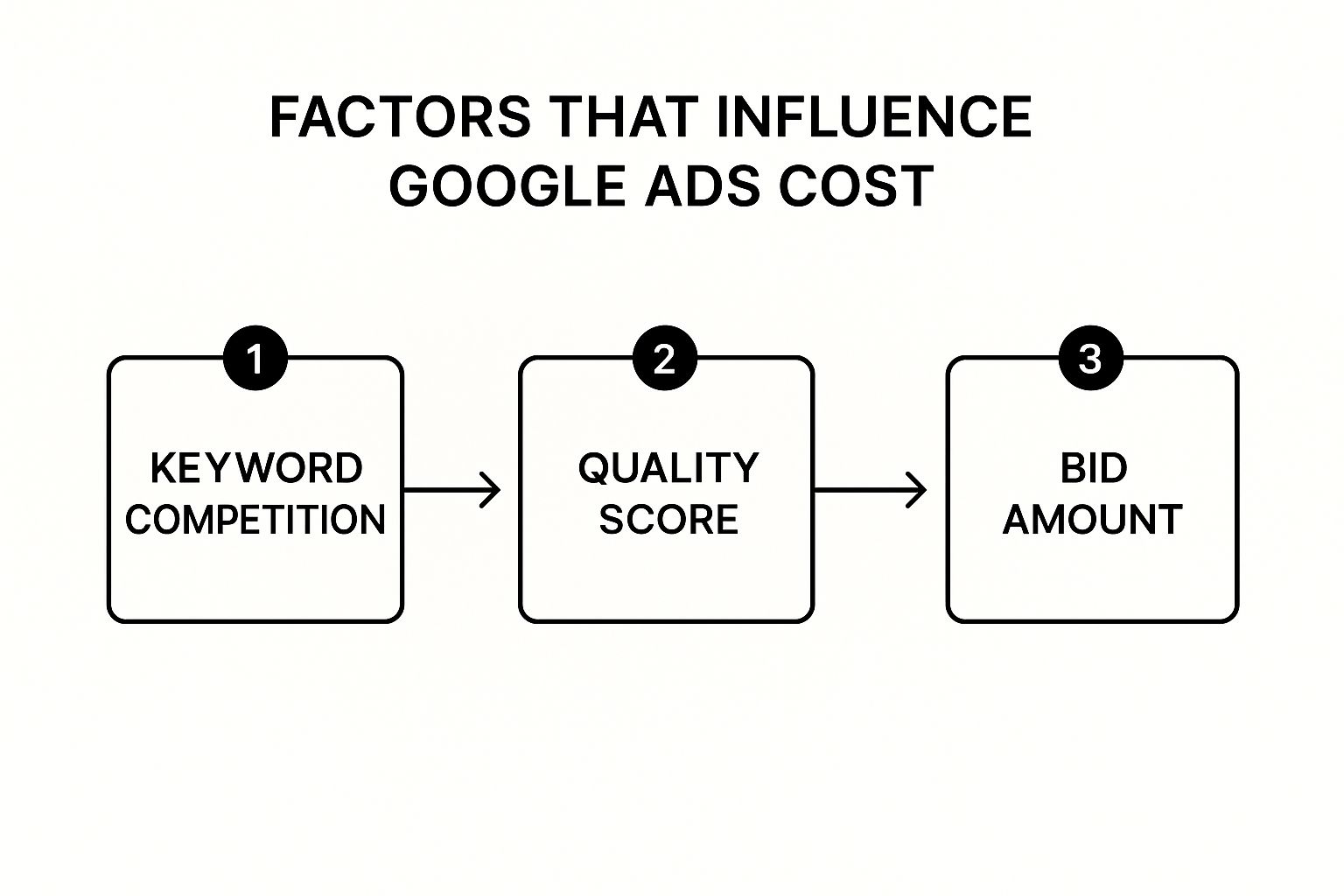
This flowchart neatly sums up the process. Your keyword competition, Quality Score, and how much you bid all dance together to decide your final cost. The big takeaway is that a stellar Quality Score can give you an edge, even in a competitive space, helping you win placements without breaking the bank.
Every time someone hits ‘search’ on Google, a super-fast auction kicks off behind the scenes to decide which ads get shown. But it’s not a simple case of the highest bidder winning. Instead, Google uses a clever formula called Ad Rank, and for businesses keeping a close eye on their budget, it’s a total game-changer.
Think of it as a talent competition for a prime spot on the search results page. Your bid is what you’re willing to pay to get on stage, but the judges (that’s Google) are just as interested in the quality of your performance. A higher Ad Rank secures you a better position, and you can’t win it with money alone.
Understanding Your Ad Rank (How Much Does a Google Ad Cost in the UK)
Your Ad Rank is worked out using a simple but mighty formula that balances your bid against the quality of your ad. This is fantastic news for smaller businesses because it means you don’t need the deepest pockets to go head-to-head with the big players.
The formula is basically this:
Your Maximum Bid x Your Quality Score = Your Ad Rank
What this means in practice is that an advertiser with a modest bid but a brilliant Quality Score can easily outrank a competitor who’s thrown a huge budget at an ad with a poor score. Google’s system is designed to reward relevance and a great user experience, not just big spenders. If you want to get into the nitty-gritty, our guide on how Google Ads work breaks it down even further.
What Is a Quality Score?
Your Quality Score is Google’s rating of your ads, keywords, and landing pages on a scale of 1 to 10. A high score is a signal to Google that your ad is genuinely relevant and helpful to the person searching.
Google considers a few key things when calculating this score:
- Expected Click-Through Rate (CTR): Based on past performance, how likely is someone to click your ad when it appears?
- Ad Relevance: How closely does your ad copy match the intent behind the search keyword?
- Landing Page Experience: Is your landing page relevant to the ad? Is it easy to navigate and genuinely useful for the visitor?
A high Quality Score is your secret weapon. It doesn’t just help you win more auctions and nab better ad positions; it directly lowers your cost-per-click.
How Your Actual Cost Is Calculated
Here’s the interesting part: even if you win the auction, you don’t actually pay your maximum bid. The amount you end up paying is just enough to beat the Ad Rank of the advertiser in the position right below you.
This proves that improving your Quality Score is one of the best investments you can make. A higher score means you pay less to beat the competition, stretching your budget further and improving your overall ROI.
How Much Does a Google Ad Cost in the UK? Key Factors That Control Your Ad Spend

The answer to “how much do Google ads cost?” isn’t set in stone, mostly because you have far more control than you might think. Your ad spend isn’t some random number plucked from the air; it’s a direct result of several powerful factors you can actively manage. Think of them as levers you can pull to either drive costs down or push your reach further.
Getting a grip on these variables is the first step towards building a campaign that doesn’t just spend money but makes it. By mastering keyword selection, boosting your ad quality, and sharpening your targeting, you can take direct control of your budget and seriously improve your return on investment.
Keyword Competitiveness and Intent
At the absolute heart of your ad cost is the keyword itself. The simplest way to think about it is like buying property in London. Bidding on a high-value, high-intent keyword is like trying to snap up a storefront in Mayfair – it’s eye-wateringly expensive because everyone wants it and the potential return is huge.
For example, a keyword like ‘london solicitor’ is fiercely competitive. Law firms are willing to pay a premium because a single click could land a client worth thousands. On the other hand, a more specific, long-tail keyword like ‘family law advice in leeds’ is more like renting a smaller shop in a less central borough. It attracts a very specific audience, the competition is much lower, and that means a more affordable cost per click. You can get a deeper understanding by exploring our detailed guide to Google Ads cost per click.
The Power of Your Quality Score (How Much Does a Google Ad Cost in the UK)
Your Quality Score is one of the most powerful cost-saving tools you have. As we touched on earlier, it’s Google’s rating of how relevant and high-quality your ads, keywords, and landing pages are. A high score tells Google your ad provides a fantastic user experience, and in return, you’re rewarded with a lower CPC.
It’s basically a discount for being a great advertiser. Two businesses could be bidding on the exact same keyword, but the one with a 9/10 Quality Score will pay significantly less per click than the one limping along with a 4/10. Better yet, they’ll probably secure a higher ad position too.
A high Quality Score acts as a powerful multiplier for your budget. It allows you to compete with bigger spenders by rewarding the relevance of your ads, not just the size of your bid.
Strategic and Precise Targeting
Blanketing the entire UK with your ads is often a recipe for wasted spend. Strategic targeting is all about focusing your budget only on the people most likely to become customers, which dramatically improves your efficiency.
This means getting specific with your campaign settings:
- Location Targeting: A local bakery in Birmingham has absolutely no reason to show ads to people in Edinburgh. By targeting only the relevant city or even specific postcodes, you ensure every pound is spent reaching potential local customers.
- Device Targeting: If you know your customers primarily browse and buy on their mobiles, you can bid more aggressively for mobile traffic and dial back your bids for desktop users.
- Ad Scheduling: Does your business only operate from 9 am to 5 pm? You can schedule your ads to run only during these hours, preventing clicks from coming in when there’s no one there to answer the phone.
These factors are all interconnected and constantly shifting. Recent analysis from Search Engine Land shows that the average cost per click on Google Ads shot up by nearly 13% globally year-over-year, with 87% of industries seeing a rise. While these are international figures, the highly competitive UK market follows similar trends, making smart, strategic optimisation more critical than ever. You can learn more about these rising ad costs and their impact on searchengineland.com.
Alright, let’s move from the abstract world of clicks and costs to something far more practical: building a Google Ads budget that actually works for your business.
A solid budget isn’t about plucking a number out of thin air. It’s about having a straightforward plan that ties every pound you spend directly to your business goals. The secret? Start small, get some real data, and then double down on what’s working.
The most powerful way to figure out your budget is to work backwards from your revenue goals. This simple shift in thinking takes the emotion out of it and anchors your ad spend in cold, hard business results. It answers the one question that really matters: “How much can I afford to pay for a new customer and still make a profit?”
Reverse-Engineering Your Budget (How Much Does a Google Ad Cost in the UK)
To get started, you need to get to grips with two crucial numbers for your business: your Customer Lifetime Value (LTV) and your acceptable Cost Per Acquisition (CPA). LTV is the total amount of money you expect to make from one customer over the long haul, while CPA is the absolute maximum you’re willing to pay to land that customer.
Let’s walk through a real-world example. Imagine you’re an electrician based in Bristol.
- Calculate Your Average Job Value: You look at your books and find that the average job brings in £300.
- Determine Your Profit Margin: After you’ve paid for materials and other costs, you have a healthy 40% profit margin. That means you’re making £120 in pure profit from each job.
- Set Your Maximum CPA: You decide you’re happy to spend up to 50% of your profit to get a new customer through the door. This gives you a maximum CPA of £60.
Boom. With a target CPA of £60, you now have a clear line in the sand. Any new client you win for less than that is a profitable victory for your business.
Once you know your numbers, your whole perspective on ad costs changes. That £4 click is no longer just an expense; it’s a potential investment towards generating £120 in profit.
Setting a Starting Budget
Now that you’ve got your CPA sorted, you can set a starting budget. A classic mistake is to start way too low. A budget of just £5 a day isn’t going to give you nearly enough click data to make smart decisions. You’ll be flying blind.
A much better approach is to aim for enough clicks to generate at least one or two conversions, based on your industry’s average conversion rate. For a lot of UK businesses, a sensible starting point is somewhere between £500 and £1,500 per month.
- This gives you a daily budget of roughly £15-£50.
- It’s enough cash to properly test different keywords and ad copy.
- It provides you with enough data inside of a month to start making meaningful optimisations.
Think of this initial phase as your learning period. You’re not aiming for huge profits right away. You’re investing in data to figure out what actually works. For a more detailed breakdown, you can use a dedicated tool to help plan your spending. Check out our simple AdWords budget calculator to model different scenarios.
Once you find those golden keywords and campaigns that are bringing in profitable customers, you can start dialling up the investment with confidence. By starting with a data-first approach, you make sure your budget is an engine for growth, not just another line item on your expense sheet.
How Much Does a Google Ad Cost in the UK? Proven Strategies to Lower Your Ad Costs
Knowing your potential ad spend is one thing; actively bringing it down is a whole different ball game. It’s all about making every pound count, and thankfully, there are several tried-and-tested tactics you can use to lower your Google Ad costs while cranking up your return on investment. This isn’t about spending more; it’s about working smarter.
These strategies are all about improving efficiency and making sure your budget is only spent on clicks that are genuinely likely to convert. From sharpening your keyword targeting to optimising when and where your ads show up, every little tweak can lead to some pretty significant savings. Let’s dig into some of the most effective methods.
Master Your Keyword Strategy
One of the fastest ways to burn through your budget is by bidding on the wrong keywords. Instead of going after broad, expensive terms, your focus should be on more specific, long-tail keywords.
These are longer phrases that signal a much higher intent from the searcher, like “emergency plumber in south London” instead of just “plumber.” They usually have less competition and, as a result, a lower CPC.
Another absolute game-changer is building a robust negative keyword list. These are the terms you explicitly tell Google not to show your ads for. For instance, if you sell premium leather shoes, you’d add words like “cheap,” “second-hand,” and “repair” as negative keywords. This simple step filters out irrelevant clicks and stops you from wasting money.
Google’s Keyword Planner is a fantastic free tool for finding both long-tail keywords and opportunities for negative keywords.

This tool lets you research search volumes and get cost estimates, helping you pinpoint cost-effective terms that have strong commercial intent.
Improve Your Quality Score
As we’ve mentioned, a high Quality Score is your best friend when it comes to lowering ad costs. Think of it as Google’s way of rewarding you for providing a brilliant user experience.
Improving your Quality Score from a 5/10 to an 8/10 can reduce your cost per click by as much as 37.5%. Focus on creating highly relevant ad copy that perfectly matches what the user is searching for, and make sure your landing page delivers exactly what the ad promises. A seamless, relevant journey from click to conversion is the key.
Got Questions About Google Ads Costs? We’ve Got Answers
Once you get your head around the basics of Google Ads pricing, a whole new set of questions usually pops up. That’s perfectly normal. We hear them all the time from business owners just like you.
Here are some straight-talking answers to the most common queries, designed to give you the clarity you need to move forward.
What Is a Good Starting Budget for Google Ads in the UK?
For most small to medium-sized UK businesses, a starting budget between £300 and £1,000 per month is a great place to begin. Think of this as your initial research and development fund—it’s enough to get the ball rolling and gather some really valuable performance data.
We often advise clients to start small, say with a daily budget of £10-£20. This lets you dip your toes in the water, test out your keywords, and see which ads resonate with your audience. Once you spot what’s working, you can start dialling up the investment with confidence.
Ultimately, the starting number isn’t as important as your commitment to watching the data and tweaking your campaigns.
How Long Does It Take to See Results?
You’ll see traffic from your ads almost immediately, sometimes within hours of going live. But seeing a positive return on your investment? That’s more of a marathon than a sprint. You should be prepared to give it at least a three-month initial period.
Here’s how it usually breaks down: Month one is all about data collection. Month two is for getting your hands dirty with optimisations—refining your targeting, tweaking your ads, and adjusting your bids. By the end of month three, you should have a solid picture of what’s profitable and be ready to scale up the winners.
Can I Run Ads Without Paying for Every Single Click?
For a classic Google Search campaign, the answer is pretty much no. The whole model is built on Pay-Per-Click (PPC), which means you pay your fee when someone clicks your ad. It’s the cost of entry to get that potential customer to your website.
However, Google does offer different ways to bid that focus on other outcomes. For instance, you could use a Target CPA (Cost Per Acquisition) strategy, where you tell Google you only want to pay for actual conversions. Or, if you’re running ads on the Display Network, you might use CPM (Cost Per Mille) bidding, where you pay for every thousand times your ad is shown.
But when it comes to driving traffic from those all-important search results, the click is the main event you’re paying for.
Author

Search Blog
Free PPC Audit
Subscribe to our Newsletter

The Voices of Our Success: Your Words, Our Pride
Don't just take our word for it. With over 100+ five-star reviews, we let our work-and our satisfied clients-speak for us.

"We have been working with PPC Geeks for around 6 months and have found Mark and the team to be very impressive. Having worked with a few companies in this and similar sectors, I rate PPC Geeks as the strongest I have come across. They have taken time to understand our business, our market and competitors and supported us to devise a strategy to generate business. I value the expertise Mark and his team provide and trust them to make the best recommendations for the long-term."
~ Just Go, Alasdair Anderson
