




When we talk about using ChatGPT for ads management, we’re really talking about giving ourselves a seriously smart assistant. It’s not about letting AI run the show on autopilot. Instead, it’s about augmenting our own skills to handle tasks like generating ad copy, brainstorming keywords, analysing performance data, and structuring A/B tests.
Think of it as a co-pilot. It takes on the repetitive, time-sucking work, freeing you up to focus on the big-picture strategy that actually moves the needle.
The New Era of AI-Powered Ad Management
Welcome to the new reality of paid media, where AI tools like ChatGPT are quickly becoming indispensable. This guide is designed to cut through the hype and give you practical, real-world workflows you can start using today in your day-to-day ads management.
The goal here is simple: to show you how AI can enhance your expertise, not replace it. It’s about offloading the tedious manual jobs so you can pour your energy into the high-impact strategic decisions that drive real growth.
By properly integrating ChatGPT into your workflow, you can completely change how you approach everything from campaign creation to deep-dive analysis. The secret is knowing what to ask and how to frame your requests with the right context.
What to Expect From This ChatGPT Ads Management Guide
Throughout this playbook, we’ll get into the nitty-gritty of using ChatGPT across all the major ad platforms. You’ll learn exactly how to:
- Conduct In-Depth Account Audits: Use ChatGPT to sift through performance data in your Google Ads or Microsoft Ads accounts, uncovering hidden opportunities and flagging inefficiencies you might have missed.
- Generate High-Performance Ad Copy: Get past generic headlines and create genuinely compelling, platform-specific copy for search, social, and professional networks.
- Discover Untapped Keywords and Audiences: Let the AI do the heavy lifting in brainstorming long-tail keywords and fleshing out detailed audience personas for laser-focused targeting.
- Design and Structure Effective Experiments: Formulate clear hypotheses and map out A/B tests for everything from ad creative to landing page tweaks.
- Streamline Reporting and Analysis: Transform raw performance data into clear, narrative-style summaries for stakeholders, saving you hours of spreadsheet drudgery.
AI is reshaping every corner of the advertising world, and it’s not just about traditional digital ads. It’s also becoming a vital component in emerging channels like Connected TV (CTV) advertising, where it allows for incredibly precise targeting and campaign optimisation.
As search engines themselves continue to evolve with AI, staying on top of these changes is absolutely critical. In fact, you can learn more about how this is ushering in a new era of search advertising in our detailed guide.
We’re focused squarely on practical application. This guide gives you the prompts, the frameworks, and the strategic mindset needed to make ChatGPT a truly valuable part of your advertising toolkit. It’s your manual for smarter, more efficient ads management in a market that never stands still.
ChatGPT Ads Management: Auditing Ad Accounts with ChatGPT
One of the smartest ways to use ChatGPT in ads management is to turn it into your own personal data analyst for account audits. Forget spending hours drowning in spreadsheets. With a few well-crafted prompts, you can quickly find hidden opportunities, plug budget leaks, and figure out what’s holding back performance in your Google Ads or Microsoft Ads accounts. It transforms what is often a tedious slog into a sharp, insight-driven process.
The secret is feeding ChatGPT the right data in a safe, structured way. A word of warning: never upload raw, sensitive client information. Instead, export anonymised data – think campaign structures, keyword performance metrics (clicks, impressions, cost, conversions), and search query reports. By stripping out account IDs and specific client names, you protect privacy while giving the AI all the info it needs to spot patterns.
This workflow really shows how AI can shift your focus from manual data crunching to high-level strategic planning.
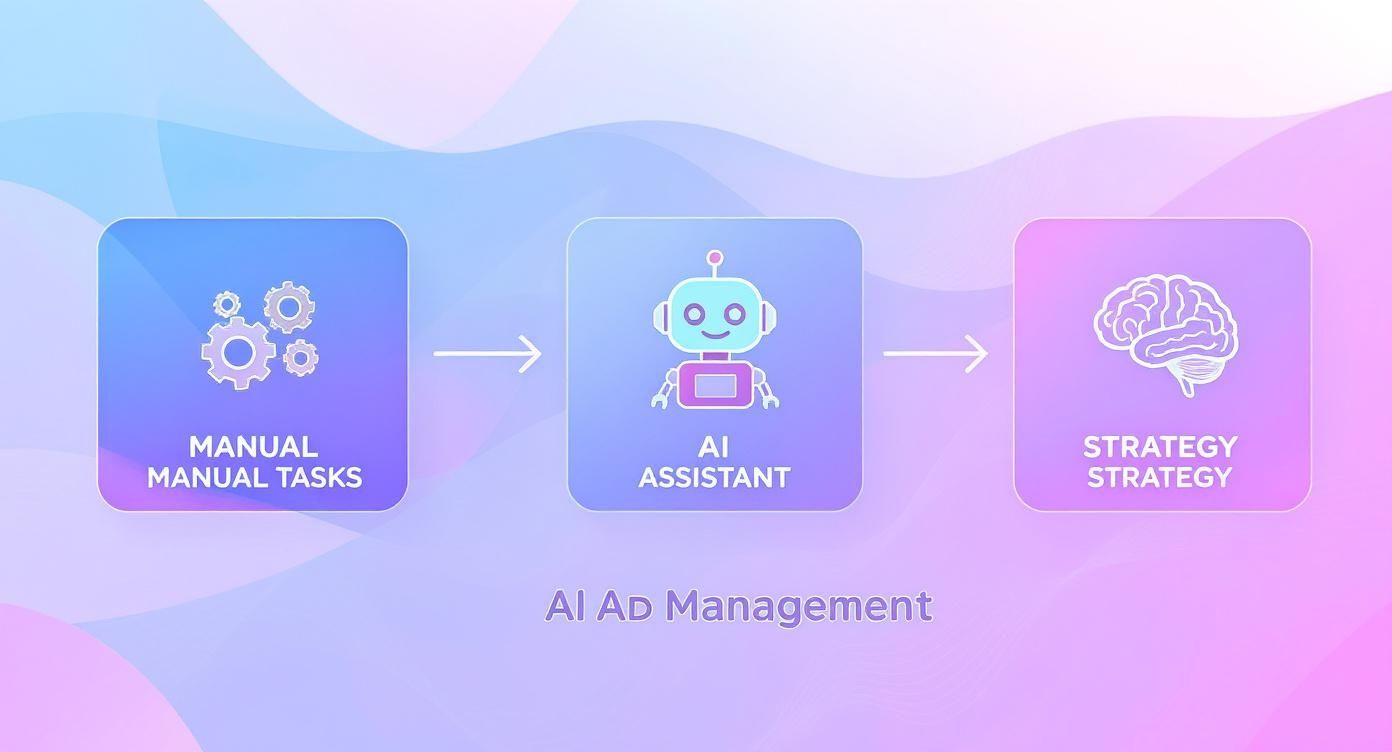
This flow from manual grunt work to an AI assistant and finally to strategy perfectly illustrates how ChatGPT acts as a force multiplier for your own expertise.
Pinpointing Underperforming Keywords and Wasted Spend
One of the first places I always look for quick wins is keyword performance. It’s low-hanging fruit. You can simply export a keyword report from Google Ads, making sure to include columns for Cost, Conversions, and Cost Per Acquisition (CPA), then paste that data straight into ChatGPT.
A simple prompt can immediately light up the problem areas.
Prompt Example:
“Analyse the following Google Ads keyword data. Identify all keywords that have spent more than £100 but have generated zero conversions. List them in a table and calculate the total wasted spend.”
That one command saves you from all the manual filtering and calculating, handing you a neat list of budget drains. You can push this even further by asking ChatGPT to analyse keywords with a high CPA, flagging any that are blowing past your target by a certain percentage. This helps you prioritise which keywords need immediate attention—either pausing them or fixing their landing pages. For a more methodical approach, you can always reference a comprehensive PPC audit checklist to make sure you’re covering all the bases.
Generating Negative Keywords from Search Query Reports (ChatGPT Ads Management)
The Search Query Report (SQR) is an absolute goldmine for optimisation, but let’s be honest, manually sifting through thousands of queries is a soul-destroying task. This is where ChatGPT can seriously speed things up.
Export your SQR, ensuring it includes columns for the search query, clicks, and cost. Then, feed this data to the AI with a clear goal in mind.
- Ask for Irrelevant Terms: “Review this search query report. Identify queries that are commercially irrelevant for a company selling [your product/service]. Group them by common themes and suggest them as negative keywords.”
- Find Costly But Non-Converting Queries: “Find search queries in this report that have accumulated more than 20 clicks but have not resulted in a single conversion. List these as potential negative keywords.”
This is so much more efficient than doing it by hand. The AI is brilliant at spotting patterns and grouping related terms, helping you build powerful negative keyword lists that stop you from wasting money on irrelevant traffic down the line.
Analysing Ad Account Structure and Quality Score
Beyond just keyword performance, ChatGPT can offer surprisingly valuable feedback on your overall account structure. You can give it an anonymised list of your campaigns and ad groups and ask for a critique.
Prompt Example:
“Here is the structure of a Google Ads account, listing campaigns and the ad groups within them. Based on this structure, identify any ad groups that seem too broad or contain keywords with conflicting user intent. Suggest a more logical regrouping to improve relevance and Quality Score.”
Now, while the AI can’t see your actual Quality Score, it can analyse the components you give it. For instance, you could export a report showing keywords, their assigned ad group, and their “Ad Relevance” or “Landing Page Experience” scores (e.g., Below Average, Average).
By providing this context, you can ask ChatGPT to pinpoint which ad groups are struggling with poor ad relevance, strongly suggesting a mismatch between the keywords and the ad copy. This kind of insight directs your optimisation efforts exactly where they’re needed most, helping you improve your account health in a much more effective, methodical way.
ChatGPT Ads Management: Generating High-Performance Ad Copy
This is where ChatGPT really starts to shine. We move from the analytical side of things—audits and research—into pure creation. The goal? To turn all those strategic insights into compelling ad copy that actually gets people to click and convert.
The real art here is mastering the prompt. It’s not about just asking for “ad copy for my product.” To get words that sell, you need to feed the AI the right ingredients: your brand guidelines, a detailed picture of your target audience, and your sharpest unique selling propositions (USPs). This is how you turn a generic text generator into a genuinely useful creative partner.
Honestly, this process is becoming fundamental to modern marketing. You can see this shift happening across the board. In the UK, over 45% of companies are already using ChatGPT, mainly for brainstorming content and drafting marketing copy. The global impact on the advertising and marketing world is massive, estimated at around £119 billion.
When you consider that the UK is on track to spend £9.02 billion on social media ads in 2025 alone, the ability to generate stacks of targeted ad variations quickly is a huge advantage. It’s all about efficiency.
Crafting Platform-Specific Prompts
Every ad platform has its own vibe, and your copy needs to match. What works for a Google Responsive Search Ad (RSA) will fall flat in a Meta ad, and a LinkedIn campaign needs a completely different tone altogether. Your prompts have to reflect these nuances.
For Google Ads, think short, sharp, and packed with keywords and clear calls-to-action (CTAs). For Meta, you need to tell a story, hit emotional triggers, and use hooks that stop people mid-scroll. LinkedIn? That’s all about professional value, highlighting business solutions and speaking to industry pain points.
Pro Tip: I always recommend creating a “Brand Bible” prompt you can reuse. Chuck in your core messaging, tone of voice rules (e.g., “witty but trustworthy,” or “authoritative and clear”), a summary of your audience, and key USPs. Start every ad copy session by pasting this in first to give ChatGPT the right context.
If you want to get really clever with it, it helps to understand what makes content more favourable to AI tools in the first place. For those who want to go a bit deeper, there’s a great guide on how to rank in ChatGPT that unpacks some of these ideas.
To help you get started, here’s a quick-glance table for structuring your prompts depending on the platform you’re working with.
Platform-Specific Ad Copy Prompt Frameworks (ChatGPT Ads Management)
| Platform | Key Prompt Inputs | Example Objective |
|---|---|---|
| Google Ads | Keywords, character limits (30/90), USPs, clear CTA, solution-focused tone. | Generate concise headlines and descriptions for an RSA campaign targeting high-intent searchers. |
| Meta (Facebook/Instagram) | Audience pain points, emotional triggers, a strong hook, storytelling elements, brand voice. | Create engaging ad copy that stops the scroll and drives clicks for a new product launch. |
| Professional tone, industry jargon, B2B value proposition, problem/solution framework. | Write persuasive ad text for a lead generation campaign targeting decision-makers in the tech sector. | |
| X (Twitter) | Brevity, hashtags, conversational tone, a sense of urgency or a question to spark engagement. | Draft several short, punchy tweets to promote a limited-time offer or webinar registration. |
Think of this table as your cheat sheet. Before you write a single prompt, a quick look here will make sure you’re feeding the AI the right information to get a useful result back.
A Proven Prompt Framework For Google RSAs
Google’s Responsive Search Ads are all about variety—you need a load of short, punchy headlines and a few descriptions to let the algorithm do its thing. ChatGPT is brilliant for generating these at scale, letting you test a bunch of different angles without the headache.
Here’s a practical prompt framework I use all the time. Feel free to copy and adapt it.
- Set the Stage: “Act as an expert PPC copywriter. I need headlines and descriptions for a Google Responsive Search Ad campaign.”
- Provide Context: “The campaign is for [Your Company], a [brief company description]. Our target audience is [describe your audience’s main goal or problem]. Our key USP is [your main differentiator].”
- Specify the Deliverables: “Generate 10 unique headlines (under 30 characters) and 3 unique descriptions (under 90 characters). Make sure the headlines include keywords like ‘[main keyword]’ and ‘[secondary keyword]’.”
- Define the Tone and CTA: “The tone should be urgent and solution-focused. The primary call-to-action is ‘Get Your Free Quote Today’.”
This structured approach gives you copy that’s relevant, compliant, and ready to go straight into your campaigns for testing. You can see how frameworks like this work in practice by checking out these Chat GPT ad examples.
Brainstorming Creative Angles and Visuals (ChatGPT Ads Management)
Don’t stop at just the text. ChatGPT can be a fantastic sounding board for brainstorming visual concepts, video scripts, and the overall creative direction for your ads. It helps make sure everything feels connected.
Once you’ve got some ad copy you’re happy with, use it as a launchpad for your visuals.
- For Image Ads: “Based on the ad copy below, suggest 5 different visual concepts for a Meta ad. Describe the imagery, colour palette, and overall mood for each. The goal is to grab the attention of [your target audience].”
- For Video Ads: “Create a short, 15-second video script for a YouTube pre-roll ad using this copy. I need a strong hook in the first 3 seconds, a clear problem-solution arc, and a final call-to-action.”
Using ChatGPT this way closes the gap between the copy and the creative. It forces you to think about your campaigns more holistically, ensuring every piece works together to catch someone’s eye and push them towards that conversion.
ChatGPT Ads Management: Advanced Keyword and Audience Research
Beyond just writing ads, ChatGPT can be your secret weapon for research, digging deep into the minds of your potential customers. This is where you get to uncover the exact language people use when they’re looking for what you sell, letting you meet them with the perfect message at the perfect time. We’re talking about going way beyond basic keyword brainstorming here.
Proper ChatGPT ads management really hinges on understanding user intent. You’re not just looking for keywords; you’re on a mission to find valuable long-tail phrases, semantic variations, and the specific questions your audience is typing into Google. This is how you build campaigns that don’t just get seen, but actually resonate.
This isn’t some niche tactic anymore. In the UK, ChatGPT adoption is fundamentally changing how we approach digital advertising. As we head into 2025, a huge slice of the global user base is right here, with 49% using it monthly and 17% daily. This level of engagement means brands can tap into AI for some seriously insightful market research within a UK digital ad market valued at £38.07 billion. You can dig into more stats about UK ChatGPT adoption on sqmagazine.co.uk.
Uncovering Long-Tail and Question-Based Keywords
Standard keyword tools are fine, but they tend to spit out the same high-competition, high-cost terms that everyone and their dog is bidding on. This is where ChatGPT can help you find the gold: the less obvious, high-intent phrases your competitors are probably ignoring. These long-tail keywords often have lower competition and much higher conversion rates.
You can kick things off with a simple, broad prompt and then start refining.
Prompt Example: “Act as a PPC specialist. My company sells sustainable, handmade dog beds in the UK. Generate a list of 20 long-tail keywords that a potential customer might search for. Focus on phrases that indicate a strong intent to buy, and include question-based queries.”
The AI might come back with absolute gems like “best eco-friendly dog bed for chewy labs” or “where to buy orthopedic washable dog beds UK”. These are the types of specific queries that scream “I’m ready to buy!” While the AI is a fantastic starting point, it’s always smart to validate these ideas. To round out your strategy, it’s worth checking out some of the best free keyword research tools to get a handle on search volume and competition data.
Building Detailed Audience Personas for Social Ads (ChatGPT Ads Management)
When it comes to platforms like Meta and LinkedIn, a deep understanding of your audience is everything. Generic targeting is just a fast way to burn through your budget. ChatGPT can help you transform a basic audience description into a rich, detailed persona that informs every part of your campaign, from the copy to the creative.
The trick is to feed the AI as much information as you can from the get-go.
- Your Starting Point: Give it the core demographics you have (age, location, job titles).
- The Problem: Describe the specific pain points your product or service actually solves.
- Their Motivation: Explain what your ideal customer is trying to achieve.
Armed with this info, you can ask ChatGPT to build out a full persona.
Example Persona Prompt:
“Create a detailed customer persona for a Facebook Ads campaign. Our target is a UK-based marketing manager, aged 30-45, working at a small to medium-sized business. Their biggest pain point is not having enough time to manage complex PPC campaigns effectively. Their goal is to show a clear ROI to their boss without getting bogged down in manual reporting.”
The AI will then generate a profile that might look something like this:
| Persona Trait | Description |
|---|---|
| Name | Sarah, the Strategic Marketer |
| Demographics | 38, lives in Manchester, works as a Marketing Manager at a tech SME. |
| Pain Points | Overwhelmed by data, struggles to attribute conversions, fears wasting the ad budget. |
| Motivations | Wants to prove her department’s value, eager to learn efficient strategies, values clear and concise reporting. |
| Online Behaviour | Active on LinkedIn, follows industry blogs, listens to marketing podcasts on her commute. |
This detailed persona isn’t just a bit of creative fun. It gives you genuinely actionable insights that you can plug directly into the targeting options on social ad platforms. You can target users based on their job titles on LinkedIn or their interests (like specific marketing blogs) on Facebook. It’s this level of detail that gives your campaigns a real, powerful edge.
ChatGPT Ads Management: Automating Reports and Structuring A/B Tests
Beyond brainstorming creatives and digging into audience research, one of the biggest wins with ChatGPT is clawing back time from the tedious, repetitive tasks that eat up your week. I’m talking about writing performance reports and carefully mapping out A/B tests.
Both of these jobs demand meticulous attention to detail, but they are also highly systematised processes. This makes them absolutely perfect for an AI assistant. It’s here you can switch ChatGPT from being your creative partner to your data-driven workhorse.
Turning Raw Data into Clear Reports
Let’s be honest: stakeholders don’t want a spreadsheet full of numbers. They want a story. What worked? What bombed? And, crucially, what are we doing about it next? Pulling these narratives together week after week is a massive drain on your time and strategic thinking.
This is where ChatGPT can do the heavy lifting.
Simply export a clean summary of your key metrics for a given period—clicks, impressions, cost, conversions, CPA, ROAS, you name it—and feed it into a prompt.
Prompt Example:
“Act as a PPC account manager writing a weekly performance summary for a client. Based on the following data, write a concise, three-paragraph summary. Explain the key performance trends, highlight one major win (like a campaign with excellent ROAS), identify one area for improvement (like a high-spending ad group with low conversions), and state our main focus for next week. Keep the tone professional and clear.”
This little trick turns what used to be a one-hour slog into a five-minute job. The AI organises the data into a coherent story, leaving you to simply review, add any extra nuance, and hit send. It keeps your reporting consistent, timely, and focused on genuine insights, not just a data dump.
Designing a Rigorous A/B Testing Framework (ChatGPT Ads Management)
Proper A/B testing isn’t about just throwing different headlines at the wall and seeing what sticks. It demands a structured approach, and that always starts with a clear hypothesis. This is another area where ChatGPT can be incredibly valuable, acting as a logical sounding board to make sure your thinking is straight.
Before you even think about building new assets, use the AI to outline the entire experiment. This simple step forces you to think through every variable, from the core idea right down to the success metrics.
Start by defining your goal and asking ChatGPT to formulate the hypotheses for you.
- Your Goal: “I want to test if a benefit-led headline performs better than a feature-led headline in our Facebook ads.”
- Your Prompt: “Based on this goal, generate three distinct A/B test hypotheses for a Facebook ad campaign. Each hypothesis must clearly state the variable being tested, the expected outcome, and the primary metric for measuring success (e.g., Click-Through Rate).”
This kind of methodical approach is quickly becoming standard practice. With the UK’s digital advertising market now valued at over £38 billion, British brands are increasingly turning to tools like ChatGPT to drive methodical campaign optimisation. You can find more insights on how UK businesses leverage ChatGPT for advertising on stmagency.co.uk.
Generating Test Variations at Scale
Once you’ve locked in your hypothesis, it’s time to create the actual test variations. If you’re testing ad copy, ChatGPT can generate multiple versions based on your chosen angle, ensuring you maintain consistency across the experiment.
Just give it your current winning ad (your ‘control’) and ask for a challenger based on the new hypothesis.
Prompt Example:
“Here is my control ad copy (Version A), which focuses on product features. Create a challenger (Version B) that focuses on the emotional benefits for the customer. Both versions must use the same CTA: ‘Shop Now’.”
By following this structured process, you ensure your experiments are clean and the results you get are reliable. Using ChatGPT to both design the test framework and generate the assets builds a scalable, efficient system for continuous improvement across all your ad accounts.
Frequently Asked Questions
Using AI in your advertising workflow is a big step, and it’s natural to have a few questions. I get asked about this stuff all the time, so let’s clear up some of the most common queries about using ChatGPT for managing your ad accounts.
Data Privacy and Security
Let’s start with the big one: data security. Anytime you introduce a new tool into your workflow, especially one that handles data, you need to be careful.
Is it safe to use ChatGPT with sensitive ad account data?
You have to be smart about this. Never, ever paste personally identifiable information (PII) or confidential client data into the public version of ChatGPT. It’s just not worth the risk.
For things like account audits, the only safe way forward is to completely anonymise your data. Strip out account IDs, specific campaign names, client details—anything that could possibly identify an individual or a business. You’re looking for ChatGPT to spot trends, check your structure, and analyse performance patterns from scrubbed data, not to know your client’s secrets.
If you’re working in a larger organisation with serious security requirements, it’s worth looking into ChatGPT Enterprise. It comes with much tighter privacy controls and guarantees your data isn’t used to train OpenAI’s models.
Understanding Automation Limits
It’s easy to get excited by what AI can do, but it’s just as important to understand what it can’t do. Managing expectations is key to using it well.
Can ChatGPT completely automate my Google Ads or Facebook Ads campaigns?
In a word, no. ChatGPT can’t plug directly into your ad accounts and run them for you. Think of it as an incredibly powerful assistant, not a replacement for an account manager.
Its real value in ChatGPT ads management is making your existing workflow much, much faster. It’s a powerhouse for speeding up research, brainstorming ad copy, analysing data, and pulling together reports.
The final say on strategy, where the budget goes, and what gets launched still rests with you—the human expert. You’re still in the driver’s seat. Your job is to review, refine, and implement the ideas ChatGPT gives you. It just makes the whole process a lot smoother.
Ensuring Quality and Brand Alignment
The creative output you get from an AI is a direct result of the instructions you feed it. Getting it to sound like your brand takes a bit of effort on your part.
How can I make sure ChatGPT’s ad copy sounds on-brand?
Garbage in, garbage out. If you want truly original, on-brand copy, you need to give ChatGPT a detailed, context-rich prompt. Don’t be lazy here.
Your prompt should always include these details:
- Your brand’s specific tone of voice (e.g., are you witty, professional, empathetic?).
- The key messages and unique selling propositions (USPs) you need to hit.
- A clear call-to-action (CTA) that matches the campaign’s goal.
- Real insight into your target audience—what are their problems? What motivates them?
Treat whatever it gives you back as a first draft. Always. It’s your responsibility to review, tweak, and perfect the copy until it’s a perfect match for your brand and the campaign’s goals.
Recognising Key Limitations
Like any tool, ChatGPT isn’t perfect. Knowing where its boundaries are will help you avoid some common pitfalls.
What are the biggest limitations of using ChatGPT for PPC management?
The two biggest things to watch out for are its lack of real-time data and its tendency to “hallucinate”—that is, confidently make things up.
ChatGPT’s knowledge is frozen in time, based on its training data. It has no idea about what’s trending today or how your campaigns are performing right now unless you provide it with that specific data.
It also has zero understanding of the visual context inside ad platforms. Because of this, everything it produces—from keyword ideas to performance analysis—needs to be double-checked by an experienced human. Don’t just copy and paste; use your own expertise to validate its suggestions before you act on them.
Ready to stop wrestling with your ad accounts and start seeing real results? The team of experts at PPC Geeks can help. We provide data-driven strategies and hands-on management to maximise your ROI. Get your free, in-depth PPC audit today.


