



Why Get a Google Ads Audit?
The B2B Human Created Google Ads Audit: Precision-Driven Insights for Your Next Level of Growth.
Are Your Google Ads Bleeding Money?
Many brands waste thousands on Google Ads without realising why.
It’s not the platform — it’s hidden mistakes draining your budget.
Our free audit uncovers:
- ✅ Wasted spend
- ✅ Weak spots
- ✅ Clear, human-led analysis
- ✅ Growth opportunities
- ✅ See exactly where your money’s going
But you will also find two other audits on this page if you want to do it yourself – so if you want better results from your Google Ads account, there really isn’t a better resource on the web!
Join 1,500+ businesses who’ve already boosted ROI with our free audit.
★ 150+ 5-star reviews | 100+ combined years experience

Will Your Brand Be Our Next Happy Google Ads Client?

















- Find the Right Google Ads Audit for You
- Why Why Our Audit Is Different (Human Experts > Automated Tools)
- See Exactly What’s Inside Your Free Google AdWords Audit
- Meet Your New Multi Award-winning Search Marketing Team
- Are Your Performance Max Campaign Underperforming?
- How to Fix a Broken Google Ads Account
- Why Every Business Needs a Google Ads Audit
- Your Mini Google Ads Audit Checklist: A DIY Guide to Finding Wasted Spend
- Quickly: Jump To The Best Google Ads Audit For You
- Why Do a Google Ads Audit?
- The The Hidden Cost of Inaction
- Featured Case Study: How We Slashed Wasted Spend for a UK E-Commerce Brand Mountain Dog
- Free Google Ads Report: Key Terms Explained
- Common Google Ads Myths and Pitfalls
- Why Choose PPC Geeks for Your Paid Media Ads Audit?
- Why You Can Trust Our Google Ads Audit
- DIY Google Ads Audit: Step-by-Step Guide
- Pre-Audit FAQs
- Audit Process FAQs
- Costs & Value FAQs
- What to Expect FAQs
- Post-Audit FAQs
- Strategic & “Extra Value” FAQs
Find the Right Google Ads Audit for You
Whatever your experience level

we’ve got an audit option to match

Choose the path that best fits your needs 👇

Are your Google Ads underperforming?
A comprehensive auditcan tell you exactly why.
A Google Ads audit is a comprehensive review of your PPC campaigns designed to uncover exactly what’s working and what isn’t. We dive deep into:
- Account Settings: To ensure your campaigns are set up for success from the start.
- Campaign Structure: Optimising how your ads are organised for maximum efficiency.
- Keyword Performance: Identifying high-value keywords and eliminating wasted spend.
- Ad Copy & Design: Crafting compelling ads that drive more clicks and conversions.
- Performance Metrics: Analysing key data to measure true return on investment.
This process helps you pinpoint opportunities to improve your ROI and grow your business.

Choose the Audit That Fits Your Needs
Whether you’re looking for expert help or want to do it yourself, we have a solution for you.
Free Expert-Led Audit:
Get a free audit from our certified Google Ads specialists. We provide the human insights and strategic recommendations that automated tools simply can’t.
Mini How-To Audit Guide – Perfect for quick wins:
Get to the crucks of the problem quickly with this mini and quick fire guide that will help newbies navigate the murkey waters of Google Ads.
Comprehensive DIY Guide:
Our in-depth guide provides a step-by-step roadmap to audit your own campaigns like a pro.
Done For You: Audit
- A free, expert-led audit
- Zero effort required on your part
- Custom 40+ page report
- Hidden growth opportunities uncovered
- Done for you? ✅
DIY: Mini How-To Audit
Guide
- Fast, simplified checklist
- Great for a quick account review
- Spot obvious issues yourself
- Done for you? ❌
DIY: 21 Step In-Depth
Guide
- Comprehensive walkthrough
- Learn the process our specialists use
- Empower yourself to manage your account
- Done for you? ❌
Ready to get started? Choose the option that’s right for you above 👆
Why Our Audit Is Different (Human Experts > Automated Tools)
Most “free audits” are just software scripts that give you generic tips.
Our audit is different.
It’s hand-built by our team of certified Google Ads experts who review your account in context and explain what to do next in plain English.

Manual vs. Automated Audits at a Glance
- Depth vs. Dashboards
- Automated tools: skim settings and benchmark you against generic data.
- PPC Geeks: dig into structure, targeting, tracking, search terms, PMax, shopping, audiences, landing pages, and commercial intent.
- Context vs. Cookie-cutter
-
Automated tools: standardised suggestions and one-size-fits-all “grades.”
- Our PPC experts: recommendations tailored to your goals, margins, seasonality, and sales cycle — prioritised by impact and effort.
-
- Diagnosis vs. Datasets
- Automated tools: flag symptoms (e.g., “low CTR”).
- PPC Geeks: find root causes (message match, query mix, auction dynamics, budget allocation) and map the fastest path to improvement.
- Actionable Roadmap vs. Score
- Automated tools: leave you with a number.
- Our team: deliver a step-by-step plan your team (or ours) can implement immediately.
- Certified Humans vs. Black-box Scripts
- Automated tools: unknown logic, no accountability.
- PPC Geeks: audits completed by Google Partner-accredited specialists with years of hands-on experience.
No scripts. No guesses. Just expert eyes on your account and a clear plan to increase conversions and cut wasted spend.
Bonus: We access your account securely, make no live changes, and you can remove our access the moment the audit is delivered.
Ready to see the difference a human-built audit makes?
Save Yourself
Unlock More
Achieve Full
Fast, Simple & Hassle-Free
We know your time is valuable. That’s why our free Google Ads audit is designed to be as quick and effortless as possible – for maximum insight with minimum effort on your part.
How it Works
- Takes Just 5 Minutes: Fill out our short form or give us your Google Ads ID. That’s it.
- Secure Access: We connect via Google’s official MCC process—no risk, no disruption and you stay in full control.
- Delivered in a Week: Your 40+ page bespoke audit is ready in just 3-5 working days or less, complete with a walk-through call.
- You’re in Control: Once your audit is delivered, you can remove our access instantly.
Why Choose PPC Geeks for Your Audit?
- 100% Human Expertise.
- 40+ Page Bespoke Report.
- Tailored to Your Business.
- Expert Google Partner Team.
- Fast Turnaround (3-5 working days).
- No Strings Attached.

See Exactly What’s Inside Your Free Google AdWords Audit
expert insights
proven results
uncover wasted spend
missed opportunities
the fastest way to grow ROI
With our 100% Free Google Ads Audit, you don’t get a
generic score – you get a bespoke, expert-led review that exposes inefficiencies and highlights
opportunities to scale profitably.
Our audits are designed to:
- ✅ Save you 10+ hours of research
- ✅ Expose wasted ad spend
- ✅ Validate account structure
- ✅ Improve targeting & ad relevance
- ✅ Confirm tracking accuracy
- ✅ Unlock a clear path to higher ROI
Trusted by 1,500+ UK businesses and backed by 100+ years of combined PPC experience, our audits are built to deliver actionable insight — not fluff.
▶️ Watch the 7-minute walkthrough to see exactly how we uncover wasted spend.

What You’ll Get Inside Your Free Google Ads Audit
- Free Google Ads Audit (40+ Pages)
- Executive Summary
- Overall Account Health
- Introduction
- Account 12 Month Statistics
- Past 12 Month Deep Dives into Many aspects including Cost, CPA, CPL, CVR, CTR and SIS
- 12 Month Audit Score
- Most Recent 30 Days Results
- Quality Score
- Location Targeting
- Ad Scheduling
- Search Terms
- Ad Extensions
- Device Type Traffic
- Mobile Speed
- Video & Multimedia
- Experiments
- Auction Insights
- Behavioural Retargeting/Remarketing
- Artificial Intelligence
- Shopping Ads
- 30 Day Deep Dive Summary
- Concluding Comments
Every audit we deliver is unique to your account, but here’s what you can expect in your 40+ page expert report. Each section is designed to uncover wasted spend, highlight opportunities, and give you a clear plan to improve ROI.
1. Free Google Ads Audit (40+ Pages)
Our in-depth audit provides a detailed, 40+ page review of your account, highlighting strengths, weaknesses, and clear opportunities to improve performance.2. Executive Summary
This will give you a high-level summary of the account and our findings, in easy to understand language that will clearly show the health of your account, based on our findings in the Free Google Ads Report.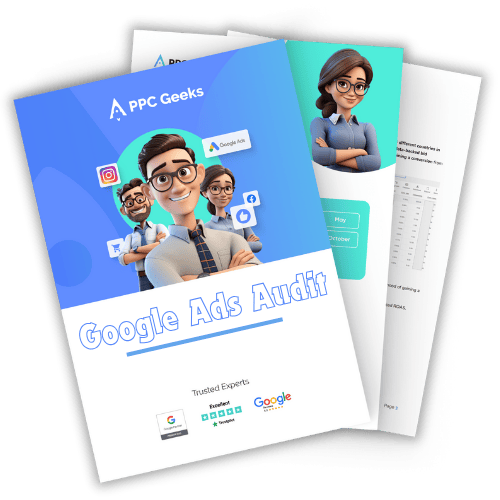
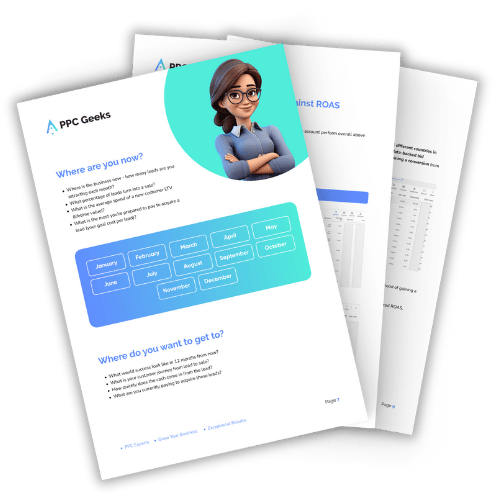
3. Overall Account Health Score
This is your accounts unique Google Ads health check score and is represented as a score out of 100. This should show you at a glance how well your account is doing against the elements reviewed in your Google Ads account.
4. Introduction
This sets out some of the points we have used to baseline for the free ads audit.
5. Account 12 Month Statistics
This highlights what has been going on in your account over the previous 12 months with top-level results.
6. Past 12 Month Deep Dives into Many aspects including Cost, CPA, CPL, CVR, CTR and SIS
This highlights, tracks, and reports on the previous 12 months statistics for key metrics including Cost Per Acquisition, Cost Per Lead, Conversion Rate, Click Through Rate and Search Impression Share highlighting the fluctuations and possible areas for improvement.
7.12 Month Audit Score
This shows simply how the account has performed over the previous 12 months in an easy to understand score of out 100.
8. Most Recent 30 Days Results
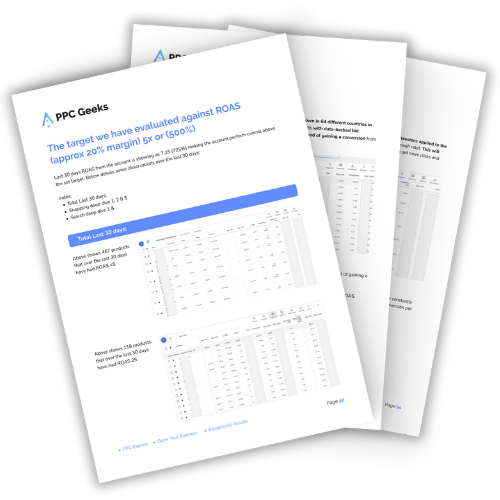
Every account is set up and structured differently with their own nuances and touchpoints, so these following points can vary depending on the specifics in any given account. This section focuses on the top-level performance over the most recent 30 days active period highlighting elements such as Spend, Conversions, ROAS, CPA, SIS, and much more.
9. Quality Score
How well are your keywords performing against industry standards and best practices? Here our Google Ads specialist lifts the lid on how the keywords quality score is and where you could improve it to reduce the Cost Per Clicks you pay and improve your prospective client’s experience when interacting with your accounts keywords. We give you actionable advice on how to improve your account’s performance from the bottom up.
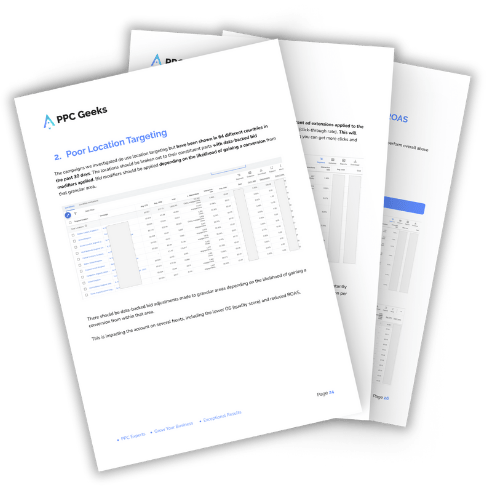
10. Location Targeting
We are constantly shocked at how many accounts we audit where the location setting is not in line with the account objectives. Google is very good at making money and to the ‘unseasoned Google Ads operators’, it is all too easy to ‘drop the ball’ here. If we find anything not in line with what we expect are the account’s objectives, we will highlight it in this section.
11. Ad Scheduling
Deciding when to, and not to show ads should be at the very heart of your digital marketing plan, this should be based around the real-world results you get from your Google Ads account and be data-led. Are your ads showing at the best times and are you saving money by not showing ads at times where your account is not driving ROAS or acceptable CPA’s? Here we will deep dive and see if anything for your Ad Scheduling could be improved upon or not.
12. Search Terms
These are what people type into Google Ads to find your ads and then click on them, this section uncovers where you are spending your money and how this impacts the performance of your account. Deep Dives into areas such as The Highest Spending search terms should be the cornerstone of regular and ongoing account optimisation – it is not glamorous but can save valuable budget and improve the results you get quickly.
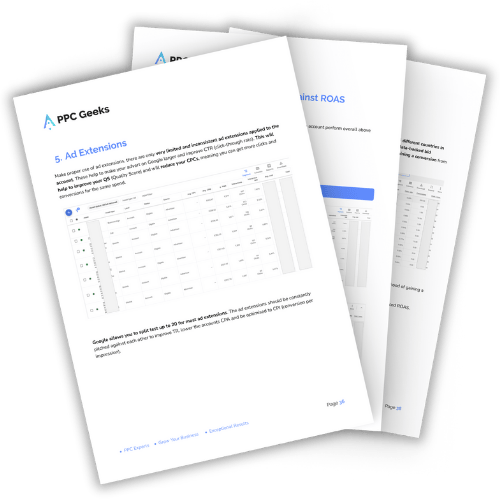
13. Ad Extensions
Google Ads offers many ad extensions now and most accounts should try and tailor these to get improved QS and increase the visibility of your ads on the Google SERPs. Here we look to see how well these are being managed. Ad Extensions should be optimised regularly to keep on pushing the account forward, Ad Extensions should be in line with the accounts KPIs and improve the CTR and effectiveness of the account. Are you maximising the exposure of your ads on Google and winning your competitors ‘to the punch’ when prospective clients are searching for what you do?
14. Device Type Traffic
Never has it been so important to maximise the traffic that converts in your Google Ads account. Clicks are increasingly more expensive with one of the areas often missed being the split between traffic from device types. Are you maximising the best quality traffic or are you wasting lots of budget against unprofitable device types? Here we see what changes could be made to improve the results you get – quickly.
15. Mobile Speed
In an ever-increasing Mobile First World are you properly presenting your offering in line with how prospective customers are interacting with your site? Here we give you actionable insights into areas of your site that are affecting the mobile site speed on your website and show you how to fix these.
16. Video & Multimedia
Are you nurturing your audience with video? Imagine being able to show TV ads to people who know your brand and have interacted with your website but at a fraction of the cost! You can do this! Are you doing this? Is this set up to maximise the return on investment for your business? Here we look to see the setup and offer advice on how best to use this amazing feature to turn your visitors into brand ambassadors.
17. Experiments
We find many PPC agencies do not use this element of the platform to its fullest. Google Ads allows many different experiments to help you isolate traffic and run specific tests to constantly improve the results you get on elements including, but not limited to, Bidding, Creative, and much more. Here we get into the ‘nuts and bolts’ on how well the experiments you are running are impacting on the overall account performance.
18. Auction Insights
This lets you see the competitors that often appear along with you when serving ads on Google. What competitor strategy are you using and how is this affecting your results?

19. Behavioural Retargeting/Remarketing
How well is the account making use of the low hanging fruit and how is this performing? Testing interaction points offers and much more through funnels and advanced techniques derived from your traffic interaction points with your site can provide brilliant ROAS. How well are you currently performing in this area?
20. Artificial Intelligence
Google has never offered so many options on Artificial Intelligence, but these ‘algorithms’ and ‘machine learning’ programmes operate on ‘narrow tolerances’ and can provide great or horrific results. Here we find out what is and isn’t working with ideas on how to improve if needed.
21. Shopping Ads
We ask the question of how well dialled in are your shopping ads. We analyse your performance against benchmarks in your industry vertical and deep dive into the product level on what products are working or not in your account. We are shopping ads experts and use our extensive knowledge to offer advice on how you can directly improve your results against your KPIs.
22. 30 Day Deep Dive Summary
The above can go into detail so this section gives you an easy to understand score for your Google Ads Account Audit in a score of out of 100.
23. Concluding Comments
An executive summary of findings from our team of PPC Experts on the top level and deep dive findings uncovered through the Free Google Ads Audit.
As you can see from above our Free Google Ads account Audits are very comprehensive and built based on the account. Book in for your free PPC audit with us today and soon you will know how to get better results for yourself.
As such each one of our free ads audits are unique so please see the above as a basic guide to what is ‘typical’ in one of our audits.
Interested in the free audit? Awesome 🙂 !
Below are details of what the Process is to Get A Free Google Ads Audit with us!
Getting your Free Google Ads Audit couldn’t be easier, all you need is a Google Ads account!
As a reminder your audit is free and you have no obligation to use us to complete any work that might need doing. So book yours today! What have you got to lose?
1. Say Hello:
Contact Us Today – let us know you are interested, this can be by Live Chat, Call or Form Fill (simple). Our Geeks will be happy to chat and answer any questions you might have? This is the first step in securing your PPC audit with us.
2. Your Account Number:
Our Geeks will need your CID (client ID number). This can be found in the top right-hand corner of your Google Ads Account. This number will be 10 digits long and look similar to this XXX-XXX-XXXX.
3. Confirm Our Account Access:
Once our Geeks know what your CID number is they will request access to your account through our Google Ads MCC (My Client Center), this is our agency Google Ads Account. Google partner PPC agencies such as ours will use this method to be able to access your account. Our Geeks use a Google MCC so they can access third-party Google Ads Accounts like yours. Once the Geeks have requested access to your account through our MCC you will need to go into your Google Ads Account and accept that we are allowed to link to your account. You can remove our access at any time – you are in full control! And rest assured, our Geeks will not make any changes to your account.
4. We Start Working On Your Free Pay-Per-Click Audit:
Once our Geeks confirm we have access through our MCC we can schedule in your 100% Free Google Ads Audit. You will soon be able to reap the rewards by finding out how to improve your Google Ads Account! Our Geeks will schedule in your audit and let you know when they expect to have this completed. We aim to get your Free Google Ads Audit completed within five working days.
5. Audit Findings Call:
Once your Free Google Ads Audit has been completed we will schedule in a screen share meeting with you. You can have as many people from your company on the call as you want and we recommend anyone that has a financial interest (CEO, COO, Directors, HR, Digital Marketing Managers, etc) should be on the free audit findings call. This is your best opportunity to ask questions around the Free Audit and its findings. These audits tend to 20 to 30+ pages long so they go into a good level of detail and are all explained in plain English so all levels of experience should be okay with the detail uncovered. Once the call is over we will email over copies of the audit so you will have a hard copy.
6. Next Steps – Work Through Findings & Improve Your Google Ads Account:
You are free to drive off into the sunset and reap the rewards of a better return on investment (ROI) from your Google Ads account! – Congratulations! But if you want the work done as part of a larger and smarter BSSS (Business Specific Success Strategy) with greater ROI, return on ad spend (ROAS) and actionable business-driven Key Performance Indicators (KPIs) to improve your business’s bottom line, then we’ll be happy to keep on speaking with you.
It’s easy to get your audit arranged today. Simply reach out and let our PPC Geeks know you’re interested and they will be happy to guide you through the simple process detailed above and of course answer any questions you might have. What is the difference between Google local ads and PPC?
What Our Free Google Ads Account Analysis Covers
A professional audit needs to be more than a quick look at a few charts. At PPC Geeks, we examine every critical part of your account to make sure nothing is left unchecked. Here’s what we cover in detail:
1. Tracking & Analytics
- Confirm Google Ads and Google Analytics 4 (GA4) are properly linked.
- Validate conversion tracking: no double-counting, no missing goals.
- Review attribution model to ensure it matches your buying cycle.
2. Account & Campaign Settings
- Location, language and ad schedule settings aligned with your market.
- Network targeting (Search, Display, YouTube, Discovery) checked for waste.
- Budget pacing: are campaigns running out of steam mid-day or overspending?
3. Campaign Structure & Keywords
- Audit of campaign and ad group structure for clarity and relevance.
- Keyword match type balance (exact, phrase, broad).
- Negative keyword coverage to cut wasted spend.
- Search term mining to identify hidden opportunities.
4. Ads & Extensions
- Responsive Search Ad (RSA) asset ratings and coverage.
- Consistency of ad messaging with user intent and landing pages.
- Use of extensions (sitelinks, callouts, structured snippets, images, forms).
5. Bidding & Budget Strategy
- Assessment of bidding methods (manual CPC, Target CPA, Target ROAS, Maximise Conversions).
- Alignment of bidding strategy with data quality and volume.
- Identification of wasted spend and misallocated budget.
6. Audiences & Remarketing
- Proper use of observation vs targeting settings.
- GA4 audience imports and Customer Match lists.
- Remarketing set-up across Search, Display and YouTube.
7. Device, Network & Geo Segmentation
- Performance split by device (desktop, mobile, tablet).
- Analysis of wasted spend on non-converting devices.
- Location performance and exclusions at campaign level.
8. Shopping & Performance Max (if applicable)
- Merchant Centre feed health: titles, images, attributes, diagnostics.
- Shopping campaign structure (standard vs Smart vs PMax).
- Performance Max asset groups, exclusions and brand protection.
9. Competitor & Auction Insights
- Competitor overlap and outranking share analysis.
- Identification of competitors bidding on your brand.
- Check for internal cannibalisation between your own campaigns.
10. Change History & Testing
- Review of optimisation cadence: are meaningful changes being made?
- Use of Experiments for structured testing.
- Analysis of seasonality adjustments and bid modifiers.
11. Landing Pages & CRO Alignment
- Mobile speed checks.
- Message match between ad copy and landing page.
- Conversion friction points (forms, CTAs, navigation).
👉 The outcome: Our audit leaves no stone unturned. From GA4 and bidding strategies to Shopping feeds and Auction Insights, you’ll get a full picture of what’s working, what isn’t, and where your biggest wins lie.
Meet Your New Multi Award-Winning Search Marketing Team
Behind every winning campaign is a Free Google Ads Account Review and team that lives and breathes digital advertising. At PPC Geeks, we’re not just Google Ads specialists — we’re strategists, problem-solvers, and trusted partners to the brands we work with. Our award-winning team combines decades of experience with a genuine passion for helping businesses grow.
We’re proud to bring together sharp minds, creative thinkers, and detail-driven experts who love what they do (and have fun doing it). Get to know the people who will treat your goals like their own — the PPC Geeks.

Kate G.
Kate has 15+ years’ experience driving high-quality and results-focused campaigns. Having an extensive background in all aspects of PPC and Paid Social marketing management

Mark P.H.
I have enjoyed a varied career from toy testing to teaching in prisons, to working in a record shop & in music television. Whatever I have done, communication has been my core attribute.

Max J.
I have many years of experience managing award-winning PPC campaigns across a range of industries and a passion for all things maths & tech.

Lee S.
With over 20 years of Personal and Executive Assistant experience I am here to tackle all things admin and support the team with their day-to-day needs.

Mark H.L.
I have been working on PPC accounts for 9+ years within agency environments so I love the thrill of getting to know new businesses, both big and small.

Siobhain M.
Graduating with a bachelor’s degree in Computational Physics and a master’s degree in Human Computer Interaction. Her work covers programming, software, dev, SEO, PPC, branding and creatives.

Stephanie M.
Working in various industries, my cumulative years of marketing have allowed me to understand the multi-faceted nature of businesses and dive into the world of PPC.

Rory B.
Rory has worked with a variety of businesses in different industries around the world to deliver results based, data driven digital marketing strategies.
Work with the PPC experts trusted by 1,500+ UK businesses — your dedicated A-Team is ready to boost your ROI.
Why Would You Choose The PPC Geeks To Do The Work Found In The Audit?
PPC Geeks specialise in Google Ads, however, the greatest value we offer (we believe) is our ability to craft accounts to match the specific needs of our partners’ businesses. We do this through many years of digital marketing experience backed up with careful and detailed discussions with our partners.
We take the time to get to know our clients (just like you). Our Geeks get to know our client’s businesses wants, needs, plans, and vision. Our Geeks are able to plan all of this information out against all of the millions of touchpoints in a Google Ads account to make sure there are actionable and accountable KPIs set in place in their BSSS (business specific success strategy). This helps set out the framework of how we will get your account from where it is, to where it needs to be. Our PPC Experts have been voted as some of the very best PPC agency London and PPC agency Manchester.
Some of the key benefits of working with the PPC Geeks
- PPC Geeks have over 15 years of experience in Google Ads and digital marketing, meet the PPC Team here.
- You get access straight away to our full UK based team of experts (PPC, CRO, UX & more).
- No complicated and surprising pricing models, just a simple pricing structure that has your ROI at heart.
- All of this actually costs less than to do it in-house!
- You will also get better results using our PPC Geeks than using an in-house solution!
- You will get all of the shiny new technology at no extra cost (keeping you ahead of your competitors).
- With a proven track record, our Geeks make their clients £Millions in ROI.
- Improved bottom-line results.
- All PPC Geeks are fully accredited Google Partners, yes we are a Google Ads agency.
- One team, all bases covered. Our team of PPC experts can promote
Your Brand across all of the major PPC Platforms, including but not limited to all of these. Simply pick your free audit and we will do the rest. You will soon be getting better results from PPC : - Not sure? See what our clients say for yourself with our 5 star Trustpilot reviews
- Learn how you can get ahead with your own BSSS (Business Specific Success Strategy).
- Single point of communication as you get your own dedicated account manager.
- You get a full team of experts making smart KPI focused optimisations in your account (all for the same price).
- You don’t need to worry about vacations/holidays/absences or sickness cover ever again.
- Oh yeah, did we say, our Google Ads Audit is 100% free, with no obligation, so let’s get the wheels moving on this Free Google Ads Audit
.

Are You Wasting Money on Your Google Ads?
Identify Hidden Budget Drainers with Our Free Audit.
Many businesses pour money into Google Ads only to see minimal return. If you’re wondering why is my Google Ads budget wasted, the problem often lies in hidden issues like ineffective keyword targeting, low-quality scores, or poorly structured campaigns.
Our free audit pinpoints these exact issues, helping you reclaim your budget and invest it in what truly works.
- What’s Included
- Our Simple 3-Step Audit Process
- Why We Offer This Audit at No Cost
- What Our Audits Have Already Achieved
Our audit isn’t automated — it’s a detailed, manual review conducted by our in-house PPC specialists. We analyse every key aspect of your Google Ads account to identify inefficiencies, missed opportunities, and areas for improvement. You’ll receive a clear, professional report packed with actionable insights you can use immediately.
- Full account structure and targeting review
- Conversion tracking and data accuracy check
- Ad copy and creative performance analysis
- Wasted spend and budget efficiency breakdown
- Immediate recommendations to boost ROI
We’ve made it quick and easy to get your audit — with no contracts, no pressure, and no jargon. Here’s how it works:
- Submit your details – Tell us about your goals and current challenges.
- We review your account – A certified PPC expert analyses your campaigns in depth.
- Get your audit report & follow-up call – We walk you through our findings and suggested next steps, completely free.
We believe the best way to show what we can do is to prove it. Our audits provide genuine value upfront — no gimmicks, no sales push. Most businesses we help are so impressed with the insight they receive, they choose to work with us afterwards.
You’ll see first-hand the level of detail, transparency, and care we put into every audit — the same standard we bring to our ongoing PPC management service.
Hundreds of UK businesses have already benefited from a PPC Geeks audit. Here’s what they say:
- “They found £12k of wasted spend we didn’t even know about — within days.”
- “Our conversion rate improved by 40% after implementing their recommendations.”
- “It’s not a sales pitch — it’s a genuine audit by real experts.”
👉 See more reviews on Trustpilot
Built For Your Brand
No two businesses (or Google Ads accounts) are the same — and neither are our audits. Every audit we produce is bespoke to your data, market and commercial objectives. We don’t hand you a cookie-cutter PDF; we dig into the specifics of your account and industry, then turn that into a clear, prioritised plan.
What “bespoke” means in practice
- Your goals first: We align findings to your targets (lead quality, MER/ROAS, CPA/CPL, growth vs. efficiency) so recommendations make sense commercially.
- Your numbers, not averages: Analysis uses your conversion data, margins, seasonality and sales cycle — not generic benchmarks.
- Your market context: We consider audience nuances, geo performance, device mix, competitors and auction dynamics in your niche.
- Your stack: Advice fits your tracking setup (GA4, CRM, offline conversions), landing pages, and remarketing assets — with specific fixes, not theory.
- Your roadmap: You’ll get a sequenced, impact-vs-effort action plan (quick wins → foundations → scale plays) that your team or ours can implement immediately.
What you’ll receive
- A tailored audit document (40+ pages) referencing your campaigns, examples and screenshots.
- A prioritised task list with owners and time estimates.
- Forecasted impact ranges where possible (e.g. expected CPA reduction or conversion lift).
- A walk-through call to align on next steps and adapt the plan to your realities.
Bottom line: it’s not “an audit”. It’s your audit — built around your goals, your data and your market.

Every Corner of Your Google Ads Account, Analysed
20 Key Elements Our Experts Review to Maximise Your Performance
When we say our audits are detailed, we mean it. At PPC Geeks, our certified Google Ads specialists dig into every aspect of your Google Ads account — from campaign structure and keyword strategy to tracking accuracy and audience performance.
Nothing is overlooked, because every element affects your return on investment.
We don’t rely on automation or templates. Each audit is carried out manually by real PPC professionals who understand what drives performance in the real world.
We identify what’s working, what’s holding you back, and where the biggest growth opportunities lie.
Our 20-point audit framework covers everything that matters — ad quality, budget efficiency, conversion tracking, audience targeting, and beyond. By the end, you’ll have a complete picture of your account’s health, backed by clear, actionable recommendations designed to boost results and reduce wasted spend.
It’s this meticulous approach that sets PPC Geeks apart — and it’s exactly why over 1,500 UK brands have trusted us to review, rebuild, and improve their campaigns.

Structure
We assess how your campaigns and ad groups are organised for maximum control.

Keywords
We review targeting and match types to ensure precision and reach.

Negatives
We refine your negative keyword lists to cut wasted spend.

Budgets & Bidding
We check your spend and bids to make every pound work harder.

Settings
We inspect setup and optimisation history for hidden issues.

Ad Copy
We analyse messaging to boost clicks and conversions.

RSAs
We review your responsive search ads for effective testing and performance.

Extensions
We check sitelinks, callouts and other assets that enhance ads.

Quality Score
We uncover what’s limiting your Quality Scores and visibility.

Competitors
We benchmark your ads against rivals to find growth opportunities.

Tracking
We verify that your conversion tracking is accurate and reliable.

Attribution
We ensure your model reflects the real customer journey.

Data Layer
We review events and tags to ensure clean, usable data.

Conversion Rate
We pinpoint drop-offs and improve conversion efficiency.

Lead Quality
We assess post-click behaviour to attract valuable leads.

Audiences
We review segmentation and remarketing for missed potential.

Demographics
We analyse age, gender and device data for smarter targeting.

Locations
We identify which areas deliver the best return.

Display & Video
We evaluate visual campaigns for reach and ROI.

Growth
We reveal where to scale for stronger long-term results.
After analysing all 20 key elements, we compile everything into a clear, jargon-free report that shows exactly where your Google Ads account is performing well — and where improvements can unlock faster, smarter growth. You’ll see how each area connects, from ad relevance and targeting to tracking accuracy and ROI. With this insight, you can make confident, data-backed decisions to drive more valuable leads and stronger long-term results.
👉 Ready to see what our experts uncover in your account? Request your free Google Ads audit today, or if you’d like to do it yourself, follow our free guides on this page 👍
How To Find Wasted Ad Spend In Your PPC Ads Account?
Why Wasted Spend Happens (and Why It’s So Costly)
Even the best-run Google Ads or PPC accounts leak money. It might be ads showing in the wrong locations, clicks from the wrong audience, or campaigns running outside of business hours. Over time, this “silent waste” can account for 20–40% of total ad spend — money that delivers no return.
For brand owners, CMOs, or digital marketing managers, wasted ad spend isn’t just about losing budget — it’s about missing opportunities for profitable growth.
The 5 Biggest Sources of Wasted PPC Spend
| Source of Waste | What to Look For | Why It’s a Problem | How to Fix It |
|---|---|---|---|
| Irrelevant search terms | Search term reports full of low-intent or random queries | Budget drained by unqualified traffic | Add negative keywords, tighten match types |
| Poor location targeting | Clicks from regions you don’t serve | Paying for traffic that can’t convert | Restrict to service areas, apply exclusions |
| Non-converting placements (Display/YouTube) | High impressions, no conversions | Ads running on low-quality sites/apps | Exclude wasted placements, use placement reports |
| Device inefficiencies | Mobile/tablet clicks that don’t convert | Budget skewed to low-value traffic | Adjust device bids, segment by performance |
| Ad scheduling issues | Ads running at night or weekends (if irrelevant) | Spend wasted outside of buyer hours | Apply dayparting schedules |
Quick Self-Check: Spotting Wasted Ad Spend
Take 15 minutes and run through these reports in your Google Ads account:
✅ Search Term Report → Are you paying for irrelevant queries?
✅ User Location Report → Are clicks coming from regions you don’t serve?
✅ Placements Report → Are Display/YouTube ads showing on poor-quality sites?
✅ Device Breakdown → Which devices drive conversions vs waste?
✅ Ad Schedule Performance → Do certain times/days consistently underperform?
If you see clear problem areas, you’ve found your wasted spend.
How Our Audit Helps You Stop the Bleed
Our Free Google Ads Audit goes deeper than a surface check. We don’t just highlight waste — we:
- 🔍 Pinpoint exactly where your money is being lost.
- 📊 Show you the cost of that waste in pounds and percentages.
- 🚀 Build a step-by-step plan to redirect spend into high-performing campaigns.
For “emergency” advertisers losing money fast, this can stop the bleed within days. For plateaued or growth-focused brands, cutting waste frees up budget that can be reinvested into scaling strategies.
Example: Wasted Spend Before & After a PPC Geeks Audit
| Before Audit | After Audit | |
|---|---|---|
| Monthly PPC Budget | £40,000 | £40,000 |
| Wasted Spend (irrelevant clicks, bad placements, poor targeting) | £12,000 (30%) | £3,000 (7.5%) |
| Effective Budget (actually driving conversions) | £28,000 | £37,000 |
| Cost per Lead (CPL) | £127 | £102 |
| Monthly Leads Generated | 220 | 360 |
| Net Result | High costs, limited growth | +63% more leads without increasing spend |
What This Means in Practice
- 🚨 Emergency mode brand owners: You stop the financial bleed quickly and protect ROI.
- 🤷♀️ Plateaued advertisers: Free up budget that can be reinvested into growth campaigns.
- 📈 Scaling brands: Redirect saved spend into proven high-performing campaigns, accelerating expansion.
Our audit doesn’t just tell you where the waste is. It gives you a clear, prioritised roadmap to fix it and unlock hidden budget for growth.
Are You Ready to Stop Wasting Money and Start Growing Your Business?
Take the first step towards a profitable PPC account with a human-led audit from our UK experts.
Our expert-led audit is your strategic blueprint for a more profitable Google Ads account. We go far beyond an automated report, providing a detailed, 40+ page analysis built by a human expert. We don’t just point out issues; we give you the actionable insights you need to eliminate wasted ad spend and fuel your business growth.
Inside, we’ll give you a deep dive into the critical areas where budget often disappears:
- Account Structure & Settings
- Conversion Tracking
- Keyword & Audience Deep Dives
- Identifying High-Spending Areas
- Main KPIs Overview
- And Much More!
Don’t let another pound go to waste. Get your custom audit and start seeing a return on every penny.


All Bamboo: 58% Conversion Rate Increase
★ ★ ★ ★ ★
All Bamboo, a UK-based e-commerce brand, was struggling with previous wasted ad spend and needed to achieve consistent sales and profitability. They partnered with PPC Geeks to transform their account and drive sustainable growth.
The Outcome
- Conversion Rate Increased by: 58%
- ROAS Targets Exceeded by: 56%
- Cost Per Acquisition (CPA) Decreased by: 14%
- Click-Through Rate (CTR) Increased by: 241%
“Excellent responsiveness, communication, and client service.” — Rachel and Ian, Owners
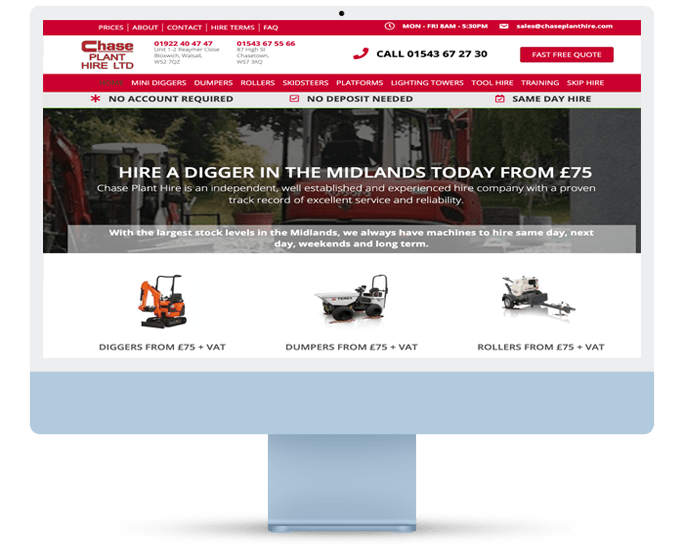
Chase Plant Hire: Wasted Ad Spend Down 60%
★ ★ ★ ★ ★
Chase Plant Hire, a family-owned business in the Midlands, was losing thousands per month on ads outside their service area. They partnered with PPC Geeks to ensure their budget was only spent on qualified leads from within their serviceable area.
The Outcome
- Wasted Ad Spend Down: 60%
- Qualified Leads Up: 34%
“Extremely responsive, innovative and constantly improving. I’ve recommended them to a number of other businesses.” — R. Jukes, Plant Operations Manager
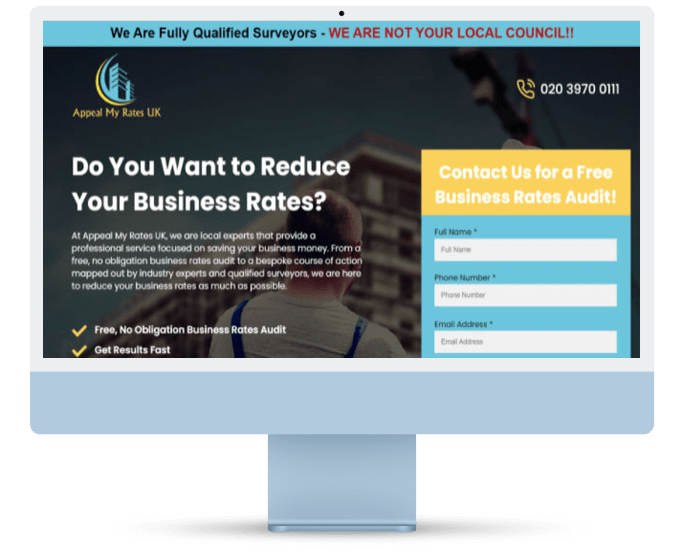
Appeal My Rates: 96% Increase in Conversion Rate
★ ★ ★ ★ ★
Appeal My Rates, a professional surveying service, approached PPC Geeks to fix wasted ad spend and increase both the quantity and quality of their leads. Our team took on the challenge of weeding out unnecessary clicks to drive a better return.
The Outcome
- Conversion Rate Increased by: 96%
- Cost Per Conversion Decreased by: 24%
- Search Impression Share Increased by: 23%
- Bounce Rate Decreased by: 10%
“First class service. Worth every penny!” — Paul Phillips, Chief Surveyor
Are Your Performance Max Campaign Underperforming?
Why Performance Max Often Fails (and How to Fix It): Get a Free Performance Max Audit from Our Experts
Performance Max (PMax) campaigns can be incredibly powerful, but they’re also one of the most misunderstood tools in Google Ads. When they work, they scale fast. When they don’t, budgets get burned without a clear reason.
If you’ve ever logged in and thought:
- “Why are my Performance Max results so poor?”
- “How do I stop wasting money on irrelevant clicks?”
- “How can I fix my Performance Max campaign?”
…you’re not alone.
Our Free Performance Max Audit uncovers what’s holding your campaigns back and gives you a clear roadmap for improvement.

The 5 Most Common Reasons Performance Max Campaigns Struggle
| Issue | What It Looks Like | Why It Hurts | What We Check in the Audit |
|---|---|---|---|
| Poor asset quality | Low CTR, generic ads, weak images | Ads fail to engage or stand out | Audit creative, copy, and asset strength ratings |
| Weak audience signals | Ads shown to irrelevant users | Budget wasted on unqualified traffic | Review audience signals, custom segments |
| Incorrect conversion tracking | Sales/leads missing or duplicated | Optimisation runs blind | Verify GA4 + conversion setup |
| Feed/data issues (for eCommerce) | Disapproved products, poor titles | Products don’t show or rank poorly | Audit Merchant Centre feed, attributes |
| Over-reliance on automation | “Hands off” approach | Limited control, wasted spend | Check bidding strategies, exclusions, reporting |

Quick Checklist: Fixing Performance Max Basics
Before diving deeper, here’s a simple mini self-audit you can do today:
✅ Are all your conversions set up correctly in GA4 and Google Ads?
✅ Do your assets (images, headlines, videos) meet Google’s “Excellent” rating?
✅ Have you added clear audience signals (first-party data, custom segments)?
✅ Is your product feed optimised with strong titles and attributes?
✅ Are you excluding poor placements, irrelevant audiences, or low-value regions?
If you answered “no” or “not sure” to more than one, your PMax campaign is almost certainly leaking budget.
How Our Performance Max Audit Helps
Our expert audit goes beyond surface checks to give you a practical action plan:
- 🔍 Deep-dive analysis → assets, signals, feed quality, and campaign structure.
- 📊 Clear benchmarks → how your PMax stacks up against best practice.<
- 🚀 Action roadmap → fixes prioritised by impact so you know what to tackle first.
Whether you’re firefighting poor results, stuck on a plateau, or ready to scale, our audit shows you exactly where Performance Max is working, where it’s failing, and how to make it deliver profitable growth.


Get a Professional Diagnosis and a Step-by-Step Fix
Get a Professional Diagnosis and a Step-by-Step Fix
You know your Google Ads account isn’t working, but you’re not sure how to fix my Google Ads account. This is a common challenge, and our free audit is designed to be your solution.
We’ll provide a comprehensive health check that identifies core problems—from bid strategies to ad copy—and give you a precise, actionable plan to get your account back on track and driving real results.
But you can always try and diagnose what the issues are with our free mini audit and in-depth 21-point guide. The choice is yours!
Google Ads Account Setup Best Practices
Why Setup Matters
The way your Google Ads account is structured has a massive impact on performance. Poor setup can lead to wasted spend, confusing data, and campaigns that never reach their full potential. Done right, it gives you clarity, control, and the ability to scale with confidence.
🔑 Best Practice Checklist
| Area | What to Check | Why It Matters | Common Mistakes |
|---|---|---|---|
| Account Structure | Organise campaigns by business goals (e.g., brand, lead gen, product lines). Use tightly themed ad groups. | Keeps targeting sharp and reporting clear. | Mixing unrelated keywords in one campaign, hard to measure success. |
| Conversion Tracking | Set up GA4, import conversions, and test firing. Track primary goals (leads, sales) not vanity metrics. | Ensures you optimise for what truly drives growth. | Tracking button clicks or page views instead of revenue-driving actions. |
| Budgets & Bidding | Align budget to business priorities. Use bidding strategies (tCPA, tROAS, Max Conversions) where data supports it. | Stops overspending on low-value areas. | Setting the same daily budget across campaigns without strategy. |
| Keywords & Negatives | Use a mix of match types, add negatives regularly from search term reports. | Reduces wasted clicks and improves relevance. | Broad match keywords left unchecked draining spend. |
| Ad Copy & Extensions | Create at least 3 Responsive Search Ads per ad group. Add sitelinks, callouts, and structured snippets. | Boosts CTR and gives users multiple ways to engage. | Running only one ad, or no extensions. |
| Location & Scheduling | Target by presence (not interest), schedule ads during business hours, adjust by performance data. | Ensures ads only run where and when they convert. | Ads showing globally or at 3am with no conversions. |
| Audiences & Remarketing | Layer audience signals, create remarketing lists, exclude irrelevant segments. | Increases efficiency and recaptures lost conversions. | Not using audiences, missing out on low-hanging fruit. |
| Landing Pages | Match ad intent to page content, optimise for speed and mobile. Add clear CTAs. | Improves Quality Score and conversion rate. | Sending all traffic to the homepage. |
🚀 Pro Tips From 100+ Years of PPC Experience
- Start simple, then scale – a clean structure beats a bloated one every time.
- Audit monthly – even the best setup drifts over time without maintenance.
- Don’t copy competitors blindly – what works for them may not fit your margins or audience.
- Link it all together – GA4, CRM, and offline conversions complete the feedback loop.
✅ Quick Self-Assessment
- Do I have separate campaigns for brand and non-brand keywords?
- Am I tracking sales/leads (not just clicks or impressions)?
- Are ads aligned with landing pages in message and intent?
- Do I review search term reports weekly to cut waste?
- Have I applied at least 3 ad extensions to every campaign?
Campaign Structure
Get a Professional Diagnosis and a Step-by-Step Fix
Think of your Google Ads campaign structure like the foundations of a house: if it’s messy or unstable, everything you build on top will struggle. A well-structured account makes it easier to control budgets, target the right audience, and measure results clearly.
Why Structure Matters
- Clarity: You should be able to log in and instantly see where your money is going.
- Control: A strong structure lets you shift budget to what’s working without disrupting the rest of your campaigns.
- Scalability: When you’re ready to grow, scaling a clean, organised account is 10x easier than fixing a messy one.
The Golden Rules of Campaign Structure
- Split by Goals
Keep branding, lead generation, and e-commerce campaigns separate. Each should have its own budget and success metric. - Keep Ad Groups Tight
Each ad group should focus on a single theme or intent. For example, if you sell shoes, don’t lump “trainers,” “boots,” and “sandals” into one ad group — give each its own. - Mirror the User Journey
Match your structure to how people search. Someone searching “buy running trainers online” should land in a completely different place than someone searching “best trainers for flat feet.” - Don’t Forget Negatives
Protect your structure with negative keywords. If “free” or “jobs” aren’t relevant, block them out from the start to avoid wasted clicks.
A Quick Test: Is Your Structure Working?
Ask yourself:
- Can I explain my account structure to someone else in 60 seconds?
- Do I know exactly how much I’m spending on brand vs. non-brand keywords?
- Are my ad groups small enough that every ad feels relevant to every keyword inside it?
If the answer is “no” to any of these, it’s time for a tidy-up.
👉 The goal here isn’t to overcomplicate. The best campaign structures are simple, logical, and built with the user journey in mind.
Ad Group Organisation
Why Setup Matters
If campaigns are the foundations of your account, ad groups are the individual rooms — each with a clear purpose. Well-organised ad groups ensure your ads stay tightly matched to the keywords and intent behind them, which improves Quality Score, reduces wasted spend, and drives stronger results.
What Good Ad Group Organisation Looks Like
| Poorly Organised Ad Group | Well-Organised Ad Group |
|---|---|
| 15+ broad match keywords covering multiple themes (e.g., “running shoes”, “buy boots online”, “cheap trainers”) | 3–5 closely related keywords with one clear theme (e.g., “men’s running trainers”) |
| Ads that feel generic and only partly relevant to most searches | Ads written specifically for the keyword intent, making every ad feel relevant |
| CTR and Quality Scores are low | Higher CTR, stronger Quality Scores, lower CPC |
Best Practices for Ad Groups
- Stick to a Single Theme
Each ad group should focus on one topic, product, or intent. If you can’t write an ad that feels 100% relevant to every keyword inside the group, it’s too broad. - Keep Keyword Lists Tight
Aim for quality over quantity. 3–10 tightly grouped keywords often perform better than dumping 50 into one ad group. - Match Ads to Intent
If your ad group is targeting “buy running trainers,” your ads should include that phrase and speak directly to purchase intent, not general browsing. - Use Negatives Smartly
Prevent overlap between ad groups with negative keywords. This ensures your campaigns don’t compete against each other. - Test Variations
Run multiple ad versions per ad group (different headlines, calls-to-action, offers) to identify what resonates best with searchers.
Quick Checklist for Ad Groups
- Do all the keywords belong to one clear theme?
- Can I write one ad that’s highly relevant to all the keywords?
- Are my ads tailored to intent (informational vs. commercial)?
- Have I blocked irrelevant or overlapping terms with negatives?
- Do I have at least 2–3 ads running in each ad group for testing?
👉 When ad groups are structured properly, your ads feel more relevant, Quality Scores rise, and costs drop. Think quality, not quantity — less clutter, more clarity.
Outcome-Focused, Actionable Advice
A free audit isn’t worth much if it just lists problems. That’s why every PPC Geeks audit is built to drive outcomes, not just observations. Our recommendations are practical, prioritised, and designed to deliver measurable improvements — fast.
What sets our advice apart
- Prioritised by impact: You’ll know which fixes deliver the biggest returns first, so you can act with confidence.
- Step-by-step clarity: Each recommendation comes with plain-English guidance your team can implement immediately.
- Commercial focus: We tie advice back to what matters — lowering CPA/CPL, boosting ROAS/MER, or increasing quality leads and sales.
- Forecasted results: Wherever possible, we show the potential uplift (e.g. “Expected 20–30% CPA reduction by restructuring bidding strategy”).
Real-world impact
Our audits aren’t theoretical. They lead to tangible wins:
- A retail client increased online conversions by 30% in 60 days after following our audit roadmap.
- A B2B lead gen brand cut wasted spend by 25%, freeing budget to double down on the channels that actually brought in high-quality enquiries.
- Across accounts audited since 2017, recommendations typically deliver a 15–35% improvement in efficiency once implemented.
Bottom line: we don’t just hand you a document. We give you a roadmap to real results — so you know exactly what to fix, why it matters, and what outcome to expect.


Google Partner
As a certified Google Partner, we’re recognised in the top 3% of agencies for delivering consistent growth, advanced campaign strategies, and outstanding results across Google Ads.
This status demonstrates our expertise, trusted track record, and direct access to Google support and insights.

Good Business Charter
We’re accredited by the Good Business Charter, recognising our commitment to fair pay, diversity, employee wellbeing, ethical practices, and environmental responsibility.
It reflects our dedication to doing business the right way.

Great Place to Work®
We’re proud to be certified as a Great Place to Work®, recognising our people-first culture.
By putting employee wellbeing, collaboration, and growth at the heart of our agency, we ensure our team — and our clients — thrive.

The PPC Geeks Difference: Why a Human-Led Audit is a Strategic Investment
Automated tools give you a score. Our experts give you a strategy.
The checklists above can help you identify obvious issues, but they have a crucial limitation. Automated audit tools and DIY guides can’t see the full picture. They’re designed to scan for generic red flags, not to understand the unique nuances of your business, your market, and your competitors.
An algorithm doesn’t know your business goals or understand why a customer clicks on your ad. It can’t spot the subtle yet critical disconnect between your ad copy and your landing page, or the strategic intent behind your bidding strategy.
This is where our human-led audit comes in. Our team of UK-based Google Ads experts goes far beyond a surface-level scan. We conduct a deep, qualitative review of your account, providing a comprehensive report that gives you a strategic blueprint for growth. We don’t just find the problems; we identify the root cause and provide a detailed, actionable plan to fix them.
What Is a Google Ads Audit?
A Google Ads audit is a professional health check of your advertising account. We review the set-up, campaign structure, keywords, ads, audiences, bidding strategies, tracking and landing page alignment to spot what’s working and what’s wasting budget.
The goal is simple: remove inefficiencies, tighten relevance and redirect spend to the activity that actually drives leads and sales. Our UK PPC experts assess data over time (not just last month) to reveal trends, gaps and quick wins. The outcome is a clear, prioritised action plan to improve performance and ROI.


A Plain-English Definition of a Google Ads Audit
Think of a Google Ads audit as a comprehensive MOT for your campaigns. We examine every moving part — from settings, locations and schedules to search terms, negative keywords and extensions — to confirm the account is safely configured for your goals.
We validate GA4 and conversion tracking, evaluate Quality Scores, and check whether smart bidding and budgets are set appropriately. You’ll get a succinct diagnosis of waste, opportunities you’re missing, and practical changes to make next. No jargon. Just a professional, independent view of your Google Ads performance.

CyberSmart: Increased Conversions by 331%
★ ★ ★ ★ ★

Electrical & Gas Care: Lead Volume Up 266%
★ ★ ★ ★ ★

Diet Plan Brand: Non brand CPA down by 50%
★ ★ ★ ★ ★
Google Ads Audit: The Full Health Check Your Account Needs
Over time, even well-run accounts drift: new features launch, audiences shift, and small issues compound into wasted spend. A Google Ads audit resets the baseline.
We review historical data, change history and current set-up to identify structural fixes, relevance gaps and quick optimisations.
Expect a thorough look at keywords, ad copy, match types, bidding, audiences, Shopping feeds, Performance Max and more. We package findings into a prioritised roadmap so you know exactly what to tackle first for maximum impact and measurable gains.


Why Get a Google Ads Audit? (And How to Identify Wasted Spend
If you’ve ever wondered why you need to get a Google Ads audit, the answer is simple: to stop budget leakage. Our comprehensive PPC performance review ensures every pound you spend is part of a high-growth Google Ads optimisation strategy. We uncover leakage (irrelevant queries, poor devices or locations, weak assets), confirm tracking accuracy, and align campaigns with commercial objectives.
Our audit highlights where to cut wasted spend, how to scale winners, and which tests to run next. If you suspect performance has plateaued — or simply want peace of mind — an independent audit provides the evidence and plan to move forward confidently.
The UK’s Trusted Google Ads Audit
We’re not a faceless global tool — we’re a UK-based team of PPC specialists who understand the unique challenges and opportunities of advertising in the UK market. From handling VAT and compliance quirks to optimising for regional buying behaviours, we bring local insight that generic overseas services simply can’t.
Why a UK focus matters
- Market expertise: We know how UK audiences search, shop, and convert — across both eCommerce and lead gen sectors.
- Currency & context: All analysis and forecasts are in £GBP, reflecting your true costs and margins.
- Local competition: We benchmark against UK advertisers in your vertical, not irrelevant data from overseas.
- Accessibility: We’re here in your time zone, available for calls when your business runs.
Proven track record in the UK
Since 2017, we’ve delivered over 1,500 audits for UK brands, unlocking millions in wasted ad spend and generating £Millions in additional revenue. Whether you’re a CMO in London, an eCommerce founder in Manchester, or a marketing manager in Edinburgh, our audits are built to help UK businesses grow faster and smarter.
Join the hundreds of UK brands already benefiting from a PPC Geeks audit — and see why we’re the UK’s go-to team for Google Ads expertise.

50+
Case Studies
14+
PPC Experts
100%
Chance Of Better Results
What You Get From a Proper Google Ads Audit
A proper audit goes beyond an automated checklist. We combine platform data with human judgement to evaluate strategy and execution.
You’ll receive: a plain-English executive summary; a scored health check across key areas (structure, keywords, ads, extensions, bidding, audiences, Shopping/PMax, tracking, landing pages); a wasted-spend analysis; competitor/Auction Insights; and a prioritised action plan with estimated impact.
It’s a professional audit of your Google Ads campaigns designed to be implemented by your team, your current agency, or by us.


Google Ads Audit vs. “Quick Account Review”
A “quick review” can spot obvious issues; a true Google Ads audit finds the ones costing you the most. We look deeper: GA4 linkage and conversion integrity, attribution, device and geo segmentation, impression share lost to rank/budget, feed quality for Shopping, and how PMax interacts with Search.
We also assess brand protection and internal cannibalisation.
The difference is rigour and outcomes: you’ll leave with an evidence-based plan to reduce wasted spend and improve ROI, not just a list of generic tips.

UK Paid Media Awards
We’re proud to be finalists at the UK Paid Media Awards, recognised among the nation’s best agencies.
This highlights the strength of our strategy, creativity, and results in an increasingly competitive industry.

Northern Digital Awards
Recognised at the Northern Digital Awards for excellence in PPC, we were proud to be shortlisted for our performance, innovation, and measurable client growth across the region.

SME Business Elite Awards
Winner of Best PPC Management Company, this award recognises our dedication to client success through transparency, innovation, and delivering outstanding ROI.
The Building Blocks We Examine in a Google Ads Audit
Every audit follows the same fundamentals: objectives and measurement; account and campaign settings; structure and naming; keywords, queries and negatives; ad strength and testing; assets and extensions; bidding strategies and budgets; audiences and remarketing; Shopping/Merchant Centre and feed health; Performance Max configuration; devices, networks and locations; landing page experience; competitor/Auction Insights; policy and compliance.
Each area is scored and explained so your team knows exactly what to change — and why it will make a difference.


Why Every Business Needs a Google Ads Audit
Over time, even the best-managed Google Ads accounts drift. Settings get misaligned, new features go unused, and small inefficiencies compound into wasted spend.
A Google Ads audit shines a light on these blind spots. It helps you understand where your budget is leaking, where performance can be scaled, and which quick fixes will deliver the fastest gains.
Whether you’re chasing growth or simply want peace of mind, an independent audit provides the evidence and action plan to move forward with confidence.
Bidding Strategy & How To Pick The Best One
Automated Bidding.
Getting your bidding strategy wrong can drain budget fast. Get it right, and you’ll maximise ROI while freeing up time to focus on strategy instead of manual tweaks. The key is choosing the right approach for your goals, budget, and data maturity.
Automated Bidding: When & Why to Use It
Automated bidding lets Google’s AI adjust your bids in real time based on signals like device, location, audience, and time of day. It can be powerful, but only when aligned with the right objective.
Common Automated Bidding Strategies
| Strategy | Best For | Watch Outs |
|---|---|---|
| Maximise Clicks | Driving traffic quickly when you need volume. | Can waste spend on low-quality traffic if not combined with tight targeting. |
| Maximise Conversions | Accounts with solid conversion tracking and enough historical data. | If tracking is broken or sparse, performance will tank. |
| Target CPA (Cost per Acquisition) | Brands aiming for predictable cost-per-lead or sale. | Works best with consistent conversion data; volatile in new accounts. |
| Target ROAS (Return on Ad Spend) | E-commerce or lead gen brands focused on revenue efficiency. | Needs strong, accurate conversion value tracking; risky if values are inconsistent. |
| Maximise Conversion Value | Scaling accounts where every conversion is not equal (e.g., product margins vary). | May over-prioritise high-value conversions at the cost of volume. |
Manual Bidding: When Control Matters
If you’re in “emergency mode” (costs spiralling, revenue dropping), manual CPC can provide stability while you fix tracking, targeting, or structure. It’s slower to scale but gives complete control.
✅ Use manual bidding when:
- Conversion tracking is unreliable.
- You’re testing a new campaign with little data.
- You want to pause Google’s automation while troubleshooting.
How to Pick the Right Bidding Strategy
Think of it like this:
- Fix the foundations first: Without reliable tracking (GA4, conversions, revenue values), no bidding strategy will perform.
- Match to your goals: Want more leads at a set cost? → Target CPA. Want revenue growth at a profitable margin? → Target ROAS.
- Check your data volume: Automated strategies need data. If you don’t have at least 15–30 conversions per month per campaign, automation struggles.
- Review regularly: Don’t “set and forget.” Check if your bidding strategy aligns with real business outcomes, not just Google’s metrics.
Quick Bidding Checklist
- Is conversion tracking accurate and firing correctly?
- Do I know my true CPA or ROAS targets?
- Does my campaign have enough conversion volume for automation?
- Have I tested manual vs automated to see which aligns best?
- Am I checking results beyond clicks (leads, sales, ROI)?
👉 Pro Tip: For plateaued advertisers, moving from “Maximise Conversions” to Target ROAS is often the unlock to scale profitably. For growth-focused brands, automation combined with structured campaigns is how you reach the next level efficiently.
Manual Bidding Vs Automated
Choosing between manual and automated bidding isn’t about which is “better” overall — it’s about which is right for your goals, data quality, and stage of growth.
Quick Comparison
| Factor | Manual Bidding | Automated Bidding |
|---|---|---|
| Control | Full control over every keyword bid. Good for troubleshooting or testing. | Hands off — Google adjusts bids automatically in real time. |
| Data Needs | Works even with little or unreliable data. | Needs consistent, accurate conversion tracking and enough volume. |
| Speed | Slower — requires ongoing management and adjustments. | Faster optimisation across thousands of signals instantly. |
| Best For | Emergency fixes, new campaigns, or advertisers who want maximum control. | Scaling campaigns, optimising efficiency, and hitting revenue/CPA targets. |
| Risks | Time-consuming; easy to miss hidden inefficiencies. | “Black box” — if tracking is broken, automation makes poor decisions. |
When Manual Bidding Wins
- 🔧 Emergency mode: Costs spiralling? Manual CPC gives you stability while you fix tracking or structure.
- 🧪 Testing: Launching a new campaign? Start manual to learn what works before switching to automation.
- 🛑 Limited data: Fewer than 15 conversions/month per campaign? Stay manual until you collect enough volume.
When Automated Bidding Wins
- 🚀 Scaling efficiently: Once tracking is solid, automation can optimise across millions of signals you can’t manage manually.
- 💡 Goal-driven optimisation: Target CPA or Target ROAS ensures bids are always aligned to business goals.
- ⏱️ Time-saving: Perfect for teams who want to focus on strategy instead of daily bid tweaks.
Pro Tip
Many successful advertisers blend both approaches:
- Start with manual to establish control and fix leaks.
- Move to automated once tracking, volume, and goals are rock-solid.
- Regularly review results to ensure automation is hitting your targets, not just Google’s.
Decision Flow: Manual or Automated?
Ask yourself these questions:
- ✅ Is your conversion tracking set up correctly (GA4, Google Ads, offline conversions)?
- Yes → Go Automated
- No → Stay Manual until fixed
- 📊 Do you have enough data (15+ conversions per month per campaign)?
- Yes → Go Automated
- No → Stay Manual
- 🎯 Do you want precise control over each bid, or efficiency at scale?
- Control → Manual
- Scale/Efficiency → Automated
👉 Bottom line:
- If you’re firefighting or in “emergency mode” → Manual first.
- If you’re plateaued or ready to scale → Automated wins (once the data is ready).
- The smartest advertisers move between both, depending on the stage of growth.
Target ROAS Vs Maximise Conversions
Choosing between Target ROAS (Return on Ad Spend) and Maximise Conversions often comes down to one question:
👉 Do you care more about revenue efficiency or volume of leads/sales?
Quick Comparison
| Factor | Target ROAS | Maximise Conversions |
|---|---|---|
| Focus | Profitability — getting the best return for every £1 spent. | Volume — getting the highest number of conversions, regardless of value. |
| Best For | E-commerce and revenue-driven campaigns. | Lead gen or campaigns where all conversions have similar value. |
| Data Needs | Requires accurate conversion value tracking (e.g., revenue, margins). | Works with standard conversion tracking — no value tracking required. |
| Upside | Prioritises high-value sales and avoids wasting budget on low-return conversions. | Great for quickly driving leads or sign-ups when value per lead doesn’t vary. |
| Downside | Can restrict spend if value tracking is inaccurate or limited. | May chase lots of low-value conversions, hurting overall efficiency. |
When to Use Target ROAS
- 🛒 E-commerce brands: Perfect when each product has a different price point or margin.
- 📈 Scaling profitably: Focuses budget on campaigns/products delivering the best return.
- 🔍 Value-driven strategy: When you want to optimise not just for clicks or leads, but for the actual money back.
Example:
If you sell products ranging from £20–£500, Target ROAS ensures the algorithm prioritises campaigns bringing in higher-value sales, not just the most sales.
When to Use Maximise Conversions
- 📞 Lead gen businesses: If every lead is worth roughly the same to you, chasing volume makes sense.
- 🚀 New accounts: Good for gathering data quickly when you don’t yet have enough conversion value history.
- 🔧 Emergency growth lever: If conversions are too low, this can ramp volume fast.
Example:
A recruitment agency running ads for job applications benefits more from 100 leads at £15 each than 20 leads at £50 each.
Decision Flow
- Do your conversions vary significantly in value?
- ✅ Yes → Use Target ROAS
- ❌ No → Use Maximise Conversions
- Is your conversion value tracking set up correctly (e.g., revenue in GA4)?
- ✅ Yes → Target ROAS can scale profitably
- ❌ No → Stick to Maximise Conversions until data is ready
👉 Bottom line:
- Use Target ROAS when efficiency and profitability matter most.
- Use Maximise Conversions when you just need volume — fast.
- Smart advertisers often start with Maximise Conversions (to build data) and then shift to Target ROAS once value tracking is solid.
Bid Strategy Review & How To Pick The Best One
Your bidding strategy is the engine of your Google Ads account. Get it right, and your campaigns can scale profitably. Get it wrong, and you risk wasted spend, missed opportunities, and stalled growth.
The challenge? Google gives you multiple options — from Manual CPC to Smart Bidding strategies like Target ROAS or Maximise Conversions — and each comes with pros, cons, and pitfalls.
This guide breaks down what you need to know, how to choose, and when to change.
Manual Bidding vs Automated Bidding
Manual Bidding
- Full control over CPCs.
- Useful for advertisers with limited budgets or very niche campaigns.
- Can be powerful in expert hands, but requires constant monitoring.
Automated Bidding
- Uses Google’s machine learning to optimise bids in real-time.
- Best suited to accounts with enough conversion data to guide decisions.
- Frees up your time, but only works if your tracking is accurate.
💡 Pro tip: Manual bidding can work well for “emergency” advertisers who need to quickly cut wasted spend. But for plateaued or growth-focused brands, automation usually wins — provided your data is clean.
Target ROAS vs Maximise Conversions
Two of the most common Smart Bidding strategies — but they serve different masters.
| Strategy | Best For | How It Works | Watch Out For |
|---|---|---|---|
| Target ROAS | Businesses focused on profitability | Optimises for return on ad spend, aiming for specific revenue targets | Needs robust revenue tracking — weak data = poor optimisation |
| Maximise Conversions | Brands looking to grow lead or sales volume | Pushes for as many conversions as possible within your budget | May favour low-value conversions if goals aren’t defined clearly |
💡 Pro tip: Start with Maximise Conversions if you’re in growth mode and just need more leads/sales. Shift to Target ROAS once your tracking is strong and you’re ready to prioritise efficiency over raw volume.
Bid Strategy Review
Your bid strategy isn’t something you “set and forget”. The best advertisers regularly review and adapt.
What to check in a review:
- Are your goals (growth vs profitability) clear?
- Is your conversion/revenue tracking working properly?
- Are your budgets aligned with performance, or are strong campaigns being underfunded?
- Have you tested multiple bidding strategies in the last 6 months?
- Do different devices, audiences, or networks suggest tailored approaches?
Common red flags:
- Smart bidding running on broken tracking (Google optimises to the wrong goal).
- ROAS targeting without revenue data feeding back.
- Manual CPC campaigns left untouched for months.
- Budgets capped too tightly for smart bidding to learn.
Final Word
Your bidding strategy is the lever that decides whether your PPC account plateaus, declines, or scales profitably.
- If you’re in emergency mode, reviewing bids can stop budget leakage fast.
- If you’ve plateaued, experimenting with new bidding models can unlock growth.
- If you’re ready to scale, smart bidding aligned to your data gives you the rocket fuel.
👉 That’s exactly what our Free Google Ads Audit provides: a detailed, expert-led review of your bidding strategy, with clear recommendations on what to keep, tweak, or change.
Smart bidding starts with smart auditing.
Why Every Business Needs a Google Ads Audit
Over time, even the best-managed Google Ads accounts drift. Settings get misaligned, new features go unused, and small inefficiencies compound into wasted spend.
A Google Ads audit shines a light on these blind spots. It helps you understand where your budget is leaking, where performance can be scaled, and which quick fixes will deliver the fastest gains.
Whether you’re chasing growth or simply want peace of mind, an independent audit provides the evidence and action plan to move forward with confidence.
Trusted by UK Businesses, Validated by Google
As a leading Google Partner based in the UK, our expertise isn’t just a claim—it’s certified.
Your business deserves an agency that truly understands your market. At PPC Geeks, we’re not just a faceless online service; we’re a UK-based team of certified Google Ads experts dedicated to helping businesses like yours thrive.
Our commitment to excellence has earned us the Google Partner badge, a status granted to the top 3% of Google Ads agencies in the UK. This validation from Google isn’t just a badge; it’s a promise that our team meets the highest standards of performance, expertise, and client service.
Beyond our accreditations, our results speak for themselves. Don’t just take our word for it—read what our clients have to say about the tangible results we’ve delivered.


Insights From Our Blog
Expert Tips, Strategies, and Updates From the PPC Geeks Team
Stay ahead with the latest thinking from our PPC experts. Our blog shares practical tips, in-depth strategies, and industry updates designed to help you get more from your Google Ads.
Whether it’s cutting wasted spend, boosting ROI, or keeping up with Google’s latest changes, you’ll find fresh, actionable advice to support your marketing goals.


Your Mini Google Ads Audit Checklist: A DIY Guide to Finding Wasted Spend
Before you hire an agency, use our step-by-step guide to review your account yourself and pinpoint the most common budget-draining mistakes.
A thorough Google Ads audit is the first step to unlocking your account’s true potential. By systematically reviewing key areas, you can find exactly where your money is going to waste. While a quick, automated tool can give you a superficial score, a real audit requires a deep dive into the data. Here’s a comprehensive checklist you can follow to perform your own audit.
⚙️ Reviewing Conversion Tracking
Why It Matters: Without accurate conversion tracking, you’re flying blind. You can’t tell which campaigns are profitable and which are just burning your budget.
What to Look For: Check your conversion tags. Are they firing correctly? Are you tracking the right actions, like form submissions or phone calls, without double-counting? Make sure your Google Analytics 4 (GA4) is properly linked and that all key conversion events are correctly set up.
💸 Finding Wasted Spend in the Search Terms Report
Why It Matters: This is the fastest way to stop wasting money. The search terms report shows you the actual queries people typed into Google to see your ads.
.What to Look For: Identify irrelevant queries that are getting clicks but no conversions. These are the “money pits.” Look for one-word keywords or broad, generic phrases that have nothing to do with what you’re selling.
🔎 Assessing Your Quality Score
Why It Matters: Google rewards relevance. A higher Quality Score means lower costs per click and better ad positions. A low score is a red flag that your account is bleeding money.
What to Look For: In your keyword data, look for any keywords with a Quality Score of 5 or below. This indicates a poor ad-to-keyword-to-landing-page alignment.
🤩 Ad Copy & Landing Page Alignment
Why It Matters: If your ad promises one thing and your landing page delivers another, users will hit the back button. This leads to high bounce rates and wasted clicks.
What to Look For: Review your ad copy and compare it directly to the landing page it links to. Do they have a clear, consistent message? Is the call-to-action on the ad reflected on the page?
💪 Campaign & Account Structure
Why It Matters: A messy account structure can hide performance issues and make it impossible to manage your budget effectively.
What to Look For: Check if your campaigns are logically structured. Ensure you’re not mixing search and display networks in the same campaign, and that your negative keywords are organised into shared lists.
How to Audit a Google Ads Account (Mini Guide)
Google Ads Audit Checklist:
Running a quick self-audit on your Google Ads account doesn’t have to be complicated. Below is a simple checklist you can follow to spot common issues and opportunities. It’s not as in-depth as a professional audit, but it’s a great way to catch easy wins and wasted spend.
1. Confirm Tracking & GA4 Set-Up
The first step in any audit is making sure your data is reliable. If your tracking is broken, everything else will be guesswork.
Check that:
-
Google Ads is properly linked to GA4 so you can see the full customer journey.
-
Conversions are firing correctly (e.g. form fills, purchases, calls). Test them by completing an action yourself.
-
You’re not double-counting conversions or missing key ones (like checkout or enquiry forms).
👉 Without accurate tracking, every decision you make afterwards could be flawed. Fix this first — it’s the foundation of your audit.

2. Review Account & Campaign Settings
Before diving into the details, check your campaign’s basic setup — small mistakes here can drain budget fast.
Look at:
- Locations – Are your ads only showing in the regions you serve? Exclude areas that don’t bring value.
- Languages – Make sure your targeting matches the languages your audience speaks.
-
Ad schedules – Are your ads running 24/7, even overnight when no-one converts? Set schedules around peak hours.
-
Networks – If you’re targeting Search, ensure you’re not accidentally wasting spend on Display or Search Partners.
👉 Getting these basics right ensures your budget is only spent where and when it matters.

3. Analyse Campaign Structure & Keywords
A well-structured campaign keeps your spend efficient and your ads relevant. Poor structure often means wasted budget and missed opportunities.
Here’s what to check:
- Ad groups – Are they tightly themed, or do they contain a messy mix of keywords? Keep groups focused.
- Match types – Relying only on broad match? That can drain spend. Balance with phrase and exact match.
- Negative keywords – Are you filtering out irrelevant searches? Adding negatives protects budget.
- Search query reports – Review what users actually typed in. Remove irrelevant terms and spot new opportunities.
👉 The goal: every keyword should earn its place by driving relevant clicks and conversions.

4. Assess Ads & Extensions
Your ads are the shop window of your campaigns — so they need to grab attention and convert. Weak ads or missing extensions = missed clicks and wasted spend.
Here’s what to check:
- Responsive Search Ads (RSAs) – Do you have at least one per ad group, with multiple headlines and descriptions tested?
- Message match – Does your ad copy directly reflect the user’s intent and the keywords being searched?
- Asset performance – Review Google’s asset ratings (e.g. “Low”, “Best”). Replace weak headlines or descriptions.
- Extensions – Are you using sitelinks, callouts, structured snippets, and images to increase visibility and CTR?
👉 The goal: make every ad highly relevant, engaging, and fully equipped with extensions to dominate the results pag

5. Evaluate Bidding & Budget Allocation
Your bidding strategy and budget split determine how far your ad spend actually goes. The wrong setup can mean blowing through budget without results — or missing key opportunities.
Here’s what to check:
- Bidding strategy – Are you using the right model for your goals? (Manual CPC for control, Target CPA for efficiency, or Target ROAS for revenue growth).
- Budget allocation – Is spend spread across the right campaigns, or are low-value campaigns eating too much budget?
- Daily pacing – Are campaigns running out of budget mid-day, causing you to miss evening conversions?
- Overspending alerts – Spot campaigns overshooting their budgets without delivering proportional returns.
👉 The aim: keep your best-performing campaigns funded, while making sure weaker ones don’t drain the pot.

6. Check Performance by Device, Network & Audience
Not all clicks carry the same value. To uncover hidden inefficiencies, break down performance by device, network, and audience. For example, mobile traffic often soaks up spend but converts poorly, while tablets may deliver very little at a high cost. Display placements can also drain budget without driving results.
Here’s what to check:
- Device performance – Compare desktop, mobile, and tablet. Is one clearly underperforming?
- Network results – Review Search, Display, and Search Partners. Are you paying for clicks that don’t convert?
- Audience insights – Check remarketing lists, demographics, and exclusions. Are high-value segments being fully utilised?
👉 The aim: cut waste from weak devices, networks, or audiences, and reinvest into what actually drives conversions.

7. Audit Shopping & Performance Max
For eCommerce brands, Shopping and Performance Max campaigns are often where the biggest wins (or losses) happen. If your Google Merchant Centre feed isn’t optimised — think poor product titles, missing GTINs, or incomplete attributes — your ads either won’t show, or they’ll show in the wrong searches.
Weak asset groups in Performance Max can also tank results, with poor images, generic headlines, or thin descriptions dragging down performance.
Here’s what to review:
- Product feed health – Are titles clear, keyword-rich, and accurate? Are attributes complete?
- Disapprovals & warnings – Any missing data, errors, or invalid shipping rules blocking visibility?
- Performance Max assets – Do your images, headlines, and descriptions inspire clicks, or hold you back?
👉 The goal: ensure your feed and assets are fully optimised, so Shopping and PMax campaigns run at their highest potential.

8. Investigate Competitors & Brand Protection
Your competitors aren’t standing still — and neither should you. Using Auction Insights, we identify which rivals are consistently outranking you, and whether they’re actively bidding on your brand name (a common tactic that steals clicks and conversions).
We also check for internal competition, where your own campaigns might be bidding against each other — silently draining budget and driving up your CPC.
Here’s what to look at:
- Impression share – Who’s appearing more often than you?
- Outranking share – Which competitors consistently beat you in auctions?
- Brand defence – Are rivals bidding on your brand name, and do you have a protection strategy in place?
- Internal overlap – Are your campaigns fighting each other for the same searches?
👉 The goal: protect your brand, outsmart competitors, and stop wasting ad spend.

9. Review Change History & Testing
Your Google Ads account tells a story through its change history. Reviewing it helps you spot what’s been tested, what’s worked, and where optimisation has stalled.
We dig into:
- Frequency of changes – Are updates happening regularly, or has the account gone stagnant?
- Type of changes – Budgets, bids, keywords, targeting, or ad copy.
- Who made the changes – Agency, internal team, or automated Google recommendations.
We also check whether you’re using Experiments — a simple but underused way to A/B test bidding strategies, landing pages, and ad copy safely before rolling them out account-wide.
👉 The aim: ensure your account is being actively managed, not left on autopilot.

👉 End Result: A Google Ads audit provides a full health check of your account. Done properly, it identifies wasted spend, uncovers opportunities, and sets out a prioritised action plan. Our free professional audit of Google Ads campaigns covers all these steps in detail — and more — delivered in plain English with a 40-page report you can act on immediately.
Quickly: Jump To The Best Google Ads Audit For You
Do you want to optimise your Google Ads performance?
Not all audits are the same — and neither are all advertisers.
Whether you want a quick DIY checklist, a comprehensive step-by-step guide, or a fully bespoke audit handled by our experts, we’ve got the right option for you. Choose the path that matches your goals, time, and resources, and start uncovering ways to make your Google Ads work harder.

VIP: Full Bespoke Audit
- Fully managed by our senior PPC specialists
- Includes a detailed 40+ page custom report
- Clear, actionable recommendations to boost ROI
- The fastest route to uncover hidden growth opportunities

DIY: Small Audit Guide
- Quick-start checklist for busy marketers
- Ideal for spotting surface-level account issues
- Simple, practical advice you can apply straight away
- Great if you want to “test the waters” yourself

DIY: Big Audit Guide
- Step-by-step walkthrough of our full audit process
- Covers advanced areas most advertisers overlook
- Gives you the same framework our experts use
- Best choice if you want complete control and insight

Book Your 100% Free Google Ads Audit & Get Better Results Fast!
- Account Structure & Settings
- Conversion Tracking
- Target Audiences
- Deep Dives into The Highest Spending Areas
- Main KPIs Overview
- And Much More!
Get yours today and soon you should be getting better results from your Google Ads budget! Yes, it is this simple!
We understand that as a business owner or Marketing Director you need to cut through the fluff and sales jargon to what matters.
Our 100% free Google Ads audits are designed to do just that. Rest assured that getting your Free Google Ads Audit is probably the best thing you can do for your company this year.
Our detailed audits are manually created, often extending to 40 pages of in-depth analysis of your Google Ads performance.
Your free audit (which is unique to your Google Ads account) helps lift the lid on the numbers and show you in plain English what is and isn’t working, what could be improved and where you are just throwing money down the drain.
Our Geeks complete your audit themselves so it’s conducted by humans not computers and will detail how making changes will improve the results you get. It’s then up to you on who you decide to do the work (yes, it’s that simple).
Google Ads is a very specialist field of digital marketing. You should look to partner with a dedicated specialist PPC agency that has a proven track record of getting the best results for its partners.
You should look to leverage this insider knowledge to give
What You Can Expect In Your Free Google Ads Audit
Improve Google Ads ROI: You can expect clear and frank advice on many aspects of your account, from long term issues that will have cost your company lots of budget, right through to short term issues that can be fixed easily. Your Free Google Ads Audit will go into a good level of detail, these are usually 40+ pages long.
Why Isn’t My Google Ads Converting? You Need A Campaign Performance Audit
Uncover the Real Reasons Behind Low Conversions
Your ads are getting clicks, but your business isn’t getting conversions. You’re left wondering, “Why isn’t my Google Ads converting?”
Our audit goes beyond simple reports to analyse conversion tracking, landing page experience, and audience targeting. We’ll show you exactly where the breakdown is happening in your sales funnel and provide the insights you need to turn clicks into customers.


Need a Free Google Shopping Audit?
Maximise Your E-commerce Sales with a Specialised Shopping Audit
For e-commerce businesses, a poorly optimized Google Shopping campaign can be a huge obstacle. If your products aren’t showing up or selling as they should, you might need a professional review.
Our specialised free Google Shopping audit examines your product feed, bidding strategy, and campaign structure to ensure your products are prominently displayed for the right customers, driving more sales and a better return on ad spend.
Why Do a Google Ads Audit?
A Google Ads audit isn’t just a box-ticking exercise — it’s one of the most effective ways to protect and improve your advertising investment. Over time, even the most carefully managed campaigns drift. Settings go out of sync with business objectives, new features arrive that never get enabled, and inefficient patterns creep in unnoticed. The result? Wasted budget, lost opportunities, and a growing gap between what you spend and what you actually get back.


Coresteady: +109% ROI in the first 90 days!
★ ★ ★ ★ ★

HiFix: Sales Increased 61.62%
★ ★ ★ ★ ★

Leonard Dews: Conversions Up 200%
★ ★ ★ ★ ★
MACS Bollards: Conversions up 500%
★ ★ ★ ★ ★

The Hidden Cost of Inaction
Over time, even the best-managed Google Ads accounts drift. Settings get misaligned, new features go unused, and small inefficiencies compound into wasted spend.
A Google Ads audit shines a light on these blind spots. It helps you understand where your budget is leaking, where performance can be scaled, and which quick fixes will deliver the fastest gains.
Whether you’re chasing growth or simply want peace of mind, an independent audit provides the evidence and action plan to move forward with confidence.
The Business Case for Auditing
For busy brand owners and marketing leaders, the value of an audit is simple: reassurance and opportunity. A proper audit confirms that your campaigns are aligned with your goals, and it uncovers concrete, actionable ways to improve performance.
That might mean reallocating budget from underperforming campaigns, tightening targeting to cut waste, or doubling down on assets that already convert profitably. In every case, the outcome is clarity — a clear roadmap showing how to spend smarter, grow faster, and get more from every pound invested.

Google Ads Location Targeting
Getting your targeting right is the difference between ads that hit the bullseye and ads that quietly drain your budget. Too often, brands waste thousands each month on impressions that never had a chance of converting. That’s why reviewing your location targeting, audiences, and exclusions should be a priority in any Google Ads audit.
Location Targeting: Show Ads Where They Matter
It sounds basic, but you’d be surprised how many accounts advertise in the wrong places.
- Emergency fix: Exclude regions that never convert — you’ll stop wasting spend overnight.
- Plateaued brands: Refine by city, postcode, or even radius targeting to find untapped local hotspots.
- Growth mode: Layer in bid adjustments for high-performing regions to scale profitably.
Audience Segments: Speak to the Right People
Google Ads + GA4 audience segments = powerful targeting. Instead of showing ads to “everyone,” you can:
- Build remarketing lists of past visitors.
- Target high-value lookalike audiences.
- Use GA4 signals like purchase intent or site engagement.
This ensures your budget is spent on people most likely to convert, not casual browsers.
Negative Keywords: Stop Paying for Junk Traffic
Nothing eats into ROI faster than irrelevant clicks. A well-maintained negative keyword list is one of the simplest ways to cut wasted spend.
- Block irrelevant searches (e.g., “free,” “jobs,” “cheap” if you’re premium).
- Exclude competitor terms that don’t convert profitably.
- Review the search terms report weekly to keep your account clean.
💡 Pro tip: Most advertisers underestimate how much they can save here. A single strong negative keyword list can improve efficiency by 10–20% almost instantly.
Quick Targeting Audit Checklist
✅ Are your ads only showing in profitable regions?
✅ Have you set up remarketing and GA4 audience lists?
✅ Are you excluding non-converting search terms with negatives?
✅ Do you regularly review device, demographic, and audience performance?
Final Thought
Targeting isn’t just about reaching people — it’s about reaching the right people, in the right place, at the right time.
- If you’re firefighting wasted spend, exclusions and negatives are your fastest win.
- If you’re stuck on a plateau, refining audiences unlocks incremental growth.
- If you’re scaling, layered targeting ensures every new pound goes towards profitable clicks.
👉 That’s why our Free Google Ads Audit puts a microscope on targeting and audiences — giving you a clear plan to cut waste and boost efficiency.
Negative Keyword Lists
Wasted clicks are one of the fastest ways to burn through your ad budget. That’s where negative keywords come in — they stop your ads from showing on irrelevant searches, saving you money and improving ROI.
Think of negative keywords as a filter: they keep out low-quality traffic so your budget is only spent on clicks that actually have the potential to convert.
Why Negative Keywords Matter
- Emergency fix: Cut waste immediately by excluding irrelevant terms like “free,” “cheap,” or “jobs.”
- Plateaued accounts: Use search term reports to uncover hidden drains and refine lists for efficiency.
- Growth mode: Build segmented negative lists across campaigns to maintain efficiency while scaling spend.
Types of Negative Keywords to Use
| Type | Example | Why It Helps |
|---|---|---|
| Irrelevant intent | “Free trial,” “careers,” “DIY” | Stops unqualified traffic. |
| Low-value searches | “Cheap,” “discount” (if you’re premium) | Protects brand positioning. |
| Competitors | Competitor brand names (unless bidding strategically) | Saves budget from wasted rivalry clicks. |
| Context mismatches | “Shoes for dolls” (if you sell adult footwear) | Filters unrelated queries. |
Quick Negative Keyword Checklist
✅ Have you built account-wide negative lists (e.g., “careers,” “training”)?
✅ Do you review the search terms report weekly to catch new wasted clicks?
✅ Are you using campaign-level vs. ad group-level negatives appropriately?
✅ Do you align negatives with business goals (premium vs. budget buyers)?
Pro Tip
Most accounts waste 10–20% of spend on irrelevant clicks before proper negatives are added. That’s money you could redirect into high-performing campaigns instead.
Final Thought
Negative keywords aren’t just about cutting waste — they’re about focus. By blocking distractions, your ads concentrate on the audiences most likely to buy.
👉 That’s why every PPC Geeks Google Ads Audit includes a deep dive into your search term data, showing you exactly where to plug the leaks in your account.
The Business Case for Auditing
For busy brand owners and marketing leaders, the value of an audit is simple: reassurance and opportunity. A proper audit confirms that your campaigns are aligned with your goals, and it uncovers concrete, actionable ways to improve performance.
That might mean reallocating budget from underperforming campaigns, tightening targeting to cut waste, or doubling down on assets that already convert profitably. In every case, the outcome is clarity — a clear roadmap showing how to spend smarter, grow faster, and get more from every pound invested.

Independent Perspective, Professional Insight
Perhaps the greatest benefit of a Google Ads audit is the independence it brings. Your current agency or in-house team may be talented, but they can develop tunnel vision. A fresh set of expert eyes will spot blind spots, benchmark you against industry standards, and highlight missed opportunities.
That’s why many CMOs and digital marketing managers commission an independent Google Ads audit: not as a replacement for their current set-up, but as a second opinion that strengthens decision-making at board level.
👉 Bottom line: A Google Ads audit gives you confidence, cuts waste, and provides a clear, expert-led strategy for better ROI. It’s the fastest way to know if your campaigns are truly working as hard as your budget demands.

British Business Awards
Proudly recognised at the British Business Awards for delivering exceptional results, service, and innovation — showcasing our impact across a wide range of sectors.

Clutch 1000 Awards
Ranked in the top 1% of agencies worldwide, the Clutch 1000 celebrates verified client reviews and proven performance — recognising our reputation for delivering real results.

Ecologi Climate Friendly
With over 3,500 trees planted and 356+ tonnes of CO₂e avoided, we’re proud to support global climate projects — showing our commitment to sustainability and giving back.

150+ 5-Star Reviews
Trusted by over 150 clients on platforms like Trustpilot and Clutch, our reviews highlight not only our PPC expertise but also the positive partnerships we build.
The Purpose of a Google Ads Audit (and Why It Matters)
If you’ve ever wondered why you need to get a Google Ads audit, the answer is simple: to stop budget leakage. Our comprehensive PPC performance review ensures every pound you spend is part of a high-growth Google Ads optimisation strategy. We uncover leakage (irrelevant queries, poor devices or locations, weak assets), confirm tracking accuracy, and align campaigns with commercial objectives.
Our audit highlights where to cut wasted spend, how to scale winners, and which tests to run next. If you suspect performance has plateaued — or simply want peace of mind — an independent audit provides the evidence and plan to move forward confidently.
PPC Performance Review: How We Slashed Wasted Spend for Mountain Dog
The Challenge Mountain Dog, a top UK supplier of outdoor dog gear, wanted new and consistent growth to become more competitive in the market. Despite having a good product, their PPC was not delivering the growth they needed and they aimed to increase sales and profitability.
The Solution PPC Geeks partnered with Mountain Dog to implement a strategy of continuous optimization and transparent reporting. Our team performed a human-led audit that uncovered key areas for improvement, allowing us to restructure the account for aggressive ROAS targets. We were able to work towards scaling the ad account, with a focus on sustainable growth and a significant increase in profit.


The Purpose of a Google Ads Audit (and Why It Matters)
- Ad Spend Up: 232%
- Revenue Up: 424%
- Sales Up: 456%
- Cost Per Acquisition (CPA) Down: 40%
“PPC Geeks have been crucial to the growth of Mountain Dog, transforming our business into a highly competitive player… The scaling of my account, combined with the consistent ROAS, has fuelled a fantastic period of rapid expansion.” ~ Julia Simpson – Owner, Mountain Dog
★ ★ ★ ★ ★
Trusted by Brands Across the UK
★ ★ ★ ★ ★
With over 100 years of combined PPC expertise, 150+ 5-star client reviews, and more than 1,500 audits delivered since 2017, our track record speaks for itself.
Businesses choose us for proven results, transparent advice, and campaigns that deliver.
Free Google Ads Report: Key Terms Explained
Digital advertising is full of acronyms and technical language. To make our audit completely transparent, here’s a plain-English glossary of the terms you’ll see in your report — and what they mean for your bottom line.
Quality Score (QS)
Google’s measure of how relevant and useful your ads, keywords, and landing pages are. High Quality Scores mean lower costs per click and better ad positions. In our audits, we highlight which areas are dragging down QS and how to fix them.
Responsive Search Ads (RSAs)
A format where you provide multiple headlines and descriptions, and Google’s machine learning tests different combinations. Done well, RSAs improve relevance and performance; done poorly, they waste impressions. We check RSA asset ratings and testing patterns during the audit.


Featured Case Study: How We Slashed Wasted Spend for a UK E-Commerce Brand Mountain Dog
Performance Max (PMax)
A newer campaign type that runs across all Google channels (Search, Display, YouTube, Shopping, Discover, Maps). Powerful but often opaque, PMax requires careful structuring, exclusions, and feed quality. Our audit uncovers whether PMax is adding incremental value or cannibalising your Search activity.
Google Analytics 4 (GA4)
The latest version of Google Analytics. Accurate GA4 tracking is vital for measuring ROI, yet many accounts still have broken or incomplete set-ups. We confirm GA4 is properly linked to Google Ads, conversions are tracked once (not twice), and revenue or lead data flows through cleanly.
Shopping Feed / Merchant Centre
For retailers, the feed is everything. Product titles, attributes, GTINs, and images all impact Shopping ad visibility. Our audit reviews feed health, Merchant Centre diagnostics, and product-level performance to ensure your catalogue is working as hard as your budget.
Auction Insights
A report showing which competitors are appearing alongside your ads, how often they outrank you, and where impression share is lost. We use Auction Insights to identify threats (like competitors bidding on your brand) and opportunities to strengthen your position.
Attribution Model
The rule Google Ads uses to assign credit for conversions (last click, data-driven, etc.). The wrong model can distort ROI reporting. We check which model you’re using, whether it matches your sales cycle, and how it affects decision-making.
Negative Keywords
Keywords you exclude to prevent your ads appearing for irrelevant searches. For example, a luxury retailer might exclude “cheap” or “free.” Poor negative keyword management is one of the most common causes of wasted spend.


Conversion Tracking
The system that records valuable actions (purchases, leads, calls). We validate that conversions are set up correctly, deduplicated, and aligned with business goals. Broken or inflated conversion tracking is often the single biggest issue we uncover in audits.
👉 Why this matters: Every term here connects directly to business outcomes. When you receive our free Google Ads audit, you won’t just get a technical report — you’ll get plain-English explanations of what each issue means, why it matters, and how to fix it.
Common Google Ads Myths & Keeping PPC Account Hygiene
Google Ads is powerful — but it’s also full of half-truths and misconceptions that quietly drain budgets. Our Google Ads audit checklist is designed to uncover accounts suffering from these common myths:
“Smart Bidding means I can set and forget.”
Automated bidding strategies like Target CPA or Target ROAS are useful tools, but they’re not magic. They rely on clean conversion data, accurate tracking, and enough volume to learn effectively. Left alone, Smart Bidding often overspends or optimises towards the wrong goals. Our audit checks whether automation is truly helping — or if manual intervention could deliver better results.
“I don’t need to bid on my own brand terms.”
Many marketers assume that because they already rank organically, paying for branded clicks is wasted money. The reality is different: competitors can (and often do) bid on your brand name, diverting traffic and driving up your customer acquisition costs. Our audits reveal if this is happening and recommend the right level of brand protection.
“More keywords mean more reach.”
Adding hundreds of broad keywords doesn’t guarantee more sales — in fact, it usually guarantees more wasted spend. The key is relevance. We often find accounts bloated with keywords that deliver impressions but no conversions. Tight, focused campaigns outperform scattergun approaches every time.
“Responsive Search Ads optimise themselves.”
RSAs test combinations, but they don’t automatically guarantee strong messaging. Without thoughtful asset creation and regular review, you end up with bland, generic ads. We analyse RSA asset performance to make sure your ads reflect your brand voice and drive clicks.
“If conversions are tracking, everything’s fine.”
Just because a number shows in your dashboard doesn’t mean it’s accurate. We’ve audited accounts counting page views or button clicks as ‘conversions’, inflating performance reports while sales flatline. Our comprehensive conversion tracking audit validates your data, so you can make decisions based on truth, not noise.
“Higher budgets guarantee better results.”
Throwing more money at Google Ads doesn’t fix poor account structure or weak targeting. Without optimisation, a bigger budget just means bigger waste. Our audits include a deep negative keyword audit and identify opportunities for Quality Score improvement, ensuring your spend is efficient rather than just fueling Google’s pockets.
“The top ad position is always best.”
Position 1 might look impressive, but it’s not always the most profitable. Through Google Ads competitive analysis, we often find brands overpaying for clicks at the top when lower positions deliver better ROI. Our audit analyses bidding strategy to find your sweet spot between cost and performance.
“Display ads don’t drive conversions.”
Many advertisers dismiss Display as “just for awareness.” In reality, smartly targeted Display campaigns can generate affordable leads and support retargeting. We check whether your Display strategy is driving measurable value or wasting impressions.
“Once it’s set up, Google Ads runs itself.”
Accounts left on autopilot quickly lose efficiency. Trends shift, competitors adapt, and algorithms change. Our audits highlight where accounts have been neglected — and show how regular optimisation could unlock fresh growth.
“More traffic means more sales.”
Clicks don’t pay the bills — customers do. We often uncover accounts chasing traffic volume while ignoring conversion quality. Our audit ensures your campaigns are attracting buyers, not just browsers.
“Google automatically spends my budget wisely.”
Many advertisers assume Google’s algorithm will naturally optimise spend for the best results. The reality? Without the right structure and controls, Google can pour budget into underperforming campaigns or low-value clicks. Our audit reveals exactly where your money is being wasted — and how to redirect it for maximum ROI.
Why Choose PPC Geeks for Your Paid Media Ads Audit?
Not all audits are created equal. Here’s why our approach delivers maximum value for busy marketing leaders and brand owners across the UK.
Wasted Spend Audit
Most Google Ads accounts waste between 15% and 30% of their budget on irrelevant clicks, poor targeting or underperforming devices. Our audit pinpoints exactly where the leaks are — whether it’s broad keywords, ineffective locations, or campaigns cannibalising each other — and shows you how to redirect that spend into activity that drives genuine results.
Independent Second Opinion
Whether you manage campaigns in-house or through another agency, a fresh set of expert eyes is invaluable. Our audit is completely independent and impartial, designed to give you the truth about your account. Think of it as a professional second opinion: no bias, no sales spin, just clear insight into what’s working and what isn’t.


The Challenge Mountain Dog, a top UK supplier of outdoor dog gear, wanted new and consistent growth to become more competitive in the market. Despite having a good product, their PPC was not delivering the growth they needed and they aimed to increase sales and profitability.
The Solution PPC Geeks partnered with Mountain Dog to implement a strategy of continuous optimization and transparent reporting. Our team performed a human-led audit that uncovered key areas for improvement, allowing us to restructure the account for aggressive ROAS targets. We were able to work towards scaling the ad account, with a focus on sustainable growth and a significant increase in profit.
Book Your 100% Free Google Ads Audit & Get Better Results Fast!
- Account Structure & Settings
- Conversion Tracking
- Target Audiences
- Deep Dives into The Highest Spending Areas
- Main KPIs Overview
- And Much More!
Why You Can Trust Our Google Ads Audit
Choosing someone to review your Google Ads account means sharing sensitive data — and you need to know it’s in safe, expert hands. Here’s why leading UK brands trust PPC Geeks with their audits.
Expertise You Can Rely On
Our audits are carried out by senior PPC specialists, not juniors or automated scripts. Each Geek has years of hands-on experience managing millions in Google Ads spend across eCommerce, lead generation and B2B. You’re not just getting an audit; you’re getting insight shaped by deep industry knowledge.
Proven Track Record
- 1,500+ audits delivered since 2017.
- 150+ five-star client reviews.
- Recognised as a Google Premier Partner.
- Multiple industry awards and certifications.
- Certified Great Place to Work®, ensuring a motivated, engaged team working on your behalf.


Independent and Honest
We’ll never sugar-coat or exaggerate. Our role is to give you a frank, independent assessment of your campaigns — the same advice we’d give our closest partners. Whether your account is thriving or struggling, you’ll walk away with a clear action plan grounded in evidence.
Confidential and Secure
All audits are handled in strict confidence. We only ever request read-only access to your Google Ads account, and we never make changes on your behalf without permission. Your data remains yours — always.
See the Detail Before You Decide
To demystify the process, we include sample audit screenshots in your report. You’ll see the scoring system, traffic-light recommendations, and priority list exactly as we deliver them to every client. Clear, transparent, and ready to action.
👉 Bottom line: Our Google Ads health checks are trusted by brands across the UK because they’re professional, independent, and secure. With PPC Geeks, you know exactly who is reviewing your account — and why their recommendations matter.

How Our Free Google Ads Audit Works
grantBusy marketing managers don’t have time for vague promises. That’s why we’ve made our audit process simple, transparent, and 100% free.
Step 1. Book Your Audit
Fill out a short form or book directly into our calendar. It takes less than two minutes — no lengthy questionnaires or hidden hoops to jump through.
Step 2. Grant Access
We’ll ask for secure access to your Google Ads account. This lets us analyse the data without making changes. Your information stays confidential and under your control at all times.
Step 3. We Get to Work
Our PPC specialists manually review your campaigns against best practices and performance benchmarks. We dig into tracking, targeting, keywords, ads, bidding, audiences, Shopping feeds, PMax, competitors and more.
Step 4. Receive Your Report
Within a few working days, you’ll receive a 40+ page audit report in plain English. It includes:
- Executive summary & overall score.
- Traffic-light recommendations (quick wins vs. longer-term fixes).
- Detailed findings across every key area.
- Prioritised action plan tailored to your goals.
Step 5. Follow-Up Call (Optional)
Want to talk through the findings? Book a free 30-minute call with one of our senior PPC experts. We’ll explain the results, answer questions, and outline next steps — whether you implement in-house, with your agency, or with us.
Eligibility & Cost
- ✅ Available to any UK business actively running Google Ads.
- ✅ Free of charge — always.
- ✅ No contracts, no obligations, no catch.
👉 In short: Book today, and in a few days you’ll have a professional, independent Google Ads audit on your desk — completely free, with zero risk.
Find the Right Ads Audit for Your Business
Whether you call it a Google Ads audit, a free Google Ads audit, or a full Google Ads account audit service, the principle is the same: you need an expert review that shows you where money is being wasted and where growth opportunities lie.
Our team specialises in providing a PPC audit for Google Ads that goes deeper than automated checklists. If you’ve ever wondered “how do I check my Google Ads performance?” — this is your answer. We deliver a 40+ page report with a clear score, wasted spend analysis, competitor insights and an action plan.
Some clients come to us searching for the best Google Ads audit agency UK, others simply want an independent Google Ads audit as a second opinion on their existing campaigns. In every case, the result is the same: a professional audit of your Google Ads campaigns, tailored to your business objectives, delivered by a trusted UK team.
Whether you need a quick Google Ads campaign review or a detailed Google Ads wasted spend audit, our experts will show you exactly how to cut inefficiencies and scale results. And because it’s free, there’s no risk — just clarity, confidence, and actionable insights.
👉 Bottom line: However you search for it — “audit”, “review”, “check”, or “assessment” — PPC Geeks is the UK agency trusted to deliver it.


More Than Just a Free Audit
Plenty of agencies offer a quick check-up. What makes PPC Geeks different is the extra value we build into every Google Ads audit.
Benchmarking Against Industry Standards
Where possible, we compare your performance metrics to sector averages. This helps you understand not just how your account is doing in isolation, but how it stacks up against competitors in your market.
Follow-Up and Re-Audits
A one-off audit is powerful, but Google Ads changes constantly. That’s why we offer the option of a lightweight re-audit every quarter. It keeps you on track and shows progress against the original findings.
Sample Dashboards and Templates
Alongside your audit, we can provide example Looker Studio dashboards and reporting templates. These give your team an easy way to track performance and ensure recommendations are being implemented effectively.
Practical Workshops
Want your team to understand the findings in depth? We can run optional workshops or calls to walk you through the audit, explain the rationale behind each recommendation, and answer live questions.
Implementation Options
After the audit, you’re free to action the plan yourself, keep working with your current agency, or engage us for implementation. If you choose the latter, we provide clear, fixed-fee options so you stay in control of costs.
👉 The result: You don’t just walk away with a report. You leave with benchmarks, clarity, tools, and ongoing support — everything you need to improve your Google Ads campaigns with confidence.

DIY Google Ads Audit: Step-by-Step Guide
Depending on the size of your account & your experience allow between 7.5 hours & 17.5 hours to complete this
Want to run your own Google Ads audit? Follow this 21-step checklist. It’s the same framework our PPC specialists use when reviewing accounts — designed for busy brand owners, CMOs, and digital marketing managers who want clear, actionable insight.
Pre-Flight Setup
Pre-Flight Setup
- Gather access to Google Ads, GA4, and Merchant Centre (if retail).
- Set your reporting window: last 30 days, previous 30 days, and last 12 months.
- Decide your business goals: leads, sales, CPA, or ROAS.
The 21-Step DIY Audit
1. Verify Tracking & GA4 Linkage
Check conversions are tracking correctly and GA4 is linked. Remove duplicates, confirm attribution models, and ensure revenue values are applied.
2. Establish Your Baseline KPIs & Trends
Pull data for impressions, clicks, CPC, conversions, CPA/ROAS, CTR. Compare month-on-month and year-on-year to see trends and seasonality.
3. Check Account Hygiene & Access
Audit user access, linked accounts, naming conventions, and auto-tagging. Remove old users and clean up campaign naming.
4. Review Campaign Settings (Targets & Basics)
Check locations, languages, ad schedules, and network settings. Ensure “Presence” targeting is active and irrelevant areas are excluded.
5. Audit Campaign Structure & Intent Mapping
Map campaigns/ad groups into intent categories: brand, competitor, high-intent generic, research, remarketing. Cut keyword bloat and clarify structure.
6. Review Search Terms & Build Negative Keywords
Use the Search Terms Report to find wasted queries. Add negatives for irrelevant themes (jobs, free, cheap, DIY). Stop cannibalisation between campaigns.
7. Audit Keywords & Match Types
Review keyword match types. Build exact match versions for top queries, reduce over-reliance on broad match, and trim duplicates.
8. Audit Ads & Assets (RSAs)
Check every ad group has at least one strong RSA with 15 unique headlines and 4 descriptions. Add sitelinks, callouts, structured snippets, and images.
9. Audit Landing Page Experience
Check message match between ads and LPs, page speed, form friction, and trust signals. Align CTAs and reduce barriers to conversion.
10. Audit Bidding Strategy & Learning Status
Review current strategies (tCPA, tROAS, Maximise Conversions). Check “Learning” and “Limited” statuses. Align strategy with data volume and goals.
11. Audit Budget Allocation & Pacing
Check impression share lost to budget. Reallocate from poor performers to winners. Use ad schedule and device reports to pace spend across the day.
12. Audit Audiences & Remarketing
Apply observation audiences across all campaigns. Import GA4 audiences and Customer Match lists. Build remarketing campaigns for abandoned baskets and engaged non-converters.
13. Audit Devices, Networks & Placements
Segment results by device, network, and placement. Exclude poor-performing placements, reduce bids on weak devices, and untick Search Partners if wasteful.
14. Audit Brand Protection
Ensure a dedicated brand campaign exists. Use exact brand keywords and strong ad copy. Exclude brand from generic campaigns. Monitor Auction Insights for competitor bidding.
15. Audit Auction Insights & Competitors
Analyse impression share, overlap, and outranking share. Spot aggressive rivals, rising CPC pressure, and brand hijacking. Adjust bids, copy, and budgets accordingly.
16. Audit Shopping & Merchant Centre (Retail)
Check Merchant Centre diagnostics for disapprovals. Optimise product titles, images, GTINs. Segment campaigns by category/brand. Exclude poor performers.
17. Audit Performance Max Campaigns
Review asset groups, audience signals, and search term insights. Exclude brand cannibalisation, upload strong creative, and segment products with custom labels.
18. Audit Policy & Disapprovals
Check Policy Manager for account warnings. Review ad- and item-level disapprovals. Fix broken URLs, missing GTINs, or prohibited claims. Appeal where needed.
19. Audit Change History & Experiments
Review frequency and type of changes made in the last 30/90/365 days. Ensure meaningful optimisations are happening. Use Experiments for new bidding or LP tests.
20. Audit Location Performance
Run User Location reports by city/region. Exclude wasted regions, add bid adjustments for high-performing areas, and test geo-specific campaigns.
21. Build Your Optimisation Plan
Turn findings into a prioritised roadmap:
- Quick Wins (tracking, negatives, exclusions).
- Core Fixes (structure, ads, landing pages, bidding).
- Strategic Tests (Experiments, remarketing, geo-expansion).
Assign owners, deadlines, and review progress monthly.
Final Tip: Re-Audit Regularly
A one-off audit is good. A quarterly audit is better. Google Ads evolves constantly — making audits part of your routine ensures your account never drifts back into inefficiency.
👉 Want this done for you? Book your free professional Google Ads audit with PPC Geeks. Our UK-based specialists deliver a 40+ page report with all the above checks, tailored to your business — completely free, with no obligation.
Do-It-Yourself Google Ads Audit: A Complete Step-by-Step Checklist
Pre-flight (5 minutes)
Tools: Google Ads, Google Analytics 4 (GA4), Merchant Centre (if retail). Optional: a spreadsheet/Doc.
Set the window: Last 30 days vs previous period, and last 12 months for trends.
Decide success: What are the account’s commercial goals (leads, revenue, CPA/ROAS)?


Step 1. Verify Tracking & GA4 Linkage
Tracking trustworthiness check (15-45 minutes)
Before you dig into keywords or ads, you need to know your data is trustworthy. If conversions aren’t being tracked properly, every decision you make afterwards is built on sand.
Why this matters
- Smart bidding relies on accurate conversion signals. If those are broken, bids are optimising to the wrong goal.
- Without clean data, you can’t prove ROI or make the case for more budget.
- GA4 is the new default for analytics, and it has to be correctly linked to Google Ads for full reporting.
How to check conversion tracking in Google Ads
- Log into your Google Ads account.
- Go to Tools & Settings → Conversions.
- Review the list of conversion actions:
- Are there duplicates? (e.g. “Lead form submit” and “Form submit” both firing).
- Are trivial actions (like page views or time on site) set as “Primary” conversions?
- Are values applied correctly (for eCommerce, revenue; for lead gen, estimated value per lead)?
- Click into each conversion action to check:
- Counting method (most lead-gen should be “One” per click; eCom is usually “Every”).
- Attribution model (Last click, Data-driven, etc.).
- Source (Website, GA4, Import, Phone calls).

How to check GA4 linkage
- Log into GA4.
- Go to Admin → Product Links → Google Ads Links.
- Confirm:
- Google Ads account is linked.
- Data sharing is enabled.
- Conversion events are marked as conversions in GA4 (Reports → Engagement → Conversions).
- In Google Ads, go to Tools & Settings → Linked Accounts → Google Analytics (GA4) and confirm the connection is active.
Common issues you may find
- Double-counting: The same conversion imported from GA4 and also tracked via Google Tag Manager.
- Missing values: E-commerce conversions firing without revenue data attached.
- Wrong attribution model: Using Last Click when the sales cycle is long and involves multiple touchpoints.
- Non-commercial actions: “Page view” set as a conversion, inflating performance reports.
Quick fixes
- Remove or switch off duplicate conversions.
- Change “Primary” status only to the conversions that reflect business value.
- Update attribution model to Data-driven if available.
- Add revenue values for eCommerce conversions, or assign lead values in lead-gen accounts.
What to save
Take a screenshot of your Google Ads conversion settings and GA4 link status. This becomes your “before” picture for the audit.
👉 End result: You now know whether your data is trustworthy. If it isn’t, fix this first — because nothing else in your audit will matter until your tracking is clean.
Step 2. Establish Your Baseline KPIs & Trends
KPI baseline review (20-40 minutes)
Before you start optimising, you need to know where you are today. Establishing a baseline gives you context, highlights hidden problems, and makes it easy to measure improvements after the audit.
Why this matters
- Without a baseline, you can’t tell if changes improve or harm performance.
- Trends reveal whether issues are one-off blips or long-term patterns.
- Stakeholders (your MD, CMO, or board) want clear “before and after” numbers to justify decisions.
How to pull your baseline data
- Open Google Ads.
- Go to Campaigns view.
- Set the date range.
- Select Last 30 days (recent performance).
- Compare against Previous period (last 30 days before that) and Same period last year (to account for seasonality).
- For a bigger picture, also pull a Last 12 months report.
- Choose your KPIs. At minimum, record:
- Impressions
- Clicks
- CTR (click-through rate)
- Avg. CPC (cost per click)
- Conversions
- CPA (cost per acquisition) or ROAS (return on ad spend)
- Conversion rate (%)
- Spend (total cost)
- Impression share (if available)
- Export your data.
- Click Download → Excel/CSV.
- Create a sheet with a row per KPI and columns for each time period.

What to look for in the data
- Seasonality: Are spikes or dips tied to certain months or events (e.g. Christmas, Black Friday, trade shows)?
- Plateauing performance: Has CTR, conversions, or ROAS flatlined despite steady spend?
- Rising costs: Is CPC creeping up over time without better results?
- Sudden drops: Did something tank after a major change (new bidding strategy, new agency, PMax launch)?
- Channel mix: Are Search, Shopping, Display and PMax contributing evenly, or is one draining budget?
Quick fixes you might spot immediately
- High spend with falling conversions → budget may be trapped in poor campaigns.
- Stable conversions but rising CPA → inefficiency creeping in.
- CTR drops → ad copy fatigue or poor match between query and ad.
- Flatline over 6+ months → optimisation has stalled; time to refresh strategy.
What to save
- A simple trend chart of conversions, cost, and CPA/ROAS over the last 12 months.
- A table of key KPIs for Last 30 Days, Previous 30 Days, and Same Period Last Year.
👉 End result: You now have a clear benchmark of where your account stands today. This gives you the “before picture” for your audit, makes trends visible at a glance, and sets up an easy way to measure progress after implementing fixes.


Step 3. Check Account Hygiene & Access
Account clean-up & security review (15-30 minutes)
A Google Ads account is like a shared workspace. If it isn’t tidy, labelled, and secure, you’ll waste time, make errors, and potentially expose sensitive data. Good hygiene is the foundation of a healthy account.
Why this matters
- Poor hygiene makes analysis and optimisation harder.
- Old or irrelevant settings can quietly distort performance.
- Outdated access rights are a security risk.
- Clear labelling and organisation make audits easier to repeat and scale.
How to check user access
- In Google Ads, go to Tools & Settings → Access & Security.
- Review the list of users:
- Remove ex-employees or agencies who no longer need access.
- Ensure only active team members and partners remain.
- Check access levels — is everyone set correctly (Admin vs Standard vs Read-Only)?
- Review linked accounts (Tools & Settings → Linked Accounts):
- GA4
- Merchant Centre (if eCommerce)
- Tag Manager
- CRM or third-party integrations
Look for:
- Agencies still with Admin access months after offboarding.
- Duplicate email logins for the same person.
- Unused linked accounts cluttering the view.

How to check naming conventions
- In Campaigns view, scan through campaign, ad group, and ad names.
- Are they descriptive? (e.g. “UK | Brand | Exact” vs “Campaign #3”).
- Is there a standard pattern for device, network, match type, or region?
Look for:
- Generic names like “Campaign 1” or “Ad Group A”.
- Random naming styles across campaigns.
- Missing labels (use Labels for experiments, seasonal activity, or budget tiers).
How to check auto-tagging & settings
- Go to Settings → Account Settings.
- Confirm Auto-tagging is enabled (this passes GCLID data into GA4/CRM).
- Check time zone and currency are set correctly for your business.
- Review account-level negative keywords and shared budgets/lists.
Look for:
- Auto-tagging switched off (kills proper GA4 tracking).
- Currency mismatches (e.g. GBP business set to USD).
- Account-level negatives that may block valuable traffic.
Quick fixes you can make immediately
- Remove inactive or unnecessary users.
- Standardise campaign naming conventions (e.g. “Region | Intent | Match Type”).
- Create shared negative keyword lists for consistency.
- Enable auto-tagging if off.
What to save
- Screenshot of the Access & Security page (before/after).
- A simple one-page naming convention guide for campaigns and ad groups.
👉 End result: A clean, secure account with only the right people inside, organised campaigns, and proper tagging enabled. This sets the stage for accurate analysis and future-proof growth.
Before you dig into keywords or ads, you need to know your data is trustworthy. If conversions aren’t being tracked properly, every decision you make afterwards is built on sand.
Why this matters
- Smart bidding relies on accurate conversion signals. If those are broken, bids are optimising to the wrong goal.
- Without clean data, you can’t prove ROI or make the case for more budget.
- GA4 is the new default for analytics, and it has to be correctly linked to Google Ads for full reporting.
How to check conversion tracking in Google Ads
- Log into your Google Ads account.
- Go to Tools & Settings → Conversions.
- Review the list of conversion actions:
- Are there duplicates? (e.g. “Lead form submit” and “Form submit” both firing).
- Are trivial actions (like page views or time on site) set as “Primary” conversions?
- Are values applied correctly (for eCommerce, revenue; for lead gen, estimated value per lead)?
- Click into each conversion action to check:
- Counting method (most lead-gen should be “One” per click; eCom is usually “Every”).
- Attribution model (Last click, Data-driven, etc.).
- Source (Website, GA4, Import, Phone calls).

How to check GA4 linkage
- Log into GA4.
- Go to Admin → Product Links → Google Ads Links.
- Confirm:
- Google Ads account is linked.
- Data sharing is enabled.
- Conversion events are marked as conversions in GA4 (Reports → Engagement → Conversions).
- In Google Ads, go to Tools & Settings → Linked Accounts → Google Analytics (GA4) and confirm the connection is active.
Common issues you may find
- Double-counting: The same conversion imported from GA4 and also tracked via Google Tag Manager.
- Missing values: E-commerce conversions firing without revenue data attached.
- Wrong attribution model: Using Last Click when the sales cycle is long and involves multiple touchpoints.
- Non-commercial actions: “Page view” set as a conversion, inflating performance reports.
Quick fixes
- Remove or switch off duplicate conversions.
- Change “Primary” status only to the conversions that reflect business value.
- Update attribution model to Data-driven if available.
- Add revenue values for eCommerce conversions, or assign lead values in lead-gen accounts.
What to save
Take a screenshot of your Google Ads conversion settings and GA4 link status. This becomes your “before” picture for the audit.
👉 End result: You now know whether your data is trustworthy. If it isn’t, fix this first — because nothing else in your audit will matter until your tracking is clean.
Step 4. Review Campaign Settings (Targets & Basics)
Targeting & settings sweep (20-40 minutes)
Campaign settings control where, when, and how your ads appear. If these aren’t aligned with your business goals, you’ll bleed budget without realising it.
Why this matters
- Settings often default to Google’s preferences — not yours.
- A single tick-box (like including Search Partners or Display) can waste thousands.
- Reviewing them ensures your ads only show to the right people, in the right place, at the right time.
How to check location targeting
- In Google Ads, go to Campaigns → Settings → Locations.
- Confirm your ads are set to Presence: people in or regularly in your targeted locations (not “Presence or interest”).
- Drill down into User Locations Report (Reports → Predefined → Locations).
Look for:
- Spend outside your service area (e.g. UK campaign generating clicks from abroad).
- Ads showing in regions you don’t sell/ship to.
- Imbalanced spend between high- and low-value regions.
Fix: Add exclusions for unwanted countries/regions. Use bid adjustments to prioritise top-performing geographies.

How to check language targeting
- In campaign settings, check the Languages field.
- Make sure it matches your audience (typically “English” for UK campaigns).
Look for:
- Extra languages ticked by default.
- Non-relevant traffic sneaking in.
Fix: Keep it clean — “English” only unless you truly target other languages.
How to check ad schedule (dayparting)
- Go to Campaign → Ad Schedule.
- Review performance by hour and day (Reports → Time → Hour of Day / Day of Week).
Look for:
- Spend during non-business hours with no conversions.
- Weekdays vs weekends performance gaps.
Fix: Add bid adjustments or limit schedules to profitable windows.
How to check network settings
- In campaign settings, check Networks.
- For Search campaigns, untick “Include Google search partners” and “Include Display Network” unless intentional.
Look for:
- Partner clicks with high cost and no conversions.
- Display impressions in a Search-only campaign.
Fix: Run Search and Display separately to maintain clarity.
Quick checklist
- Locations = service areas only (exclude waste).
- Presence targeting set (not “interest”).
- Languages = English only (unless multilingual audience).
- Ad schedule optimised to business hours.
- Networks separated (Search vs Display vs Shopping).
What to save
- Screenshot of location performance report.
- A table of recommended schedules (e.g. “Run Mon–Fri, 8am–8pm; reduce bids 20% weekends”).
👉 End result: Your ads will now only run in the right place, in the right language, at the right time — avoiding hidden budget leaks and focusing spend where it matters most.

Step 5. Audit Campaign Structure & Intent Mapping
Structure & intent mapping review (30-60 minutes)
The way your campaigns and ad groups are structured determines how well you match user intent. A messy structure = wasted budget, irrelevant ads, and poor data clarity. A clean, intent-based structure = better Quality Scores, stronger CTRs, and easier optimisation.
Why this matters
- Google rewards tightly themed campaigns with lower CPCs and higher ad ranks.
- Clear structure avoids “mixed intent” where one ad tries to serve totally different queries.
- Intent mapping makes reporting easier: you can instantly see where the budget is going (brand, competitor, generic, etc.).
How to check campaign/ad group structure
- In Google Ads, go to Campaigns → Ad Groups.
- Export a full list of campaigns, ad groups, and keywords.
- Review naming conventions: do they tell you what the campaign targets (e.g. “UK | Brand | Exact” vs “Campaign 1”)?
Look for:
- Campaigns with too many ad groups (hard to manage).
- Ad groups with dozens of keywords (should usually be 5–20 tightly related terms).
- Broad ad groups mixing unrelated intent (e.g. “red trainers” + “running shoes” + “buy gym clothes”).

How to map intent
- Make a simple table with columns: Campaign / Ad Group | Keyword Theme | User Intent.
- Categorise each ad group into one of these buckets:
- Brand: your own brand name, variations, misspellings.
- Competitor: rival brand names.
- Generic high-intent: keywords showing strong buying intent (“buy running shoes online”).
- Generic research: broader queries (“best running shoes for beginners”).
- Category/feature-based: product or service features.
- Remarketing: previous visitors, audiences, Customer Match.
- Compare budget allocation by intent type.
Look for:
- Over-investment in low-intent research terms.
- No brand protection campaigns.
- Competitor terms mixed in with generic campaigns (causes confusion in reporting).
Quick fixes
- Split out brand, competitor, and generic campaigns into separate structures.
- Reduce keyword bloat — cut unrelated terms or move them into more focused ad groups.
- Apply consistent naming conventions (Region | Intent | Match type).
- Use Labels to tag campaigns by intent for easier reporting.
Example
Bad structure:
- Campaign: “Search 1” → Ad group: “Shoes” → Keywords: brand name, competitor name, generic “buy shoes”.
Good structure:
- Campaign: “UK | Brand | Exact” → Ad group: “Brand core” → Keywords: brand exact match.
- Campaign: “UK | Competitor | Phrase” → Ad group: “Nike” → Keywords: nike trainers.
- Campaign: “UK | Generic High Intent | Phrase” → Ad group: “Running shoes” → Keywords: buy running shoes online.
What to save
- A table mapping each campaign to intent category.
- Notes on restructuring priorities (e.g. “Split Competitors from Generic”, “Separate Brand into Exact/Phrase”).
👉 End result: Your account will have a clean structure where every campaign and ad group has a clear purpose, budgets are aligned to intent, and performance is easier to track.
Step 6. Review Search Terms & Build Negative Keywords
Search term waste check (30-60 minutes)
Your Search Terms Report shows the actual queries that triggered your ads. It’s where you find hidden gold — and also the sinkholes draining your budget.
Why this matters
- Search keywords ≠ search queries. Even exact match can trigger variations.
- Negatives are your main weapon to cut waste.
- Cleaning this up improves relevance, CTR, conversion rate, and Quality Score.
How to access the Search Terms Report
- In Google Ads, go to Keywords → Search Terms.
- Select the last 30 days (for recent issues) and last 12 months (for longer trends).
- Filter by:
- High spend, zero conversions.
- High impressions, low CTR.
- Irrelevant themes (words unrelated to your product/service).

How to group queries
- Export the search terms list into a spreadsheet.
- Create theme categories:
- Brand (yours + competitors).
- Generic purchase intent.
- Generic research intent.
- Irrelevant themes (“jobs”, “free”, “DIY”, “cheap”).
- Cannibalisation (your own brand keywords appearing in multiple campaigns).
- Summarise spend/conversions by theme.
What to look for
- Irrelevant intent: e.g. A luxury retailer showing up for “cheap shoes” or “second-hand”.
- Job seekers: clicks for “careers” or “jobs” queries.
- DIY/how-to queries: when you only sell a done-for-you solution.
- Competitor terms leaking: are you accidentally matching competitor brand searches in generic campaigns?
- Cannibalisation: two of your campaigns serving the same query, inflating CPC.
How to fix with negatives
- Add negatives at the right level:
- Campaign-level: to block broad themes irrelevant to the whole campaign.
- Ad group-level: for terms irrelevant to one ad group only.
- Shared negative lists: for universal terms (jobs, free, cheap, DIY, PDF, YouTube).
- Use match types carefully:
- Exact match negative = block one exact query.
- Phrase match negative = block any query containing that phrase.
- Broad negative = blocks queries containing all words in any order.
- Keep negatives tidy — create lists (e.g. “Irrelevant”, “Competitors”, “Recruitment”).

Quick wins you’ll usually find
- Adding a “jobs/careers” negative list.
- Excluding “free/cheap/bargain” if you’re not the lowest-cost option.
- Filtering out informational queries (like “how to …”) when you only want purchase intent.
- Splitting competitor terms into their own campaign for clarity.
What to save
- A list of new negatives added, with themes explained.
- A before/after screenshot of wasted spend (e.g. £500/month saved on irrelevant queries).
👉 End result: Your campaigns now focus spend only on valuable queries, reducing wasted clicks and strengthening overall performance.
Step 7. Audit Keywords & Match Types
Keyword & match type refinement (20-40 minutes)
Keywords are the trigger for your ads. Get them wrong, and you’ll either overspend on junk traffic or miss valuable opportunities. Match types decide how tightly your ads align with user searches.
Why this matters
- Over-reliance on broad match = wasted spend.
- Too many exact matches = limited reach, no room for growth.
- Poor keyword grouping = messy reporting and low ad relevance.
- Smart bidding behaves differently depending on your keyword mix.
How to review your keyword set
- Go to Keywords → Search Keywords in Google Ads.
- Export your full keyword list.
- Add columns for:
- Match type (exact, phrase, broad).
- Campaign/ad group.
- Spend, impressions, conversions, CPA/ROAS.
- Sort by spend to see where most of your budget is going.

What to look for
- Over-broad coverage: “Broad” match keywords eating 70%+ of spend without strong results.
- Keyword bloat: Ad groups with 30+ keywords (should usually be 5–20 tightly related).
- Duplicate coverage: The same keyword appearing in multiple campaigns.
- Missing exacts: High-volume queries running only on broad/phrase with no exact match version.
- No negatives applied: Campaigns relying solely on keyword control instead of combined strategy.
Match type best practices
- Exact match = control + efficiency. Essential for high-value queries.
- Phrase match = balance of reach + relevance. Works well with negatives in place.
- Broad match = use carefully, usually only with strong smart bidding and large budgets.
- Modified broad = deprecated — if you see them, update structure.
Quick fixes
- Create exact match variants for your top converting queries.
- Move generic research terms into phrase/broad match buckets, but layer in negatives to keep intent tight.
- Trim keyword bloat: consolidate or pause low-volume, irrelevant terms.
- Align ad groups around themes — one clear idea per ad group.
- Use naming conventions in keyword lists (Brand | Competitor | Generic High Intent).
Example
Bad keyword set (all in one ad group):
- trainers
- nike shoes
- buy running shoes
- cheap sneakers
- adidas
Better keyword set (split into intent buckets):
- Brand Campaign (Exact): “ppc geeks”
- Competitor Campaign (Phrase): “nike trainers”
- Generic High Intent (Exact/Phrase): “buy running shoes online”
- Exclude List (Negatives): “cheap”, “free”, “jobs”, “how to”
What to save
- A cleaned-up keyword map (Campaign → Ad Group → Keywords → Match Type).
- A note of which broad keywords to pause or move to phrase/exact.
👉 End result: Your keyword portfolio is now lean, intent-driven, and match types are working for you instead of against you. This maximises efficiency and gives your ads the best chance of matching the right search at the right time.
Step 8. Audit Ads & Assets (RSAs)
Ad strength & asset coverage review (30-60 minutes)
Your ads are the shop window of your Google Ads account. Even with perfect targeting, poor ads waste impressions and clicks. Responsive Search Ads (RSAs) are now the default, but they need careful setup and monitoring to work.
Why this matters
- Ads with weak messaging = low CTR and wasted spend.
- Ads that don’t align with search intent = low Quality Score and higher CPCs.
- Missing extensions (assets) = reduced visibility and missed opportunities.
How to review your RSAs
- Go to Ads & Assets → Ads in Google Ads.
- Filter by Responsive Search Ads.
- Check each ad group has at least one active RSA.
- Look at Asset details (click the ad → View asset details).

Look for:
- Ad strength: “Poor” or “Average” ratings.
- Missing variations (too few headlines or descriptions).
- Repetition of the same wording in multiple assets.
- Weak or generic CTAs (e.g. “Learn more” instead of “Book your free audit today”).
How to review assets (extensions)
- Go to Ads & Assets → Assets.
- Check coverage for:
- Sitelinks (at least 4 per campaign).
- Callouts (highlight USPs: “No contracts”, “Free audit”, “UK-based team”).
- Structured snippets (e.g. Services: PPC Management, Google Ads Audit, Shopping Ads).
- Image extensions (mobile CTR booster).
- Call extensions (if phone leads are valuable).
- Lead form extensions (for quick conversions).
- Review performance reports for each asset.

Look for:
- Campaigns with no sitelinks/callouts.
- Low-performing assets that drag down CTR.
- Opportunities to add images or structured snippets.
Quick fixes
- Add 15 unique headlines and 4 unique descriptions to each RSA.
- Pin essential headlines (brand name, CTA) to make sure they always show.
- Rewrite weak CTAs with urgency or clear value (“Get your free Google Ads audit” beats “Learn more”).
- Add missing assets — sitelinks, callouts, snippets, images.
- Refresh creative regularly to avoid ad fatigue.
Example
Weak RSA:
- Headlines: “Great service”, “Affordable ads”, “Click here”.
- Descriptions: “We run ads for you”, “Contact us today”.
- Assets: None.
Strong RSA:
- Headlines: “Free Google Ads Audit – Save Budget Today”, “UK PPC Experts with 1,500+ Audits Delivered”, “No Contracts, Just Results”.
- Descriptions: “Get a 40+ page audit of your Google Ads account. Independent, professional and free. Book now.”
- Assets: 4 sitelinks (Our Services, Client Reviews, Meet the Team, Contact Us), callouts (“Google Premier Partner”, “No Long Contracts”, “UK-Based Team”), structured snippets (“Audits, PPC Management, Shopping Ads, Performance Max”).
What to save
- List of campaigns with missing or weak RSAs.
- Coverage table of assets (✔ or ✖ for sitelinks, callouts, snippets, images).
- Screenshot of ad strength improvements after updates.
👉 End result: Every ad group now has strong RSAs tailored to user intent, supported by full assets to maximise CTR and conversions. This lifts Quality Score, reduces CPC, and improves overall ROI.

Step 9. Audit Landing Page Experience
Landing page conversion check (25-45 minutes)
Your ads may get the click, but the landing page wins (or loses) the conversion. A poor landing page wastes ad spend, harms Quality Score, and damages trust. This step ensures your pages are aligned, fast, and friction-free.
Why this matters
- Google Quality Score: Landing page experience is one of its core components. Poor experience = higher CPCs.
- User trust: If the page doesn’t match the ad promise, bounce rates spike.
- Conversions: Every extra second of load time or unnecessary form field kills leads and sales.
How to review message match
- Open your top-spending campaigns and click the ads.
- Compare the ad headline/offer with the landing page headline.
Look for:
- Ad says “Free Google Ads Audit” → page headline doesn’t mention it.
- Generic messaging (“Welcome to our site”) instead of intent-specific copy.
- Multiple CTAs pulling users in different directions.

Fix: Rewrite landing page headlines to mirror the ad’s promise. Ensure CTAs match (“Book your free audit” → “Book my free audit”).
How to review mobile speed
- Run your landing page URL through Google PageSpeed Insights or Lighthouse.
- Focus on mobile results (most PPC traffic is mobile).
- Check load time and Core Web Vitals (LCP, FID, CLS).
Look for:
- Load time >3 seconds.
- Heavy scripts/images slowing the page.
- Poor mobile layout (scrolling, zooming required).
Fix: Compress images, lazy-load below-the-fold elements, streamline scripts, and use mobile-first design.
How to review form friction
- If you use forms, complete them yourself on desktop and mobile.
- Time how long it takes.
Look for:
- Forms longer than 5 fields for lead-gen (name, email, phone, message should be enough).
- Mandatory fields that don’t add value.
- Clunky dropdowns or multi-page forms on mobile.
Fix: Shorten forms, add autofill, remove unnecessary fields.
How to review trust signals
- Scan the landing page for reviews, testimonials, badges, awards.
- Check for visible policies (privacy, cookie, refund).
Look for:
- No proof of credibility.
- No client logos, case studies, or testimonials.
- Missing reassurance about data security on lead forms.
Fix: Add testimonials, reviews, case studies, and trust badges near CTAs.

Quick checklist
- Ad headline promise = landing page headline promise.
- Load speed <3 seconds on mobile.
- Forms <5 fields, easy to use.
- Trust signals visible (reviews, badges, policies).
- Strong, clear CTA repeated throughout.
What to save
- Screenshot of PageSpeed results (before/after).
- Notes on message match gaps.
- Form length/time to complete recorded.
👉 End result: Landing pages now fully align with ads, load fast, feel frictionless, and display trust clearly. That means higher conversion rates, better Quality Scores, and more ROI from your ad spend.
Step 10. Audit Bidding Strategy & Learning Status
Bidding strategy alignment (20-40 minutes)
Bidding is where Google decides how much you’ll pay for every click. The right strategy maximises ROI. The wrong one quietly bleeds budget or strangles growth. This step ensures your bidding matches your goals, data, and account maturity.
Why this matters
- Smart bidding only works if you feed it clean, consistent conversion data.
- Manual bidding can give control but often misses scale.
- Misaligned strategies (e.g. Target ROAS with too little revenue data) can cripple performance.
- The Learning and Limited statuses in Google Ads reveal if your strategy is actually working.
How to check bidding strategy
- In Google Ads, go to Campaigns → Columns → Modify Columns → Bidding.
- Add columns for Bid Strategy Type, Bid Strategy Status, and Target CPA/ROAS (if applicable).
- Export the campaign list into a spreadsheet.
Look for:
- Mixed bidding approaches across similar campaigns (e.g. some on Maximise Conversions, others on Manual CPC).
- Targets that don’t match results (Target CPA set at £20 but actual CPA is £45).
- Manual CPC campaigns that could benefit from automation if enough conversion data exists.
How to check learning & eligibility
- In the same view, check Bid Strategy Status.
- Common statuses:
- Learning: Google’s algorithm adjusting after a recent change (allow 1–2 weeks).
- Limited: Not enough data for Smart Bidding to optimise properly.
- Eligible: Strategy is active and working as intended.
- Drill down into performance during “Learning” phases — don’t judge too early.
Look for:
- Campaigns stuck in “Learning” for weeks (data may be too thin).
- “Limited by budget” → strong campaigns missing opportunities.
- “Eligible” but underperforming → wrong strategy or poor signals.
Choosing the right bidding strategy
- Target CPA (tCPA): Best for lead-gen with enough conversions (30+ per month).
- Target ROAS (tROAS): Best for eCommerce with accurate revenue tracking.
- Maximise Conversions: Good starter for smaller accounts with <30 conversions per month.
- Maximise Conversion Value: Works for eCom if you can’t set tROAS yet.
- Manual CPC: Use if conversion tracking is unreliable — but move to Smart once data is clean.
Quick fixes
- If conversions are low, switch from tCPA/tROAS → Maximise Conversions/Value.
- Adjust unrealistic targets closer to actual results, then tighten gradually.
- Move high-converting campaigns from Manual CPC to Smart bidding for scale.
- Pause duplicate or overlapping campaigns using different strategies (causes confusion).
What to save
- Screenshot of bidding strategy view (before changes).
- Notes on strategy per campaign, with recommended adjustments.
- Table comparing Target CPA/ROAS vs Actual CPA/ROAS.
👉 End result: Your campaigns now run with bidding strategies aligned to your actual data and goals. No more mismatched targets or wasted learning loops — just efficient, focused bidding designed to maximise ROI.
Step 11. Audit Budget Allocation & Pacing
Budget & pacing analysis (25-45 minutes)
Your budget is the fuel for your Google Ads campaigns. Spend it in the wrong place, and you’ll burn cash on poor performers while starving the campaigns that drive results. This step ensures your money is working in the right way, at the right time.
Why this matters
- High-intent campaigns often run out of budget mid-day, missing valuable conversions.
- Low-performing campaigns can quietly absorb too much spend.
- Reviewing pacing ensures you’re not overdelivering or capping out too early.
How to check budget allocation
- In Google Ads, go to Campaigns view.
- Add columns for Budget, Cost, Conversions, CPA/ROAS, and Impression Share (lost to budget).
- Sort campaigns by spend.
Look for:
- Campaigns taking a large share of budget but producing poor CPA/ROAS.
- High-intent campaigns (brand, exact match, shopping bestsellers) underfunded.
- “Limited by budget” warnings on high-performing campaigns.
How to check pacing (daily spend vs delivery)
- Go to Reports → Predefined Reports → Time → Hour of Day.
- Review spend and conversions by hour.
- Compare with ad schedule (Step 4).
Look for:
- Campaigns exhausting budget early in the day.
- Conversion-rich hours underfunded (e.g. evenings, lunch breaks).
- Over-delivery at low-converting times.

How to check impression share lost to budget
- In Campaigns view, add Search Impression Share and Search Lost IS (budget).
- Export results.
Look for:
- High-performing campaigns losing 20%+ impression share to budget.
- Low-value campaigns hogging budget while key ones miss out.
Quick fixes
- Reallocate budget: Move spend from underperformers to proven winners.
- Raise budgets for campaigns hitting CPA/ROAS targets but capped by budget.
- Adjust ad schedules so budgets last through peak hours.
- Use shared budgets sparingly — they can mask poor allocation.
Example
- Campaign A: Brand exact match → CPA £8, hitting target, but “Limited by budget” 25%.
- Campaign B: Broad match generic terms → CPA £70, no real volume, soaking up £2k/month.
Fix: Cut Campaign B budget by 50%, reinvest into Campaign A.
What to save
- A budget reallocation plan (Campaign | Current Spend | New Spend | Rationale).
- Screenshot of lost impression share (budget) before changes.
👉 End result: Budgets are no longer wasted on weak campaigns. High-performing campaigns have the fuel they need, and spend is paced to cover peak converting hours — maximising efficiency and return.
Step 12. Audit Audiences & Remarketing
Audience insights & remarketing setup (20-40 minutes)
Audiences let you go beyond keywords and target people based on who they are, what they’ve done, and how likely they are to convert. Remarketing brings back visitors who didn’t act the first time. This step ensures you’re not leaving conversions on the table.
Why this matters
- Keywords only tell part of the story; audiences add powerful intent signals.
- Observation mode gives insights without limiting reach.
- Remarketing often delivers the best ROI in the account — but only if it’s set up correctly.
How to check audience usage
- In Google Ads, go to Campaigns → Audiences → Segments.
- Switch the view to Observation.
- Review which audiences are applied at campaign or ad group level.
Look for:
- No audiences applied (missed insights).
- Using only one or two generic audiences.
- Strong-performing audiences not being targeted separately.
How to check remarketing lists
- Go to Tools & Settings → Shared Library → Audience Manager.
- Review existing lists:
- All website visitors.
- Past converters.
- Abandoned baskets (eCom).
- Engaged but non-converting users.
- Customer Match (CRM/email uploads).
- Check membership sizes — too small? (below 1,000 for Search, 100 for Display/YouTube).
Look for:
- No remarketing lists built or applied.
- GA4 audiences not imported into Google Ads.
- CRM data unused.
How to check performance by audience
- In Campaign view, segment by Audiences.
- Compare CTR, conversion rate, and CPA across different audiences.
Look for:
- High CTR and CVR in certain segments → opportunities for dedicated campaigns.
- Audiences with poor engagement wasting spend.
Quick fixes
- Apply observation audiences across all campaigns (so you can track performance by audience without restricting reach).
- Import GA4 audiences (e.g. converters, non-converters, product viewers).
- Create remarketing campaigns for abandoned basket, past converters, and high-value pages.
- Upload Customer Match lists to retarget existing customers or exclude them where appropriate.
- Add bid adjustments for strong-performing audiences.
Example
- Observation shows “In-market: Business Services” segment has 30% higher conversion rate.
- Fix: Create a dedicated campaign targeting this audience with tailored ad copy and landing pages.
What to save
- List of current audiences applied.
- New remarketing lists created.
- Report showing audience segments with best performance.
👉 End result: Your campaigns now use audiences to refine targeting and remarketing to recover lost visitors. This improves efficiency, boosts ROI, and gives you more control over who sees your ads.
Step 13. Audit Devices, Networks & Placements
Device & placement optimisation (15-30 minutes)
Not all clicks are created equal. Some devices, networks, and placements deliver profitable conversions. Others drain your budget. This step ensures your ads are only showing where they make business sense.
Why this matters
- Mobile traffic can dominate spend but underperform on conversions.
- Display placements can absorb budget without delivering leads.
- Search Partners often bring in low-quality clicks.
- Device, network, and placement adjustments can save thousands quickly.
How to review device performance
- In Google Ads, go to Campaigns → Segment → Device.
- Compare metrics (spend, conversions, CPA/ROAS) for Desktop, Mobile, and Tablet.
Look for:
- Mobile spend much higher than desktop but with poor CPA.
- Tablet delivering very low volume but at high CPA.
- Desktop outperforming but underfunded.
Fix: Apply bid adjustments (e.g. -25% on tablets, +15% on desktop).

How to review network performance
- Go to Campaign Settings → Networks.
- If running Search campaigns, check whether “Include Google search partners” or “Include Display Network” are enabled.
- Run a performance report segmented by network.
Look for:
- Search Partner clicks with high spend but no conversions.
- Display clicks in a campaign meant for Search.
Fix: Untick networks you don’t want. Keep Search and Display in separate campaigns for clarity.
How to review placements (Display/YouTube/PMax)
- For Display or YouTube campaigns, go to Placements → Where Ads Showed.
- Export a list of placements and sort by spend.
Look for:
- Mobile app placements draining budget (common in Display).
- Irrelevant YouTube channels or websites.
- Placements with zero conversions.
Fix: Exclude wasteful placements or categories (e.g. “Mobile App: Games”).
Quick wins
- Reduce bids on underperforming devices.
- Exclude Search Partners if they don’t convert.
- Exclude low-quality placements on Display/YouTube.
- Monitor Performance Max “Insights” to see if it’s pushing spend into weak networks.
Example
- Mobile: 60% of spend, 10% of conversions → Apply -30% mobile bid adjustment.
- Search Partners: £500 spend, 0 conversions → Untick “Include Google search partners”.
- Display placement: “freegamesapp.com” spending £200 → Exclude at campaign level.
What to save
- Device performance table (before and after adjustments).
- List of excluded placements.
- Screenshot of network settings.
👉 End result: Your ads now run only on the devices, networks, and placements that drive profitable conversions. No more silent budget drains — every click has a fighting chance of becoming revenue.
Step 14. Audit Brand Protection
Brand defence check (15-30 minutes)
Your brand terms are usually the highest-converting keywords in your account. But if you don’t actively protect them, competitors can hijack your traffic and force you to pay more for clicks that should be yours.
Why this matters
- Brand searches = high intent, low CPA.
- Competitors can bid on your brand name, stealing traffic and customers.
- Without protection, your own campaigns might even cannibalise each other.
How to check if competitors are bidding on your brand
- In Google Ads, go to Auction Insights for your Brand campaigns (or generic campaigns if you don’t have a brand campaign).
- Review Overlap rate and Outranking share.
- Manually Google your own brand name in an incognito browser and note who shows up.
Look for:
- Competitors appearing above or alongside your brand terms.
- Sudden increases in competitor impression share.
How to check your brand campaign setup
- Confirm you have a dedicated Brand campaign.
- Keywords should be your exact brand name, misspellings, and variations.
- Match types should include Exact for maximum control.
- Review ad copy.
- Is it branded and reassuring? (e.g. “Official Site”, “UK PPC Experts”).
- Check negatives in other campaigns.
- Exclude your brand terms from generic campaigns to avoid internal cannibalisation.
Look for:
- No dedicated brand campaign.
- Brand queries showing in generic or competitor campaigns.
- Weak or unbranded ad copy on brand terms.
Quick fixes
- Create a brand-only campaign with exact match brand keywords.
- Write branded ad copy that reinforces trust (use “Official Site” where allowed).
- Add brand negatives to generic campaigns.
- Monitor Auction Insights regularly for new competitor activity.
Example
- Competitor A appears 40% of the time on your brand search.
- Your own “Generic Campaign” also serves on your brand term, causing CPCs to rise.
Fix: Add negatives to Generic Campaign, funnel brand queries into a dedicated Brand Campaign, and outbid Competitor A with strong branded ads.
What to save
- Screenshot of Auction Insights showing competitors on your brand.
- Notes on brand campaign structure and negatives applied.
👉 End result: Your brand is now protected. Competitors can’t cheaply poach your traffic, your CPCs stay efficient, and every brand search leads straight to you — not a rival.

Step 15. Audit Auction Insights & Competitor Activity
Competitor insights review (20-40 minutes)
Google Ads doesn’t exist in a vacuum — you’re competing in live auctions against other advertisers. Auction Insights shows you who’s bidding alongside you, how often they outrank you, and where you’re losing ground.
Why this matters
- Helps you understand competitive pressure and rising CPCs.
- Reveals new market entrants you may not have noticed.
- Identifies which rivals are bidding on your brand.
- Guides budget, bidding, and positioning strategy.
How to access Auction Insights
- In Google Ads, go to Campaigns → Auction Insights.
- Run reports at different levels:
- Campaign level (broad view).
- Ad group level (more specific).
- Keyword level (most granular — check brand and top generic terms).
- Export the data for analysis.
Key metrics to review
- Impression share – how often your ad shows compared to competitors.
- Overlap rate – how often your ad and a competitor’s ad show together.
- Outranking share – how often your ad ranks higher than a competitor’s ad.
- Top of page rate – how often your ad appears above organic results.
- Absolute top of page rate – how often you’re in the very first paid slot.
What to look for
- Competitors consistently outranking you on high-value keywords.
- Sudden jumps in new competitors appearing (new entrants).
- Aggressive rivals targeting your brand.
- Low impression share on profitable campaigns — suggests you’re underfunded.
Quick fixes
- On brand terms: Always aim for high impression share; raise bids or budget if rivals are poaching traffic.
- On generic terms: If a competitor consistently outranks you but at poor ROI, consider refining your keywords instead of chasing them.
- Ad copy: Differentiate with stronger USPs if competitors use similar messaging.
- Budget allocation: Increase spend in high-performing areas where you’re being squeezed.
Example
- Auction Insights shows Competitor X with 70% overlap rate and 60% outranking share on “Google Ads audit” keywords.
- Your impression share is only 30%.
Fix: Increase budget, refine ad copy with stronger USP (“Independent Free Audit – UK Experts”), and tighten keyword strategy to win more auctions.
What to save
- A chart of Impression Share and Overlap vs key competitors.
- Notes on which competitors are bidding aggressively.
- Actions for protecting brand and optimising generics.
👉 End result: You now know exactly who you’re up against, where they’re winning, and how to respond. Instead of guessing, you can take precise action to protect your brand, improve competitiveness, and maximise ROI.
🎯 Find Your Perfect Audit
Not all advertisers are the same, and neither are their needs. Choose the path that aligns with your goals and resources, and start uncovering ways to make your Google Ads work harder for you.

For The Hands-Off Marketer
★ ★ ★ ★ ★
This option is for you if you’re too busy to dive into the details but want expert insight.
Why it’s for you:
- You get a fully managed, done-for-you audit by our specialists
- You get a custom 40+ page report with actionable recommendations
- You get the fastest route to find hidden growth opportunities

For The DIY Quick Fix
★ ★ ★ ★ ★
This is ideal if you’re looking for a quick sanity check and want to handle the improvements yourself.
Why it’s for you:
- You get a fast, simple checklist to spot easy wins
- You can apply practical advice right away to address surface-level issues
- You can “test the waters” with a low-effort commitment

For The Detailed Strategist
★ ★ ★ ★ ★
Go with this option if you’re ready to take full control and want to follow a comprehensive plan.
Why it’s for you:
- You get the complete framework our specialists use, empowering you to manage your account
- You get a step-by-step walkthrough of advanced areas many advertisers overlook
- You get the insight needed for long-term strategic improvements
Step 16. Audit Shopping Campaigns & Merchant Centre
Shopping feed & Merchant Centre health (30-60 minutes)
If you sell products online, your Google Shopping and Performance Max campaigns rely on your Merchant Centre feed. A weak feed or poor campaign setup will silently crush performance — no matter how good your ads or bids are.
Why this matters
- Shopping ads are triggered by product feed data, not keywords.
- Poorly optimised titles, images, or attributes = low visibility and wasted spend.
- Merchant Centre issues can cause disapprovals, meaning your products don’t even show.
How to check Merchant Centre feed health
- Log into Google Merchant Centre.
- Go to Products → Diagnostics.
- Review:
- Disapproved products.
- Warnings (missing GTINs, poor images, invalid shipping).
- Number of active vs inactive products.

Look for:
- Bestsellers disapproved or limited.
- High proportion of warnings on key attributes.
- Products showing “Limited performance due to missing identifiers”.
How to review Shopping campaign structure
- In Google Ads, go to Campaigns → Shopping/Performance Max.
- Check how products are grouped:
- Standard Shopping: Are ad groups split by category, brand, or product type?
- Smart/PMax: Are asset groups based on logical groupings (e.g. categories)?
- Review product-level performance reports (Products → Item ID).
Look for:
- One campaign serving the entire feed (no control).
- Poor-performing products consuming spend.
- No exclusions for low-margin or low-inventory products.
How to check product titles & attributes
- Export your feed (CSV/XML or via Merchant Centre).
- Review product titles:
- Do they contain brand, product type, attributes (size/colour)?
- Are they keyword-rich but natural?
- Check images:
- High quality, clean background, no watermarks.
- Check other attributes:
- GTIN/MPN included.
- Correct categories.
- Prices and availability up to date.
Look for:
- Titles with only product code (e.g. “SKU1234”).
- Low-quality or lifestyle-only images.
- Missing identifiers blocking visibility.
Quick fixes
- Fix disapprovals and attribute warnings in Merchant Centre.
- Rewrite product titles for clarity: “Nike Air Zoom Pegasus 39 Running Shoes – Men’s – Blue – Size 10”.
- Exclude poor performers or low-margin items from campaigns.
- Split Shopping campaigns by category/brand for control.
- Use custom labels for margins, seasonality, or bestseller tags.
Example
- Merchant Centre shows 200 products, but 40 bestsellers are disapproved for “missing GTIN”.
- Titles read “Trainer Model 1234” with no brand or gender detail.
- Campaign lumps all products into one ad group.
Fix: Add GTINs, rewrite titles, split campaigns by category, exclude low-converting products.
What to save
- Screenshot of Merchant Centre Diagnostics.
- Table of top products with spend vs conversions.
- Notes on feed fixes and campaign restructuring.
👉 End result: Your Shopping and PMax campaigns now run with a healthy feed, clear structure, and strong product data. That means higher visibility, lower CPCs, and more profitable sales.
Step 17. Audit Performance Max Campaigns
Performance Max control check (25-45 minutes)
Performance Max (PMax) is Google’s all-in-one campaign type that runs across Search, Shopping, Display, YouTube, Gmail and Discover. It’s powerful, but also a black box. This step helps you regain control and stop PMax from quietly cannibalising your Search campaigns.
Why this matters
- PMax often gets priority over Search & Shopping — meaning it can hijack your best keywords.
- Without exclusions, PMax can serve ads on irrelevant placements.
- Weak asset groups = generic ads that don’t convert.
- A well-structured PMax campaign can drive incremental growth.
How to review asset groups
- In Google Ads, go to your PMax campaign.
- Click Asset Groups.
- Review:
- Headlines & descriptions (are they strong and relevant?).
- Images (high-quality, no stock clutter).
- Videos (added by you, not Google auto-generated).
- Final URLs (correct landing pages).
Look for:
- Auto-generated ads with poor branding.
- Missing or low-quality creative assets.
- Too many asset groups lumped together.
How to review audience signals
- Within your PMax campaign, check Audience Signals.
- Confirm audiences are relevant (e.g. in-market, remarketing, Customer Match).
Look for:
- No audience signals provided (Google defaults to wide open targeting).
- Signals too generic (“All Users”, “Affinity: News & Politics”).
Fix: Add in-market audiences, remarketing, and Customer Match lists to guide Google’s targeting.
How to review search term insights
- In Google Ads, go to Insights → Search Terms Insights for your PMax campaign.
- Review queries driving traffic.
Look for:
- Brand terms taking the majority of spend (cannibalisation).
- Irrelevant queries wasting impressions.
Fix: Exclude brand terms from PMax if you want to protect them for Search campaigns.
How to review product listing groups (for eCom)
- Within your PMax campaign, check Listing Groups.
- Confirm products are segmented by category/brand/custom labels.
Look for:
- One giant “All Products” group (no control).
- Low-margin or irrelevant products included.
Fix: Split products by category/brand. Exclude poor performers or low-margin items.
Quick fixes
- Upload your own creative assets (images, videos, headlines). Don’t rely on Google auto-generations.
- Add audience signals to improve relevance.
- Exclude brand terms to stop cannibalisation.
- Segment products with custom labels for more control.
- Monitor Insights weekly — adjust based on queries and placements.
Example
- PMax campaign drives 80% of spend to brand searches you already capture cheaply with Search.
- Auto-generated video ad shows stock footage unrelated to your brand.
- All 500 products lumped into one listing group.
Fix: Exclude brand, upload branded video assets, split listing groups by category, apply audience signals (remarketing + in-market).
What to save
- Screenshot of Asset Group coverage (before/after).
- Notes on brand exclusion settings.
- Product segmentation plan for PMax.
👉 End result: Your PMax campaign is no longer a black box. With strong creative, clear segmentation, and brand protections in place, it becomes a growth driver instead of a budget drain.
Step 18. Audit Policy & Disapprovals
Policy compliance & disapproval fixes (15-30 minutes)
Even the best-built Google Ads campaigns won’t deliver if your ads are blocked or restricted. Policy issues and disapprovals often go unnoticed — quietly throttling performance or preventing your best products from showing.
Why this matters
- A single disapproval can wipe out visibility for a top ad or product.
- Restricted ads (alcohol, financial services, healthcare, etc.) may serve less often.
- Repeated violations can put your entire account at risk of suspension.
- Fixing these quickly restores impressions and revenue.
How to check account-level issues
- In Google Ads, go to Tools & Settings → Policy Manager.
- Review for:
- Account warnings.
- Pending appeals.
- Strike history (if any).
Look for:
- Policy strikes (serious risk of suspension).
- Account-level disapprovals affecting multiple campaigns.
How to check ad-level disapprovals
- In Ads & Assets → Ads, add the Policy details column.
- Filter by “Disapproved” or “Limited”.
- Drill down into the reason (hover over the policy note).
Look for:
- “Destination not working” (broken landing page).
- “Trademarks” (using competitor names).
- “Editorial & Professional standards” (caps lock, unclear claims).
- “Restricted industries” (finance, health, alcohol, gambling).
How to check Merchant Centre issues (if retail)
- In Google Merchant Centre → Products → Diagnostics.
- Review disapprovals by:
- Account-level.
- Feed-level.
- Item-level.
Look for:
- Missing GTINs, invalid images, incorrect pricing.
- Disapprovals of top-selling items.
- “Limited performance” warnings.
Quick fixes
- Correct broken landing pages or update URLs.
- Reword ad copy to remove policy violations (avoid excessive claims, prohibited phrases).
- Provide trademark authorisation if required.
- For Shopping: add missing GTINs, fix images, align price/availability.
- Submit appeals if disapprovals are incorrect.
Example
- 10% of Search ads disapproved for “Destination not working” (old landing page removed).
- Merchant Centre feed: 30 bestsellers disapproved due to missing GTINs.
Fix: Update ad URLs, add correct GTINs, resubmit feed, appeal invalid disapprovals.
What to save
- Screenshot of account-level Policy Manager.
- List of disapproved ads/products with fixes.
- Appeal history (if submitted).
👉 End result: No hidden restrictions holding you back. Every ad and product is eligible, compliant, and ready to deliver — protecting both performance and your account reputation.

Step 19. Audit Change History & Experiments
Change log & testing review (20-40 minutes)
Your Google Ads account tells a story of every adjustment ever made. Reviewing the Change History reveals whether your account is actively optimised — or left to drift. Experiments show if changes are tested properly instead of applied blindly.
Why this matters
- Accounts with no recent changes are often stagnating.
- Accounts with too many changes may suffer from instability.
- Experiments protect performance by testing before rolling out big adjustments.
- A proper audit checks not just what was changed, but why.
How to review Change History
- In Google Ads, go to Tools & Settings → Change History.
- Set the date range to:
- Last 30 days.
- Last 90 days.
- Last 12 months.
-
Review:
- Frequency of changes (regular vs sporadic).
- Types of changes (bids, budgets, keywords, ads, targeting).
- Who made the changes (agency, internal, Google rep).
Look for:
- Long gaps with no changes (lack of optimisation).
- Large volumes of changes in a short period (instability).
- Sudden budget or bid shifts with no clear reason.
- Automated changes made by Google recommendations without review.

How to review Experiments
- In Google Ads, go to Drafts & Experiments (left-hand menu).
- Review current or past experiments:
- A/B ad copy tests.
- Bidding strategy trials.
- Landing page experiments.
- Check whether results were analysed and rolled out.
Look for:
- No experiments at all (missed testing opportunities).
- Abandoned experiments without conclusions.
- Changes made globally without prior testing.
Quick fixes
- Set up a cadence of regular, meaningful changes (e.g. weekly keyword checks, monthly budget reallocation).
- Avoid bulk reactive edits that destabilise campaigns.
- Introduce experiments for:
- New ad copy.
- Bidding strategies.
- Landing page variations.
- Document changes with rationale (even a simple note in a shared doc).
Example
- Change History shows only 3 changes in 90 days → campaigns on autopilot.
- One budget doubled overnight, CPA jumped 50%.
- No experiments ever run.
Fix: Create structured change schedule, roll out A/B ad tests, trial new bidding strategy in Experiment mode first.
What to save
- Screenshot of Change History timelines.
- List of experiments planned (ad copy, bidding, landing page).
- Notes on gaps or excessive change patterns.
👉 End result: Your account now has a measured rhythm of changes and a culture of testing. No more “set and forget” — and no more reckless edits that burn budget.

Step 20. Audit Location Performance
Location performance deep-dive (15-30 minutes)
Location targeting determines where your ads appear. Even if you set campaigns to target the UK, Google may still show your ads in irrelevant regions unless settings are configured correctly. A location deep-dive ensures your budget is spent where it delivers the most value.
Why this matters
- Ads may show outside your service area if targeting isn’t set to “Presence”.
- Regional differences can be huge: London vs rural areas, North vs South.
- Wasted spend on low-value areas reduces ROI.
- High-performing regions may deserve more budget or dedicated campaigns.
How to review user locations
- In Google Ads, go to Reports → Predefined Reports → Locations → User locations.
- Set the date range (last 30 days + last 12 months for trends).
- Segment by City and Region.
Look for:
- Spend in irrelevant countries/regions.
- High spend, low conversions in certain cities.
- High conversion rates in specific regions worth doubling down on.

How to check location settings
- In each campaign, go to Settings → Locations.
- Check the targeting option:
- Ensure it’s set to Presence: People in or regularly in your targeted locations.
- Avoid Presence or interest, which includes people merely interested in your area (e.g. tourists searching “hotels in London” from abroad).
Look for:
- Default setting left on “Presence or interest”.
- Multiple overlapping geo-targets without exclusions.
How to optimise locations
- Exclude irrelevant regions draining budget.
- Add bid adjustments by location (boost high converters, reduce low converters).
- Split campaigns if a region is large and behaves differently (e.g. “UK – London” vs “UK – Rest of Country”).
- Use geo-targeted ad copy for top regions (“Google Ads Audits Trusted by London Businesses”).
Quick fixes
- Exclude areas outside your service area (countries, counties, cities).
- Apply -20% bid adjustment to underperforming regions.
- Create a London-only campaign if data shows significantly higher CPCs/competition but better ROI.
Example
- Report shows 15% of spend coming from outside the UK → 0 conversions.
- London CPA £30 (great), Birmingham CPA £120 (poor).
Fix: Exclude non-UK traffic, apply +15% bid adjustment for London, reduce bids for Birmingham, test London-only campaign.
What to save
- Location performance table (Region/City | Spend | Conversions | CPA | ROAS).
- List of exclusions and bid adjustments applied.
👉 End result: Your campaigns now spend only in profitable locations, with wasted geo-spend eliminated and high-performing areas maximised.
Step 21. Build Your Optimisation Plan
Action roadmap creation (30-180 minutes)
An audit without action is just a report. The real value comes from turning your findings into a clear, prioritised optimisation plan that your team (or agency) can follow.
Why this matters
- Prevents your audit from gathering dust.
- Ensures fixes are prioritised by impact, not guesswork.
- Creates accountability — everyone knows what to do and when.
- Makes it easy to track progress over time.
How to structure your plan
Create a simple 3-tier system:
- Quick Wins (High Impact, Low Effort)
- Fix broken tracking (Step 1).
- Add brand negatives to generic campaigns (Step 5–6).
- Remove wasted placements (Step 13).
- Apply location exclusions (Step 20).
👉 Do these in the first 1–2 weeks — they deliver immediate savings.

- Core Fixes (Medium Impact, Medium Effort)
- Restructure campaigns by intent (Step 5).
- Rewrite RSAs & add missing assets (Step 8).
- Adjust bidding strategies to match data (Step 10).
- Reallocate budget to winners (Step 11).
- Refresh landing pages for message match & speed (Step 9).
👉 These are foundational — aim to complete in the first 30–60 days.
- Strategic Tests (High Impact, High Effort)
- Run Experiments for bidding strategies or new LPs (Step 19).
- Segment Performance Max with custom labels (Step 17).
- Build advanced remarketing & Customer Match strategies (Step 12).
- Launch geo-specific campaigns in top-performing regions (Step 20).
👉 These drive scalable growth — ongoing work for months 2–6.
How to assign ownership
- Create a shared Google Sheet or Trello board.
- Columns: Action | Owner | Due Date | Status | Notes.
- Assign each step to a named owner (internal team, agency, freelancer).
- Set review points (weekly check-ins, monthly progress reviews).
How to track progress
- Re-run key reports monthly (CPA, ROAS, CTR, Impression Share).
- Compare against your baseline (Step 2).
- Highlight wins (e.g. “CPA reduced by 25% after negatives added”).
- Update the plan — tick off completed fixes, add new tests.
Example Roadmap
Week 1–2:
- Fix conversion tracking (Step 1).
- Add “jobs/free/cheap” negatives (Step 6).
- Exclude poor placements (Step 13).
Week 3–4:
- Rewrite RSAs and add assets (Step 8).
- Reallocate budget from poor campaigns to brand (Step 11).
- Improve landing page speed (Step 9).
Month 2–3:
- Test new bidding strategy in Experiments (Step 19).
- Build remarketing with GA4 audiences (Step 12).
- Segment PMax product groups (Step 17).
Month 4+:
- Launch London-only campaign (Step 20).
- Optimise based on Auction Insights (Step 15).
- Quarterly re-audit (repeat Steps 1–21).
What to save
- A single-page Audit Action Plan summary (Quick Wins, Core Fixes, Strategic Tests).
- A live tracker (Google Sheet/Trello/Asana).
- Progress reports aligned to baseline metrics.
👉 End result: Instead of a one-off audit, you now have a living roadmap — turning insights into real improvements and long-term growth.
Discover Your Ideal Google Ads Audit
Your time is valuable, and finding the right path to improve your Google Ads performance should be quick and easy.
Choose the audit that fits your goals and schedule and get straight to the solution that’s right for you.
Your Expert Audit
- Done for you? ✅
- Zero Effort Required: We take care of everything for you.
- Expert-Led: A free audit conducted by our specialists.
- Custom 40+ Page Report: Get a detailed analysis of your account.
- Actionable Plan: Clear recommendations on what to fix.
- Hidden Growth Opportunities: Uncover what you’re missing.
- The Fastest Route: Get expert insights without lifting a finger.
Fast & Simple DIY Audit
- Done for you? ❌
- Fast & Simplified: A quick checklist for immediate use.
- Quick Account Review: Perfect for a rapid-fire check-up.
- Spot Obvious Issues: Easily find surface-level problems yourself.
- Low Commitment: A great way to “test the waters.”
- Simple & Practical: Easy-to-apply advice for instant impact.
- Empower Yourself: Take control with a simple to-do-list.
Full DIY Audit Framework
- Done for you? ❌
- Comprehensive Walkthrough: A detailed step-by-step process.
- Specialist-Approved: Learn the exact framework our experts use.
- Take Full Control: Empower yourself to manage your own account.
- Covers Advanced Areas: Uncover what most advertisers overlook.
- Long-Term Strategy: Best choice for complete control and insight.
- Become a Pro: Get the knowledge to optimise like a specialist.
Pre-Audit FAQs
What you need to know before your audit
Before diving into your Google Ads audit, you might have a few practical questions. From how much data you’ll need, to whether your live campaigns will be affected — we’ve covered the essentials here. Our goal is to make the audit process simple, transparent, and stress-free, so you can focus on what matters most: growing your brand.
Audit Process FAQs
What happens during your audit
Curious about what our experts actually look at during your Google Ads audit? This is where the real insights come to life. From the time it takes, to which areas of your account we’ll analyse, right through to spotting wasted spend and missed opportunities — we’ve broken it all down here. Our goal is to give you total clarity on the process, so you know exactly what’s happening behind the scenes and where the value lies.
Costs & Value FAQs
Understanding the value behind your audit
It’s natural to wonder why a detailed Google Ads audit could be free, what a professional audit is really worth, and whether there are any hidden strings attached. We’ve laid it all out clearly here. From the true cost of expert audits to how we approach value without pushing unnecessary upsells, these answers will help you understand exactly what you’re getting — and why it matters for your brand’s growth.
What to Expect FAQs
What you’ll walk away with after your audit
An audit is only as useful as the insights and recommendations it delivers. That’s why we go beyond surface checks to provide actionable advice, competitor context, and benchmarks against industry standards. Whether your account is UK-based or international, you’ll finish your audit with a clear roadmap, detailed recommendations, and the confidence to take your Google Ads performance to the next level.
Post-Audit FAQs
Making the most of your audit results
Your audit doesn’t end when the document lands in your inbox — it’s the start of a roadmap for growth. Whether you want help implementing changes, need to share insights with your team or board, or simply want to know how quickly you can expect results, we’ve answered the key questions here. Our aim is to ensure you not only understand your audit, but know exactly how to turn the findings into meaningful action.
Strategic & “Extra Value” FAQs
Going beyond the basics with your audit
A great audit doesn’t just tick boxes — it uncovers the insights that drive smarter decisions. That’s why we go deeper, covering areas like GA4 dashboards, remarketing, Performance Max campaigns, landing page experience, and wasted spend analysis. We’ll even give you an honest view of how your current agency is performing. These questions show how we add real strategic value, giving you confidence your Google Ads account is working as hard as possible for your brand.
Last updated September 2025
Will your Free Google Ads Audit find improvements in your account? Find out now
Every Google Ads audit is different but they all follow some of the same principles and best practices. So don’t delay and get your 100% free Google Ads audit here today.

The Voices of Our Success: Your Words, Our Pride
Don’t just take our word for it. With over 100+ five-star reviews, we let our work-and our satisfied clients-speak for us.

I’ve been really impressed with the project management throughout.
We have good regular updates and useful discussions around experiments we can try next to keep the momentum or deal with challenges when they come up. There has been a good foundation of honesty since we started, which has made this feel like a real team effort.
