




In the fast-paced world of digital advertising, simply running Google Ads campaigns is no longer enough. To achieve genuine growth and a significant return on investment, you must continuously refine and enhance your approach. Stagnation leads to wasted ad spend and missed opportunities. This article moves beyond generic advice to provide eight advanced, data-driven Google Ads optimisation tips designed to give you a competitive edge.
We will explore sophisticated strategies covering everything from automated bidding and granular audience targeting to meticulous account structuring and robust conversion tracking. Each tip is organised to be actionable and easy to implement, focusing on practical techniques that drive real-world performance improvements.
Whether you are an ecommerce brand aiming for a higher Return On Ad Spend (ROAS) or a lead generation business focused on reducing cost per acquisition, these insights will help you transform your campaigns from simply active to truly effective. Prepare to delve into the specific techniques that experts use to deliver measurable results, ensuring every pound of your budget works harder for your business. This is your guide to unlocking superior campaign performance and scalable growth.
1. Google Ads Optimisation Tips: Master Smart Bidding Strategies for Automated Optimisation
One of the most powerful Google Ads optimisation tips is to move beyond manual bidding and embrace Google’s Smart Bidding. This suite of automated bid strategies utilises advanced machine learning to optimise for conversions or conversion value in every single auction. It’s like having a data scientist analysing millions of signals in real-time to set the perfect bid.
Smart Bidding analyses a wide range of auction-time signals, including device, location, time of day, user language, and remarketing lists, to make highly accurate predictions about a click’s likelihood to convert. This automated approach frees up your valuable time from tedious manual bid adjustments, allowing you to focus on higher-level strategy. For example, a UK e-commerce retailer successfully boosted their Return On Ad Spend (ROAS) by 35% using the Target ROAS strategy, while a SaaS company cut its cost per acquisition (CPA) by 28% with Target CPA.
This infographic provides a quick reference for the core components of Smart Bidding.
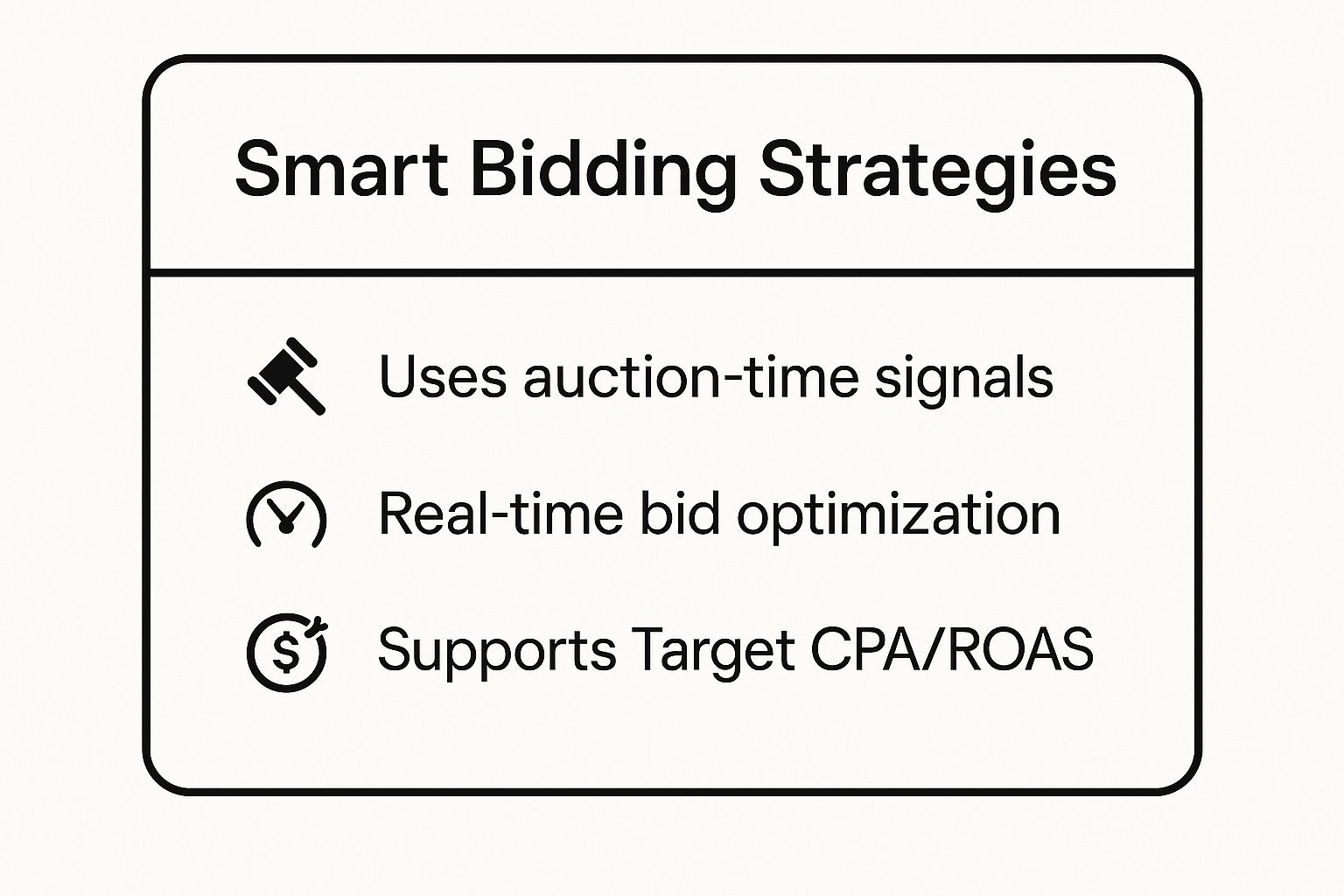
The key takeaway is that Smart Bidding leverages real-time data to align your bids directly with performance goals like Target CPA or ROAS.
How to Implement Smart Bidding Effectively
To make this strategy work, preparation is crucial. Follow these actionable steps for a smooth transition:
- Ensure Robust Conversion Tracking: Smart Bidding is only as good as the data it receives. Before you begin, confirm your conversion tracking is set up correctly and accurately measures the actions you value most.
- Start with the Right Strategy: If you have limited historical conversion data (fewer than 30 conversions in the last 30 days), begin with the Maximise Conversions strategy to build volume. Once you have a stable data history, you can switch to Target CPA or Target ROAS.
- Set Realistic Targets: Base your initial Target CPA or Target ROAS goals on your campaign’s historical performance over the last 30 days. Setting unrealistic targets from the start can stifle the learning process.
- Allow for a Learning Period: The machine learning algorithms need time to learn. Be patient and allow for a 2-3 week “learning period” before making any significant judgements or changes. Performance may fluctuate during this time.
By following these guidelines, you can harness the full power of automation for better results. To dive deeper into the nuances of each strategy, you can find more information about Google Ads Smart Bidding on ppcgeeks.co.uk/.
2. Comprehensive Negative Keyword Management
One of the most fundamental yet powerful Google Ads optimisation tips is implementing a rigorous negative keyword strategy. Negative keywords act as your campaign’s gatekeeper, preventing your ads from showing for irrelevant search terms. This simple action directly improves ad relevance, protects your budget from wasted spend, and ultimately enhances your overall campaign performance by focusing on qualified traffic.
By systematically identifying and excluding search queries that do not align with your business objectives, you can significantly refine your audience targeting. For example, a law firm that added “free” and “pro bono” as negative keywords saw a 60% reduction in unqualified leads. Similarly, a B2B software company improved its lead quality by 45% by using negative keywords to filter out consumer-focused searches like “tutorial” and “job”. This strategic filtering ensures your budget is spent only on clicks with genuine conversion potential.

The key takeaway is that active negative keyword management is not a one-time setup but an ongoing process that safeguards your ad spend and sharpens targeting.
How to Implement Negative Keywords Effectively
A proactive approach to negative keywords is essential for sustained success. Follow these actionable steps to build and maintain robust negative keyword lists:
- Routinely Review Search Term Reports: Dedicate time each week to analyse your Search Terms Report. This is your primary source for discovering new, irrelevant queries that are triggering your ads.
- Create Themed Negative Keyword Lists: Organise your negative keywords into themed lists (e.g., “Competitor Brands,” “Job Seekers,” “DIY/Informational”). Apply these lists across multiple relevant campaigns to ensure consistency and save time.
- Use Match Types Strategically: Add exact match negatives
[free legal advice]for specific unwanted queries. Use broad match negatives likefreeorjobssparingly, as they can sometimes block relevant, long-tail searches. Phrase match“how to”is often a good middle ground. - Build a Foundational List: For B2B or high-value service campaigns, proactively add common irrelevant terms like “free,” “cheap,” “DIY,” “template,” “salary,” and “jobs” from the very beginning.
By following these guidelines, you can prevent significant budget waste and improve the quality of every click. To explore this topic in more detail, you can find a complete guide to using negative keywords in Google Ads on ppcgeeks.co.uk/.
3. Google Ads Optimisation Tips: Advanced Audience Targeting and Layering
A crucial Google Ads optimisation tip is to move beyond broad keyword targeting and implement advanced audience strategies. This involves layering demographic, in-market, affinity, and custom audience data to broadcast your message to the most relevant and high-intent users. Instead of just targeting what people search for, you target who is searching, creating hyper-specific segments for maximum impact.
This detailed approach allows you to tailor your ad copy, offers, and landing pages to distinct user groups, significantly boosting relevance and conversion rates. For instance, a travel agency successfully boosted bookings by 65% by combining location targeting with travel intent audiences, while an e-commerce brand increased its conversion rate by a staggering 78% using a layered approach of demographic and in-market interest targeting. These results show that knowing your audience is as powerful as knowing your keywords.
This sophisticated targeting method ensures your budget is spent on users most likely to convert, directly improving your return on investment.
How to Implement Advanced Audience Targeting
Effective implementation requires a strategic approach rather than simply adding random audiences. Follow these actionable steps to refine your targeting:
- Start in ‘Observation’ Mode: Before restricting your reach, add several relevant audiences to your campaigns in “Observation” mode. This allows you to gather performance data on these segments without limiting your campaign’s reach. You can then make data-driven decisions on which audiences to actively target.
- Layer Audiences Strategically: Combine different audience types to create a highly specific profile. For example, you could layer a “Luxury Shoppers” affinity audience with a demographic filter for “Top 10% Household Income” to reach high-value customers for a premium product.
- Create and Utilise Custom Audiences: Build custom audiences based on your first-party data. This includes creating lists of website visitors, past purchasers, or users who have abandoned their shopping carts. These remarketing audiences are often your highest-performing segments.
- Leverage Audience Exclusions: Just as important as who you target is who you don’t target. Exclude low-performing demographics, past converters (for acquisition campaigns), or irrelevant interest groups to prevent wasted ad spend and refine campaign focus.
By layering audiences, you transform your campaigns from a wide net into a precision tool, ensuring your ads connect with the right people at the right time. For more information, you can explore detailed guides on advanced targeting on the Google Ads Help centre.
4. Strategic Ad Extensions Implementation
A crucial Google Ads optimisation tip is to treat ad extensions not as an afterthought, but as a core strategic component. Ad extensions are snippets of additional information that expand your ad’s size and provide users with more reasons to click. They enhance your ad’s visibility, improve click-through rates (CTR), and can positively impact your Quality Score.
Strategic implementation means selecting and customising extensions that offer the most value to your potential customers. This makes your ad more prominent on the search results page and gives users helpful, relevant information upfront. For instance, a restaurant chain increased its CTR by 43% by effectively using location and call extensions, while an e-commerce retailer boosted performance by 38% with targeted price and promotion extensions.

The key takeaway is that using relevant ad extensions makes your ads more useful, increasing their footprint on the SERP and driving more qualified clicks.
How to Implement Ad Extensions Effectively (Google Ads Optimisation Tips)
To maximise the impact of this strategy, you need a thoughtful approach. Follow these actionable steps for successful implementation:
- Use All Relevant Extension Types: Google Ads offers numerous extensions like sitelinks, callouts, structured snippets, and location extensions. Apply every type that is relevant to your business to provide comprehensive information and maximise your ad’s potential size.
- Keep Sitelinks Fresh and Relevant: Regularly update your sitelink extensions to point to your most important pages, such as current promotions, new product categories, or popular blog content. This keeps your ads timely and directs traffic effectively.
- Leverage Location and Call Extensions: If you have a physical presence, location extensions are essential for driving foot traffic. For businesses where phone calls are a key conversion, always enable call extensions, particularly for mobile-focused campaigns.
- Test and Monitor Performance: Don’t just set and forget your extensions. A/B test different callout and structured snippet messages to discover which copy resonates best with your audience. Regularly review the performance data in the “Assets” report and pause any that are underperforming.
By treating ad extensions as a dynamic and vital part of your ad creative, you can significantly improve your campaign’s performance. For further insights, you can explore detailed guides on using ad extensions from resources like the Search Engine Land editorial team.
5. Google Ads Optimisation Tips: Quality Score Optimisation Through Relevance
One of the most fundamental yet impactful Google Ads optimisation tips involves focusing on your Quality Score. This is Google’s diagnostic tool, a rating from 1 to 10 that estimates the quality of your ads, keywords, and landing pages. A higher Quality Score means Google sees your ad and landing page as relevant and useful to someone looking at your ad, leading to lower costs and better ad positions.
Quality Score is determined by three main components: expected click-through rate (CTR), ad relevance, and landing page experience. By improving these factors, you signal to Google that you provide a high-quality experience, and in return, you are rewarded with a lower cost-per-click (CPC). For instance, a UK law firm successfully improved its average Quality Score from 4 to 8, which directly resulted in a 45% reduction in its CPC and a much stronger ad rank.
The key takeaway is that optimising for relevance across your entire user journey, from keyword to landing page, is essential for reducing costs and improving overall campaign performance.
How to Implement Quality Score Optimisation
To systematically improve your Quality Score, you must focus on creating a tightly integrated campaign structure. Follow these actionable steps:
- Ensure Tight Keyword-to-Ad Alignment: Your ad groups should be small and highly themed. Each ad group’s keywords should be closely related, allowing you to write ad copy that speaks directly to the searcher’s intent.
- Include Keywords in Ad Copy: A classic but effective technique is to include your primary keywords directly in your ad headlines and description lines. This immediately boosts ad relevance and shows users that your ad matches their search.
- Create Specific Landing Pages: Do not send all traffic to your homepage. Create dedicated landing pages that directly correspond to the promise made in your ad. If your ad group is about “men’s running shoes,” the landing page should exclusively feature men’s running shoes.
- Enhance Landing Page Experience: Improve your page loading speed and ensure your site is fully mobile-responsive. A user who has a poor experience on your site is likely to bounce, which negatively impacts your Quality Score.
- Write Compelling, Click-Worthy Ads: Beyond just including keywords, your ad copy needs to be engaging. Use strong calls-to-action, highlight unique selling points, and create a sense of urgency to encourage clicks and improve your expected CTR.
6. A/B Testing and Performance Experimentation
Guesswork has no place in a high-performing Google Ads account. This is where A/B testing, also known as split testing, becomes one of the most vital Google Ads optimisation tips. This method involves running controlled experiments to compare variations of your ads, landing pages, or campaign settings to determine which one performs better.
By systematically testing individual elements like headlines, descriptions, or calls to action, you can make data-driven decisions that incrementally improve performance over time. It’s a foundational practice popularised by conversion pioneers like Bryan Eisenberg. For instance, a B2B company might improve its click-through rate (CTR) by 48% simply by testing different call-to-action phrases, while an e-commerce retailer could increase its conversion rate by 32% through rigorous headline testing.
The key takeaway is that continuous, structured experimentation is the engine of sustained campaign growth, moving you from assumptions to certainty.
How to Implement A/B Testing Effectively
To get meaningful results from your tests, a disciplined approach is essential. Follow these actionable steps to integrate experimentation into your workflow:
- Isolate a Single Variable: For a clear cause-and-effect relationship, only test one element at a time. If you change the headline, the description, and the landing page all at once, you won’t know which change was responsible for the performance shift.
- Focus on High-Impact Elements First: Start by testing the components that are most likely to influence user behaviour. These typically include ad headlines, the primary call-to-action (CTA), and the main offer or value proposition.
- Use Google’s Built-in Tools: Leverage the Experiments feature within the Google Ads interface. It allows you to create campaign drafts, allocate a specific percentage of traffic to the test, and easily measure the statistical significance of your results.
- Ensure Statistical Significance: Let your tests run long enough to gather sufficient data. A test needs a large enough sample size to be statistically valid, so aim to run experiments for at least 2-3 weeks to account for any weekly fluctuations in user behaviour.
- Document Everything: Keep a detailed log of every test you run, including your hypothesis, the variable tested, the duration, and the outcome. This creates a valuable knowledge base to inform all future campaign strategies.
7. Google Ads Optimisation Tips: Conversion Tracking and Attribution Optimisation
Effective Google Ads optimisation is impossible without knowing what success actually looks like. This means implementing comprehensive conversion tracking to measure every valuable user action and using attribution models to understand the true impact of each touchpoint. Without accurate measurement, you’re essentially flying blind, unable to distinguish high-performing campaigns from those wasting your budget.
Proper tracking goes beyond just the final sale. It involves capturing the entire customer journey, from initial ad click to final purchase, including cross-device interactions. For instance, a UK-based e-commerce company discovered that their mobile ads, which rarely led to direct sales, were actually responsible for assisting 40% of their desktop conversions after they implemented a data-driven attribution model. This insight allowed them to correctly value and scale their mobile campaigns. Understanding how to improve conversion rates is a foundational element, and having the right tracking in place is the first step.
The key takeaway is that robust conversion tracking and smart attribution are the bedrock of any successful advertising strategy, providing the data needed to make informed, profitable decisions.
How to Implement Conversion Tracking Effectively
To make this strategy work, a meticulous setup is non-negotiable. Follow these actionable steps to build a reliable measurement foundation:
- Implement Enhanced Conversions: Use this feature to send first-party customer data from your website to Google in a hashed, secure way. This improves the accuracy of your conversion measurement, especially when cookies are not available.
- Track Macro and Micro Conversions: Don’t just track the final sale (macro). Also, track smaller, valuable actions like newsletter sign-ups, PDF downloads, or “add to cart” events (micro). This gives you more data points to optimise for, especially in longer sales cycles.
- Set Up Offline Conversion Tracking: If leads convert via phone calls or in-person visits, import this data back into Google Ads. A multi-location retailer, for example, increased their reported store visits by 35% by connecting their CRM data to their campaigns.
- Move Beyond “Last Click”: The default “Last Click” attribution model undervalues early-funnel interactions. Test data-driven or position-based models in Google Ads to better distribute credit across all touchpoints that contributed to a conversion.
- Regularly Audit Your Setup: At least quarterly, audit your conversion tracking to ensure tags are firing correctly and data is flowing accurately. Mismatched data can lead to disastrous bidding decisions.
By building a comprehensive tracking framework, you can unlock a deeper level of insight into campaign performance. To get started with a detailed setup, you can learn more about implementing Google Ads conversion tracking on ppcgeeks.co.uk/.
8. Campaign Structure and Account Organisation
A fundamental Google Ads optimisation tip is to establish a logical and strategic account structure from the very beginning. A well-organised account, with clear campaigns and tightly themed ad groups, provides the foundation for maximum control, relevant messaging, and scalable performance. It allows you to manage budgets, bidding, and targeting with precision.
Strategic organisation means structuring your campaigns around your core business objectives, such as product categories, service lines, or geographic regions. This granularity ensures that your ads and landing pages are highly relevant to the user’s search query, which improves Quality Score and lowers costs. For instance, an e-commerce retailer organised campaigns by product category, increasing relevance and reducing their CPA by 28%, while a multi-location business structured campaigns by geography, improving local ad performance by 42%.
The key takeaway is that a thoughtful campaign structure is not an administrative task; it is a strategic framework that directly impacts relevance, cost, and overall campaign effectiveness.
How to Implement Strategic Account Organisation
Proper planning is essential for building a structure that serves your business goals. Follow these actionable steps to organise your account for success:
- Align Structure with Business Goals: Start by mapping out your campaigns based on how your business operates. This could be by product/service categories, customer segments, or marketing funnels (e.g., prospecting vs. remarketing).
- Separate Brand and Generic Campaigns: Always create separate campaigns for your brand keywords and generic (non-branded) keywords. This allows you to control budgets independently and measure the distinct performance of each.
- Create Tightly Themed Ad Groups: Within each campaign, build small, tightly themed ad groups. A good rule of thumb is to limit each ad group to 10-20 very closely related keywords, ensuring your ad copy is a perfect match for every potential search.
- Use Consistent Naming Conventions: Implement a clear and consistent naming system for your campaigns and ad groups (e.g., UK | Search | Product-X | Generic). This makes reporting, analysis, and management far more efficient, especially as your account grows.
By applying these principles, you build a scalable and efficient account that is easy to manage and optimise. For a deeper understanding of building effective structures, you can explore more about PPC campaign management best practices on ppcgeeks.co.uk/.
Google Ads Optimisation Tips Comparison
| Item | Implementation Complexity 🔄 | Resource Requirements ⚡ | Expected Outcomes 📊 | Ideal Use Cases 💡 | Key Advantages ⭐ |
|---|---|---|---|---|---|
| Smart Bidding Strategies for Automated Optimisation | Moderate to High – Requires setup and data integration | High – Needs sufficient conversion data | Improved ROAS, increased conversions, adaptive bidding | E-commerce, SaaS, travel sites with conversion data | Time-saving, data-driven bid optimisation, adaptability |
| Comprehensive Negative Keyword Management | Moderate – Ongoing maintenance and monitoring | Moderate – Regular review effort | Reduced wasted spend, improved CTR & conversion rates | Campaigns needing better traffic filtering | Saves budget by excluding irrelevant clicks, improves Quality Score |
| Advanced Audience Targeting and Layering | High – Complex setup and layering of audiences | High – Data and analysis intensive | Higher conversion rates, better personalisation | Campaigns needing precise audience targeting | Enhanced relevance, reduced CPA, valuable audience insights |
| Strategic Ad Extensions Implementation | Low to Moderate – Setup and periodic updates | Low – Routine management effort | Increased ad visibility, CTR, and Quality Score | All campaign types aiming to increase engagement | More ad real estate, improved ad rank, user engagement |
| Quality Score Optimisation Through Relevance | Moderate to High – Continuous optimisation required | Moderate – Requires cross-functional input | Lower CPC, better ad positions, improved ROI | Campaigns focused on long-term cost efficiency | Cost savings, higher ad rank, improved user experience |
| A/B Testing and Performance Experimentation | High – Requires experiment design and analysis | High – Needs sufficient traffic and time | Data-driven improvements, optimised ad elements | Campaigns optimising ad copy, targeting, bidding | Reduces guesswork, mitigates risks, quantifiable gains |
| Conversion Tracking and Attribution Optimisation | High – Complex multi-channel setup | High – Technical implementation needed | Accurate ROI, better bidding decisions, insight into journey | Businesses tracking multi-touch conversions | Precise measurement, improved bidding, cross-device tracking |
| Campaign Structure and Account Organisation | Moderate – Initial setup intensive but scalable | Moderate – Requires strategic planning | Improved Quality Score, budget control, easier scaling | All accounts needing organised, scalable management | Better control, easier analysis, improved targeting |
Turning Insights into Sustainable Growth
Navigating the intricate landscape of Google Ads is less about finding a single magic bullet and more about mastering a continuous cycle of refinement, testing, and strategic adjustment. The comprehensive Google Ads optimisation tips detailed in this article provide a robust framework, moving you from basic campaign management to sophisticated, data-driven growth strategies. By now, it should be clear that sustainable success isn’t achieved by chance; it’s engineered through deliberate, focused action.
From establishing a logical account structure and leveraging the power of Smart Bidding, to the diligent curation of negative keyword lists and the nuanced layering of audience signals, you are building the essential foundations of a high-performing account. These are the non-negotiable elements that ensure your budget is spent efficiently, reaching the right people, at the right moment, with the right message.
From Good to Great: Your Actionable Roadmap (Google Ads Optimisation Tips)
The journey doesn’t end with a solid foundation. True optimisation and market leadership come from relentlessly pursuing incremental gains. This is where the advanced tactics we’ve explored become your competitive advantage:
- Elevate Your Ad Presence: Strategic use of ad extensions is no longer optional. It’s a critical tool for boosting your Ad Rank, improving click-through rates, and providing valuable information to users before they even click.
- Master the Relevance Triangle: Obsessing over your Quality Score by aligning keywords, ad copy, and landing page experience is one of the most powerful levers you can pull to lower your costs and improve ad positioning.
- Embrace Experimentation: A commitment to systematic A/B testing and utilising Google’s Experiments feature transforms guesswork into a scientific process, allowing you to validate hypotheses and consistently discover what resonates with your audience.
- Trust Your Data: Perfecting your conversion tracking and attribution modelling ensures you are making decisions based on accurate, reliable data. Without this, every other optimisation effort is flying blind.
Implementing these Google Ads optimisation tips systematically will not only enhance campaign performance but will also generate a wealth of data. This data is the fuel for smarter decisions, deeper customer understanding, and a more resilient marketing strategy. Realising this potential empowers you to move beyond simply managing spend and start strategically investing in predictable, scalable growth for your business. The ultimate benefit is transforming your Google Ads account from a simple advertising channel into a powerful engine for achieving your core business objectives.
Ready to turn these advanced Google Ads optimisation tips into tangible results without the steep learning curve? As a multi-award-winning Google Premier Partner, the team at PPC Geeks specialises in implementing these exact strategies to drive measurable growth for UK businesses. Contact us today for a free, in-depth audit of your account and let our experts build a high-performance PPC engine for you.


