




A Practical Guide to Google AdWords for Agencies — For any agency serious about scaling its Google Ads service, getting the foundation right isn’t just important—it’s everything. Before you even think about onboarding that next big client or launching a single campaign, you need to build your operational backbone. This starts and ends with a properly configured Google Manager Account (MCC).
A Practical Guide to Google AdWords for Agencies: Building Your Agency’s Google Ads Foundation
Think of your MCC as the command centre for your entire paid search operation. It’s the central hub where all client accounts, team permissions, and high-level reporting live. Getting this wrong from the start leads to chaos, security risks, and a massive headache as you grow. Getting it right, however, paves the way for smooth, scalable, and profitable client management.
Without a solid MCC structure, you’re left juggling dozens of individual logins and messy permissions. It’s a recipe for disaster. A well-organised MCC lets you:
- Hop between multiple client Google Ads accounts from one central dashboard.
- Set specific access levels for your team members, keeping accounts secure.
- Get a bird’s-eye view of performance across your entire client portfolio.
- Deploy powerful agency-level tools, like automated rules and scripts, across multiple accounts at once.
For any agency with ambitions to grow beyond a handful of clients, a clean MCC setup is simply non-negotiable.
Structuring Your Manager Account for Growth
How you set up your MCC today will directly impact how easily you can scale tomorrow. The classic mistake? Giving everyone on the team admin access to every single client. It’s messy and a huge security risk.
A much smarter approach is to create a tiered structure. You could have a main, top-level MCC for the entire agency. Underneath that, you might create sub-manager accounts for different teams or pods of clients. This segmentation keeps everything tidy and allows team leads to manage their own group of accounts without being overwhelmed by everyone else’s.
A well-structured MCC isn’t just an admin task; it’s a strategic asset. It helps you onboard clients faster, manage your team more efficiently, and uphold high security standards—all massive selling points in a crowded market.
This kind of strategic thinking is more important than ever. The UK’s digital agency scene is absolutely booming, with revenues projected to climb to £20.4 billion by 2025. That’s a steady growth of 7.2% annually since 2019. For performance-driven PPC agencies, this is a massive opportunity to grab a bigger slice of the pie.
Navigating Permissions and Billing Protocols (A Practical Guide to Google AdWords for Agencies)
When it comes to permissions, the rule is simple: grant access on a strictly need-to-know basis. Not everyone needs the keys to the kingdom. Your account managers will need standard access to build and tweak campaigns, but a reporting analyst might only need read-only access to pull data.
Here’s how we typically break down access levels in our agency:
- Admin: This is reserved for agency owners or the Head of PPC. They have total control, from managing users to setting up billing.
- Standard: The go-to for your day-to-day account managers. They can do everything they need to with campaigns but can’t touch user permissions or billing.
- Read-Only: Perfect for analysts, certain stakeholders, or even clients who want a peek at performance without being able to make any changes.
- Billing: Strictly for the finance team to handle payment methods and download invoices.
To give you a clearer picture, here’s a breakdown of how you might structure these roles within your agency’s MCC.
Agency Google Ads MCC Structure Tiers
| Access Level | Typical User | Key Permissions | Best Practice Use Case |
|---|---|---|---|
| Admin | Agency Owner, PPC Director | Full account control, add/remove users, set up billing, link/unlink accounts | Top-level oversight and control of the entire agency manager account. |
| Standard | Account Manager, PPC Specialist | Campaign creation, editing, and optimisation; performance monitoring | Day-to-day management of client accounts without access to sensitive billing or user settings. |
| Read-Only | Analyst, Client Stakeholder | View campaigns, reports, and performance data; cannot make any changes | For reporting purposes or providing clients with transparent access to their account’s performance. |
| Billing | Finance Team, Accounts Dept. | View billing history, update payment methods, download invoices | Managing all financial aspects of client accounts without needing access to campaign management. |
This tiered system ensures everyone has the access they need to do their job effectively while minimising the risk of accidental changes or unauthorised access.
Now, for billing. The cleanest and most professional way to handle this is to have the client add their own payment details directly to their Google Ads account. You then simply link their account to your agency’s MCC. This approach keeps the ad spend totally separate from your management fees, which clients love for its transparency.
It also protects your agency’s cash flow—you’re not fronting thousands in ad spend. This is a fundamental step we cover in our ultimate Google AdWords PPC checklist for UK digital marketing managers. It builds trust right from the start and avoids the accounting nightmare of reconciling ad spend for multiple clients.
A Practical Guide to Google AdWords for Agencies: Your Client Onboarding and Account Audit Playbook
A slick onboarding process is your first, and arguably best, chance to prove your agency’s worth. Get this right, and you’re not just a supplier; you become a trusted partner. This is where you lay the groundwork for a long, successful relationship, and it all starts way before you even think about touching a campaign.
The goal here is to get under the skin of the client’s business. We’re not talking about vanity metrics. We need to understand what actually moves the needle for them. A solid onboarding uncovers their core objectives, who their dream customer is, and what a genuine ‘win’ looks like in their books. This is the moment you stop being a vendor and start being a strategist.
This graphic breaks down the essentials for getting a new client securely plugged into your agency’s Manager Account, covering the critical pillars of structure, permissions, and billing.
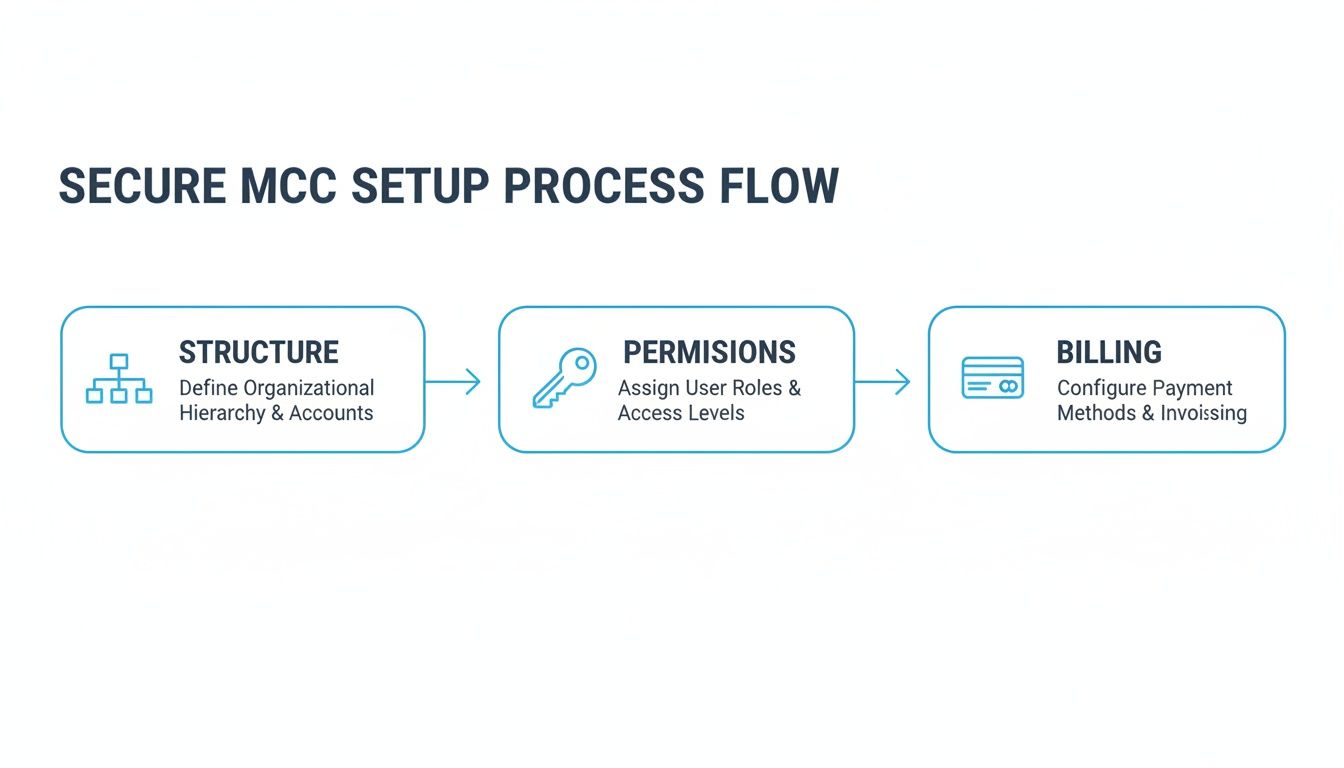
Following this from day one means client accounts are managed within a secure, organised system. It protects their data, and frankly, it protects your agency’s operational sanity too.
The Essential Discovery Questions
Before you even glance at a keyword, you need to ask the right questions. The success of everything that follows hinges on the quality of the information you gather right now. Vague requests like “we want more leads” just won’t cut it.
Your job is to dig in and get the specifics. These questions are the bedrock of your entire strategy:
- Business Objectives: What’s the actual commercial goal? Is it a 20% increase in online sales? Or generating 50 qualified leads every month? Pin them down to a number.
- Target Audience: Who are we really trying to reach? Go deeper than just age and location. What are their biggest problems? What language do they use when searching for solutions?
- Success Metrics: How will we both agree that we’re winning? This is non-negotiable. We need to align on the definition of a conversion, the target Cost Per Acquisition (CPA), or the required Return on Ad Spend (ROAS).
- Unique Selling Proposition (USP): In a crowded market, what makes them stand out? Why should a customer pick them over the ten other identical options? This is pure gold for your ad copy.
A proper discovery phase is your best defence against the #1 killer of agency-client relationships: misaligned expectations. Get these answers documented, and you have a shared brief to hold everyone accountable.
Performing a Meticulous Account Audit (A Practical Guide to Google AdWords for Agencies)
Once you’ve got the strategic brief nailed down, it’s time to roll up your sleeves and dive into a deep account audit. This isn’t a five-minute look at the dashboard. It’s a full forensic investigation to spot quick wins and map out long-term opportunities. Honestly, a brilliant audit is one of the most valuable things an agency can deliver.
The audit tells you what’s working, what’s broken, and where the biggest levers for growth are hiding. You’ll pick apart everything from the technical setup to the creative, building a data-backed roadmap for the first 90 days. If you’re after a rock-solid framework, you can learn more about how we tackle this in our detailed guide to conducting a comprehensive Google Ads audit.
Core Components of a Winning Audit
To make sure nothing slips through the cracks, your audit needs to be systematic. Breaking it down into key areas helps you present your findings clearly and professionally, showing your new client immediate value.
Here’s our non-negotiable audit checklist:
- Conversion Tracking Integrity: Is tracking actually installed correctly and firing when it should? Are they tracking all the valuable stuff (calls, forms, sales)? This is the absolute priority. Without clean data, you’re just guessing.
- Account and Campaign Structure: Is the account built logically? Are campaigns properly segmented by service, product, or user intent? A messy structure is almost always a sign of wasted ad spend.
- Historical Performance Analysis: Get stuck into the data from the last 6-12 months. Look for trends in key metrics like Click-Through Rate (CTR), Conversion Rate, and CPA. Where are the outliers—both good and bad?
- Keyword and Search Query Analysis: Are they targeting the right keywords? Even more important, what horrors are lurking in the Search Query Report? You’ll almost certainly find irrelevant searches bleeding the budget dry. Time to build that negative keyword list.
- Ad Copy and Creative Assessment: Does the ad copy actually speak to the customer’s pain points and shout about the USP? Are they using every relevant ad extension to take up as much space on the results page as possible?
This audit becomes your playbook. It’s the evidence you need to justify your proposed changes and gives the client absolute confidence that you’re making smart, data-driven decisions to grow their business.
A Practical Guide to Google AdWords for Agencies: Designing Campaigns for Performance and Scale
Cookie-cutter campaign structures are a fast track to wasted client budgets and disappointing results. To really excel, agencies need to move beyond the basics and design campaign architectures that actually reflect user intent, business goals, and the jungle that is the competitive landscape.
A thoughtfully organised account isn’t just about keeping things tidy; it’s a direct lever for improving Quality Scores, slashing CPCs, and making your team’s life a whole lot easier when it comes to ongoing management.
The goal here is to build a scalable framework. One that lets your team manage complexity, test new ideas methodically, and report on performance with absolute clarity. Honestly, this strategic approach is what separates a good agency from a great one.

Segmenting Campaigns by User Intent
One of the most powerful ways to structure an account is to segment campaigns based on where the user is in their buying journey. It sounds simple, but you’d be surprised how many accounts just lump everything together. A user searching for “best running shoes for flat feet” has a totally different intent from someone typing in “Nike Air Zoom Pegasus price,” and your campaigns should reflect that.
This means organising campaigns to mirror different stages of awareness:
- Problem-Aware Campaigns: These are for users who know they have a problem but aren’t sure about the solutions yet. Think broader keywords like “how to fix a leaky tap.”
- Solution-Aware Campaigns: Here, you’re targeting users who are actively researching specific solutions. Keywords get more focused, like “plumber near me reviews.”
- Brand-Aware Campaigns: These are your bread and butter, capturing high-intent users searching directly for your client’s brand or product names. These should always live in their own campaign for clean performance tracking.
By separating these, you can tailor your ad copy, landing pages, and bids to match the user’s mindset. Get this right, and you’ll almost always see better conversion rates.
Advanced Match Type Strategies (A Practical Guide to Google AdWords for Agencies)
The old days of creating identical ad groups for broad, phrase, and exact match keywords are long gone. To control costs and pull in the right traffic today, you need a more refined approach. One of the most effective methods we use is the tiered bidding strategy.
This involves creating campaigns segmented by match type, with negative keywords carefully applied to funnel traffic where you want it. For example, you might have an exact match campaign with the highest bids to snap up the most relevant, high-converting traffic. Then, a second, broad match campaign would have lower bids and would have all your exact match keywords added as negatives. This stops you from bidding against yourself and ensures you’re paying the right price for the right level of intent.
A well-organised account structure does more than just look professional. It gives you precise control over budgets, simplifies performance analysis, and provides a clear framework for scaling your client’s advertising efforts without creating chaos.
This level of detail is critical in a competitive market. With 63% of people having clicked on a Google ad, paid search is a key battleground. The UK search ad market, valued at a massive £16.6 billion, represents nearly half of all digital ad spending. Specialised UK agencies are crucial for helping businesses win those clicks, especially when the average search CTR is 3.17%—miles ahead of display or shopping ads.
Building Granular Shopping Campaigns
For e-commerce clients, a standard Shopping campaign is rarely enough. If you really want to drive performance, you have to get granular. A simple but incredibly effective structure is the SPAG (Single Product Ad Group) approach. Just as it sounds, each product gets its very own ad group.
Sure, it sounds like a lot of work upfront, but the benefits are huge:
- Precise Bidding: You can set specific bids for individual products based on their margin and performance, rather than using a blanket bid for a whole category.
- Targeted Negatives: If a specific search term isn’t converting for one product, you can add it as a negative at the ad group level without messing with your other products.
- Customised Reporting: You get a crystal-clear view of how each individual product is performing, making it dead easy to spot your winners and losers.
Just as critical is optimising the product feed itself. Make sure titles are keyword-rich, use high-quality images, and fill out every relevant attribute (like colour, size, and material). A well-optimised feed is the foundation of any winning Shopping strategy. For more advanced tactics, particularly with automated campaigns, you might want to check out our guide on scaling a B2C brand with Performance Max.
A Practical Guide to Google AdWords for Agencies: Leveraging Automation for Bidding and Budgeting
In today’s world of PPC, clinging to manual bidding is like choosing to row when everyone else has a motor. Google’s AI-powered Smart Bidding strategies aren’t a novelty anymore; they are a fundamental part of the toolkit for any agency serious about delivering top-tier results.
I get it – handing over the reins to an algorithm can feel a bit daunting. But when you get it right, it frees up your team from the daily grind of constant bid adjustments. This lets them focus on the high-level strategy that actually moves the needle for your clients.
The secret is knowing that automation isn’t a magic button. Think of it as a powerful engine that needs high-quality fuel. In Google Ads, that fuel is clean, accurate conversion data. Without it, Smart Bidding is essentially flying blind and will just burn through your client’s budget.
Choosing the Right Smart Bidding Strategy (A Practical Guide to Google AdWords for Agencies)
Not all automated bidding strategies are built the same. Each one is designed for a specific job, and picking the right one comes down to what your client actually wants to achieve. Choosing the wrong one is a classic misstep that leads to poor performance and some very awkward client calls.
Here’s a quick rundown of the most common strategies and when to use them:
- Target CPA (Cost Per Acquisition): This is your bread and butter for lead generation clients. You tell Google the absolute maximum you’re willing to pay for a conversion (like a form fill or a call), and it will tweak bids to hit that number. It’s perfect for clients who have a clear, fixed cost-per-lead goal.
- Target ROAS (Return on Ad Spend): The holy grail for e-commerce. If your client needs to generate £4 in revenue for every £1 spent on ads, you set a 400% Target ROAS. The algorithm then hunts for users and products most likely to hit that return.
- Maximize Conversions: Use this when a client simply wants the most conversions possible within their budget, without a specific CPA in mind. It’s a great way to kick off new campaigns and gather data before switching over to Target CPA.
- Maximize Conversion Value: This is the value-focused version of the above. It aims to squeeze the highest possible revenue from the budget, making it a solid choice for e-commerce clients before they have enough data for a stable Target ROAS strategy.
The success of any Smart Bidding strategy lives or dies by the quality and volume of your conversion data. If your tracking is a mess or you’re only getting a handful of conversions a month, the algorithms will struggle to learn and you’ll just be spinning your wheels.
For a deeper dive into the mechanics, our guide on Google Ads Smart Bidding breaks down these powerful tools in much more detail.
Going Beyond Bidding with Google Ads Scripts
Real automation goes way beyond just managing bids. Google Ads Scripts are small snippets of JavaScript that can automate dozens of routine, mind-numbing tasks within your accounts. For an agency juggling multiple clients, they are an absolute game-changer.
Think of scripts as your agency’s tireless assistants, working 24/7 to monitor performance and get things done. They empower your team to stop being reactive button-pushers and start being proactive strategists.
Here are a few real-world examples of how scripts can make your agency ridiculously more efficient:
- Budget Pacing Alerts: A script can keep an eye on daily spend across all your client accounts. If any account is on track to wildly overspend or underspend its monthly budget, it can fire off an automatic email alert to the account manager. Simple, but so effective.
- Broken Link Checker: Manually checking every single ad URL for 404 errors across dozens of accounts is just not going to happen. A script can run daily, crawl all active ad URLs, and email you a neat report of any broken links it finds, stopping you from wasting ad spend.
- Performance Anomaly Detection: Did a key campaign’s CTR suddenly tank, or did CPA spike overnight? A script can be set up to spot these statistical anomalies and flag them for immediate investigation, helping you catch problems long before your client does.
By putting these automated checks and balances in place, your team can dedicate their valuable time to activities that drive real growth—like creative testing, strategic planning, and actually talking to your clients. This shift from tactical box-ticking to strategic oversight is fundamental to scaling any successful Google AdWords for agencies operation.
A Practical Guide to Google AdWords for Agencies: Crafting Reports That Build Client Trust
Let’s be honest: insightful, transparent reporting is the very bedrock of a strong agency-client relationship. It’s how you graduate from being just another line on their expense sheet to an indispensable strategic partner. Your job isn’t to just dump raw data into an email. It’s to build a narrative that connects your daily tweaks and optimisations to their actual business goals.
Great reporting has nothing to do with vanity metrics like impressions or clicks. It’s all about demonstrating tangible value in the language your client understands—leads, sales, and return on investment. This is how you prove your worth, month after month, and keep them with you for the long haul.

This shift in focus is absolutely critical, especially in the competitive UK market. In 2024, search advertising spend is projected to hit a staggering £16.6 billion, making up 47% of the entire digital ad market. UK businesses are pouring serious money into Google Ads to capture high-intent customers, and they need to see clear returns, particularly when median conversion rates are hovering between 2.23% and 4.5% . To stay sharp, it’s worth exploring more data on these UK advertising trends and performance benchmarks.
Moving Beyond Data Dumps with Looker Studio
The days of sending clients clunky, confusing spreadsheets are long gone. Thank goodness. The industry standard now is Looker Studio (what used to be Google Data Studio), and for good reason. It lets you create clean, automated, and interactive dashboards that actually bring performance data to life. You can pull in data from Google Ads, Google Analytics, and countless other sources into a single, visually compelling report.
A well-designed Looker Studio dashboard gives clients 24/7 access to the metrics that matter most, which fosters a real sense of transparency and trust. You can even brand it with their logo, making it feel like a truly bespoke part of your service.
Here’s a simple framework for a powerful client dashboard:
- Executive Summary Page: A high-level overview with the absolute must-know KPIs. Think Spend, Conversions, CPA/ROAS, and Conversion Value. Crucially, add a text box for your own key insights and monthly commentary.
- Performance Trends View: A few line charts showing month-over-month and year-over-year trends for key metrics. This is brilliant for visualising progress and giving context to any performance dips or spikes.
- Campaign & Ad Group Deep Dive: A detailed table that lets the client (or your own team) drill down into the performance of specific campaigns, ad groups, or even keywords.
- Audience & Demographic Insights: Charts breaking down performance by age, gender, location, or device. This is often where you’ll uncover golden nuggets for future targeting strategies.
The goal of a great report isn’t just to show what happened, but to explain why it happened and what we’re doing next. Your commentary is just as important as the data itself.
Essential Client Reporting Metrics (A Practical Guide to Google AdWords for Agencies)
The KPIs you put front and centre must align directly with the client’s business model. It seems obvious, but it’s often missed. A report for a local plumber looks vastly different from one for a national ecommerce brand, and customising your reporting shows you actually understand their world.
Here’s a quick look at the essential metrics for these two common client types, which you should be featuring prominently in your reports.
Essential Client Reporting Metrics
| Metric Category | Lead Generation KPI | Ecommerce KPI | Why It Matters |
|---|---|---|---|
| Volume | Conversions (Leads) | Transactions | This is the top-line result. It answers the client’s very first question: “How much business did we get?” |
| Efficiency | Cost Per Acquisition (CPA) | Return on Ad Spend (ROAS) | This measures profitability. It tells the client if the ad spend is financially sustainable and efficient. |
| Quality | Conversion Rate | Average Order Value (AOV) | This indicates how well traffic converts and the value of each conversion, which is key for strategic growth. |
| Reach | Impression Share | Impression Share | This shows how much of the available market you are capturing versus competitors. |
By tailoring your report around these distinct sets of metrics, you ensure the conversation always stays focused on business outcomes, not distracting vanity numbers.
Building a Narrative Around the Data (A Practical Guide to Google AdWords for Agencies)
The final, and most crucial, piece of the puzzle is your analysis. A dashboard without a story is just a collection of numbers. Your monthly report or review call is your stage to connect the dots for the client.
Don’t just state that the CPA increased by 10%. Explain why. Was it down to a spike in auction competition? Did we intentionally bid more aggressively on a top-performing campaign to drive more overall volume?
Structure your commentary to answer three simple questions:
- What happened? (The objective results)
- Why did it happen? (Your expert analysis and insights)
- What are we doing next? (Your action plan for the coming month)
This straightforward framework transforms you from a campaign manager into a proactive, strategic leader. It shows foresight, builds confidence, and reinforces the value of your agency’s expertise in managing their Google Ads account. This is exactly how you stop clients from churning and start building partnerships that last for years.
A Practical Guide to Google AdWords for Agencies: Frequently Asked Questions
Running a PPC agency means you’re constantly juggling client accounts, strategies, and expectations. It’s only natural that a few common questions pop up time and time again.
From the nitty-gritty of billing to the big-picture strategy on kick-off calls, getting the basics right is non-negotiable. It’s the bedrock of a smooth, profitable agency that clients love working with. Here are some of the most common queries we see.
How Should an Agency Handle Google Ads Billing for Clients?
This is a big one, and getting it wrong can cause major headaches. You’ve really got two paths here, but one is clearly better for your agency’s cash flow and client transparency.
The best practice, hands down, is direct client billing. In this setup, the client puts their own company card directly into their Google Ads account. You simply get manager access via your MCC. This creates a clean separation between their ad spend and your management fees, which is exactly what you want. Clients appreciate the transparency, and you’re not left footing a massive bill.
The alternative is paying for the ad spend yourself and then invoicing the client. While it might feel like you have more control, it can be a cash flow nightmare and it’s far less transparent. For most UK businesses, direct client billing is the only way to go.
What Is the Most Important Thing to Establish in a Client Kick-off Call?
Before you touch a single keyword or write a line of ad copy, you need to do one thing: align on what a ‘conversion’ actually is and agree on its value.
Honestly, skipping this step is the number one reason client relationships turn sour. You think you’re crushing it with form fills, but they only care about booked demos. You need to get crystal clear from day one.
- For Lead Gen: Is a conversion a simple form submission? A phone call? Or is it a fully qualified lead that has been accepted by the sales team? You need to know what each of those is worth to the business.
- For Ecommerce: This is all about ROAS (Return on Ad Spend) or MER (Marketing Efficiency Ratio). Is a 4:1 return their break-even point, or is that their target for profitable growth? The difference is huge.
Get a number. Get a specific goal agreed upon and written down from that very first meeting. This becomes your North Star. It’s the benchmark for your strategy and the ultimate measure of your success.
What Are the Best Tools for an Agency Managing Multiple Google Ads Accounts?
Your Google Ads Manager Account (MCC) is the bare minimum. To run a truly efficient and effective agency, you need to arm your team with the right toolkit. Investing in the right software isn’t an expense; it’s a direct investment in the quality of service you provide.
Here’s a look at a solid agency tech stack:
- Reporting: Looker Studio (formerly Data Studio) is the industry standard. It lets you build custom, automated dashboards that make performance easy to understand and help build that all-important client trust.
- Competitive Analysis: You need to know what the competition is up to. Tools like SEMrush or Ahrefs are brilliant for digging into competitor ad copy, landing pages, and keyword strategies.
- Shopping Feed Management: If you have ecommerce clients, a dedicated platform like Channable or Feedonomics is a lifesaver. They can slash hours of manual work and seriously improve the quality of your product feeds.
- Project Management: To keep everything on track internally, a good project management tool is essential. Whether it’s Asana, Trello, or Monday.com, you need a central place to manage tasks, deadlines, and communication.
At PPC Geeks, we combine years of hands-on expertise with the best tools in the business to build and scale powerful Google Ads campaigns. If you’re ready for measurable growth and want to get your time back, let’s talk about how our specialist PPC agency can help. See what we’re all about at https://ppcgeeks.co.uk/.


