




Think of the Google Ads Display Network (GDN) as a sprawling web of digital billboards, but instead of motorways, they’re scattered across millions of websites, apps, and even videos. It’s a completely different beast to search ads. While search ads target people actively hunting for something specific, display ads find people while they’re just casually browsing content.
This makes it the perfect tool for getting your brand name out there and reaching entirely new crowds. It’s a visual-first game, letting you connect with potential customers long before they even think about searching for you.
So, What Is the Google Ads Display Network Anyway?
The Google Display Network, or GDN for short, is one of the two main pillars of Google Ads. The other, of course, is the Search Network.
Now, the Search Network is all about capturing intent. You’re there to catch people who are already looking for what you offer. The Display Network, on the other hand, is about creating awareness and demand. It lets you place eye-catching ads across a massive collection of partner sites.
Let’s say you run a UK-based business selling artisanal coffee. With search ads, you’d target someone typing “buy specialty coffee beans online.” Fair enough. But with the GDN, you could pop a beautiful banner ad onto a popular food blog, in the lifestyle section of a major news site, or even inside a mobile app for coffee lovers.
You’re meeting customers right where they are, in their natural digital habitats. This is the heart of what is display advertising; it’s a strategy built on grabbing attention with visuals all over the web.
The Scale of the GDN in the UK
The sheer size of this network is its biggest selling point. In the UK, Google’s grip on digital advertising is immense. With Google Search holding around 93.5% of the market share, its display network naturally benefits from that incredible reach, spanning over two million websites and apps worldwide.
For UK businesses, this means you have the power to show your ads to tens of millions of potential customers every single month.
The core difference is simple: Search ads help you find new customers, while display ads help new customers find you. It’s a proactive approach to marketing that works hand-in-glove with the reactive nature of search.
Key Functions of the Display Network
So, what can a UK business actually do with this powerful tool? Its uses are incredibly flexible, suiting different stages of a customer’s journey.
- Building Brand Awareness: Get your brand, products, or services in front of a broad but relevant audience who might have never heard of you before.
- Driving Consideration: Engage with people who have already shown an interest in your industry or similar products, gently nudging them closer to a decision.
- Remarketing to Past Visitors: This is a big one. You can re-engage with users who’ve visited your site but left without buying, reminding them of what they were looking at.
How the Google Ads Display Network Actually Works
To really get your head around the Google Display Network, it helps to think of it not as one single thing, but as a massive, bustling marketplace. It’s a dynamic ecosystem with three key players, all working in tandem. Nailing down who does what is the first step to building a winning campaign.
First up, you have the advertisers—that’s you. You’ve got something to sell and a budget to make it happen. Your mission is to get your eye-catching ads in front of the right people, at just the right moment.
On the other side of the coin are the publishers. These are the owners of the millions of websites, blogs, news sites, and mobile apps that form the network. They have empty space on their digital properties—what we call ad inventory—that they’re keen to sell.
Acting as the high-tech auctioneer in the middle is Google. Its technology is the bridge connecting advertisers with publishers, making sure the right ads fill the right spots. It creates a seamless experience for everyone, giving you access to a huge chunk of the internet—Google says it covers over three million sites and apps.
The Vast World of Ad Inventory (Google Ads Display Network)
Think of ad inventory like digital real estate. Every website, from a niche blog on British gardening to a media giant like The Guardian, has specific slots where ads can appear. These slots come in all shapes and sizes, from big banners across the top of a page to small squares tucked inside an article.
But this inventory isn’t just on traditional websites. It also includes:
- Mobile Apps: Those ad spaces you see in games, productivity tools, and social apps.
- YouTube: Banner ads that pop up next to or even on top of videos.
- Gmail: Ads that appear in the Promotions and Social tabs of someone’s inbox.
This incredible variety of placements is what makes the Google Ads Display Network so powerful. You can reach people while they’re scanning the morning news, playing a game on their commute, or watching their favourite YouTubers.
Demystifying the Ad Auction
So, with thousands of advertisers all vying for the same spots, how does Google decide whose ad gets shown? It all boils down to an automated ad auction that happens in the blink of an eye. And no, it’s not just about who has the deepest pockets.
The auction really hinges on two main things:
- Your Bid: This is the most you’re willing to pay for a click (CPC) or for every thousand times your ad is shown (CPM).
- Quality Score: This is Google’s rating of how relevant and high-quality your ads, keywords, and landing page are. A great Quality Score can land you better ad positions for less money.
Google mashes these two factors together to calculate an Ad Rank for every advertiser in the running. The advertiser with the highest Ad Rank wins the best spot. This whole system is designed to make sure users see genuinely useful ads, not just the ones backed by the biggest budgets.
It’s a meritocracy, in a way. A well-crafted, highly relevant ad with a sensible bid can easily beat a generic ad with a massive budget behind it. This focus on quality is at the very heart of how the Display Network works.
Ultimately, this setup delivers better results for advertisers and a much better experience for people browsing the web, which keeps the entire ecosystem ticking over nicely.
Google Ads Display Network: Choosing the Right Ad Formats for Your Goals
Picking the right ad format on the Google Ads Display Network is a bit like choosing the right tool for a job. You wouldn’t use a hammer for a screw, right? Your creative choices have a massive impact on how people see your brand and whether they bother to engage. The format you go with needs to line up perfectly with what you’re trying to achieve, whether that’s getting your name out there or driving sales today.
You’ll mainly be working with three formats: Responsive Display Ads, static Image Ads, and interactive HTML5 Ads. Each one has a different job to do, offering various levels of creative control, reach, and engagement. Getting to grips with what makes each one tick is the first step to building a campaign that not only looks great but actually works.
The Modern Go-To: Responsive Display Ads
For most advertisers these days, Responsive Display Ads (RDAs) are the default choice, and for good reason. Think of them as smart, shape-shifting ad units. You just feed Google a bunch of creative assets – your images, logos, headlines, and descriptions – and its machine learning system handles the rest.
The AI then gets to work, mixing and matching all these bits and pieces to automatically create thousands of different ad variations. It tests them across the entire network, constantly tweaking in real-time to figure out which combinations work best for different ad slots and audiences. This hands-off approach gets your ads seen in more places and boosts performance without you needing to manually design countless ad sizes.
Their key benefits include:
- Maximum Reach: RDAs automatically adjust their size and shape to fit pretty much any ad space available on the GDN, giving you access to the biggest possible inventory.
- Performance Optimisation: Google’s AI is always learning which asset combinations get the most clicks and conversions, improving your results over time.
- Simplicity: You upload your assets once, and Google does all the heavy lifting of putting the ads together and testing them. It’s a huge time-saver.
This format is perfect for performance-driven campaigns where hitting conversion goals and achieving wide reach are your top priorities.
When to Use Static Image Ads
While RDAs offer brilliant flexibility, sometimes you need total control over how your ad looks. That’s where old-school Image Ads come in. With this format, you upload a finished, pre-designed image file (like a JPEG or PNG) for every single ad size you want to run.
This gives your design team complete command over the final product, making sure every pixel is exactly where it should be, perfectly aligned with your brand guidelines. You control the fonts, the image placement, the whole composition. This is a must for luxury brands or campaigns with strict visual rules that can’t be left to an algorithm.
But this control comes with a trade-off. You have to create multiple versions of your ad to fit different placements, which takes time and can limit your campaign’s reach to only the sizes you’ve bothered to design for. The popularity of key ad formats like the 300×250 medium rectangle and 728×90 leaderboard, which can hit click-through rates of 0.47% or higher, shows just how vital placement optimisation is.
Choose Image Ads when brand integrity and a specific visual message are more important than maximum reach and automated optimisation. They are perfect for highly stylised branding campaigns.
Creating Engaging Experiences with HTML5 Ads
If you really want to push the boat out creatively, HTML5 ads let you build something truly interactive and dynamic. These are basically tiny, self-contained web pages, built with code, that can feature animations, image carousels, and clickable elements right inside the ad itself.
Picture a car ad where you can click to change the car’s colour, or a retail ad that lets you swipe through a gallery of products. That kind of engagement can seriously grab a user’s attention. They are especially powerful for remarketing campaigns where you want to create a memorable, hands-on reminder. For some inspiration, check out these powerful remarketing ads examples in our guide.
The downside? They’re complex and expensive to make. Creating HTML5 ads requires specialist design and development skills, making them the most resource-heavy option by far. They’re best kept for high-impact campaigns where you know the investment in a top-notch creative experience will pay off.
To help you decide, here’s a quick breakdown of how the main ad formats stack up against each other.
Google Display Network Ad Format Comparison
This table compares the primary ad formats on the GDN, highlighting their key features, best use cases, and creative requirements to help advertisers select the right format for their campaign objectives.
| Ad Format | Key Feature | Best For | Creative Control |
|---|---|---|---|
| Responsive Display Ads | Automated assembly and optimisation | Performance-focused campaigns, maximising reach, and saving time | Low (Control over assets, not final layout) |
| Static Image Ads | Full control over the final design | Strict brand guidelines, specific visual messaging | High (Pixel-perfect control over the entire creative) |
| HTML5 Ads | Interactive and animated elements | High-impact branding, engaging remarketing, rich media experiences | Very High (Requires coding and design skills) |
Ultimately, the format you choose will depend on balancing your campaign goals with the resources you have available. For most, RDAs are the smartest place to start, but don’t be afraid to use Image or HTML5 ads when you need that extra layer of control or engagement.
Google Ads Display Network: Mastering Targeting to Reach the Right People
Creating a brilliant ad is only half the story. The real power of the Google Ads Display Network is making sure that brilliant ad reaches the right person, at the right time, in the right place. Think of targeting as the GPS for your campaign; without it, you’re just driving blind and burning through your budget.
To keep things simple, targeting really boils down to two key questions: WHO do you want to reach, and WHERE do you want your ads to show up? Nail both of these, and you can turn a scattergun approach into a precision-guided strategy, making every pound in your budget work as hard as it possibly can.
Targeting the ‘Who’: People-Based Audiences
This is all about zeroing in on the characteristics and behaviours of the people you want seeing your ads. Instead of just picking websites, you’re picking the types of people most likely to become your customers, no matter where they happen to be browsing online.
Google gives you several layers to play with here, each offering a different level of focus.
- Demographic Targeting: This is your foundational layer. You can target users based on their age, gender, parental status, and even household income. It’s a broad starting point, but it can be incredibly effective for products with a very clear demographic appeal.
- Affinity Audiences: Think of these as broad interest groups, like “Coffee Lovers,” “Thrill Seekers,” or “DIY Enthusiasts.” Google figures this out based on someone’s long-term browsing habits. It’s perfect for building brand awareness with people who have a genuine passion related to what you sell.
- In-Market Audiences: Now, this is where it gets really interesting. In-Market audiences are people who are actively researching and considering buying a product or service just like yours, right now. For our UK coffee subscription service, this could be someone searching for “espresso machine reviews” or “best coffee grinders.” They’re not just interested; they’re ready to buy.
This is where the magic really happens. A smart campaign might target an Affinity Audience of “Coffee Lovers” but only when they are also in-market for “Kitchen Appliances.” This layered approach ensures you’re reaching enthusiasts who are primed to make a purchase.
Custom and Remarketing Audiences (Google Ads Display Network)
Beyond the ready-made groups, Google lets you build your own audiences for even sharper targeting.
Custom Audiences let you create highly specific groups based on the keywords people have searched for on Google, the websites they’ve visited, or the apps they use. For instance, you could build an audience of people who have recently visited the websites of your direct competitors. It’s a powerful way to get in front of a very relevant crowd.
Remarketing is arguably the most valuable tool in the Display Network toolbox. This strategy lets you show ads specifically to people who have already visited your website or used your app. Because they’ve already shown an interest, they are far more likely to convert. It’s the digital equivalent of a friendly reminder, keeping your brand top-of-mind. To really get a grip on its potential, it’s worth seeing how different brands are using various forms of audience targeting in their campaigns.
Targeting the ‘Where’: Contextual Placements
While targeting the right people is crucial, you also have control over the digital environment where your ads pop up. This is known as contextual targeting, and it’s all about matching your ad’s message to the content of the page a user is looking at.
This method adds another powerful layer of relevance, making sure your ad feels like a natural part of the user’s browsing experience rather than a random interruption.
There are three main ways to control where your ads appear:
- Topics: You can choose to show your ads on pages that fall under specific subject categories. Google has a massive list, from “Arts & Entertainment” to “Finance” and “Travel.” If you sell gardening tools, you can simply target the entire “Gardening” topic category.
- Keywords: This lets you get more granular by targeting web pages that contain specific keywords you’ve chosen. The system scans the text on a page, and if it matches your keywords, your ad could appear.
- Placements: For ultimate control, you can hand-pick the exact websites, YouTube channels, or even specific videos where you want your ads to run. If you know your target audience religiously reads a particular blog, you can target that specific URL and nothing else.
By skillfully combining ‘who’ and ‘where’ targeting, you create a powerful synergy. You can reach your ideal customer (the who) at the exact moment they’re consuming content directly related to your product (the where). This strategic alignment is the cornerstone of every successful campaign on the Google Ads Display Network, and it’s what dramatically increases your chances of a click, and ultimately, a conversion.
Google Ads Display Network: How to Measure and Optimise Your Campaigns
Getting your campaign live on the Google Ads Display Network is really just step one. The real magic happens next, when you start turning raw data into smart decisions that actually improve performance. A great campaign is never “set and forget”—it’s constantly monitored, tested, and tweaked. If you’re not doing this, you’re just gambling with your ad spend.
This means you need to move past simply launching ads and hoping for the best. To get real, consistent results, you need a solid framework for measuring what matters and a repeatable process for making data-driven changes. This is how you take a campaign from good to great.
Identifying the Key Metrics That Matter
Not all metrics are created equal, and the ones you fixate on should link directly back to your campaign’s main goal. Are you trying to get your brand name out there, or are you laser-focused on driving sales right now? Your answer completely changes which numbers you need to watch.
- Impressions: This is simply the total number of times your ad has been shown. If your main objective is brand awareness, this is a huge one—it tells you how many eyeballs you’re reaching.
- Click-Through Rate (CTR): This tells you the percentage of people who actually clicked your ad after seeing it. A low CTR can be a red flag that your creative isn’t hitting the mark or your targeting is a bit off. The average CTR on the GDN is around 0.46% across all industries, so use that as a rough benchmark to see how you stack up.
- Conversions: For any performance-focused campaign, this is the ultimate prize. A conversion is any valuable action someone takes after clicking your ad, like buying a product, filling out a contact form, or signing up for your newsletter.
- View-Through Conversions (VTCs): This is a metric that’s pretty unique to display advertising and often overlooked. A VTC is counted when someone sees your ad, doesn’t click it, but then comes back to your site later and converts. It’s a fantastic indicator of how well your ads are sticking in people’s minds and influencing their future actions.
The infographic below really drives home how targeting—the ‘who’ and the ‘where’—is the foundation for getting the performance you want.
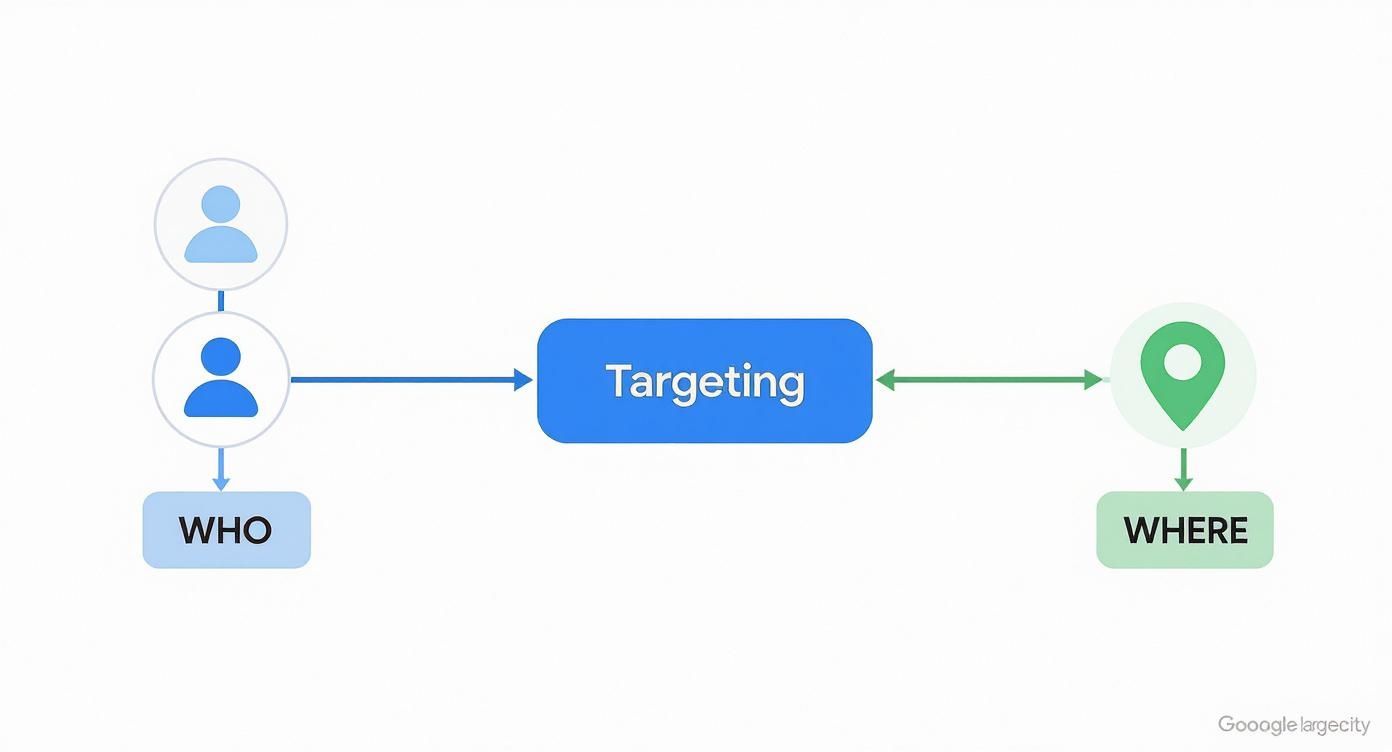
As you can see, getting your performance on track starts with nailing your targeting, separating who you want to reach from where you want to reach them.
Actionable Optimisation Tactics
Once you’ve got a handle on your performance data, you can start making some proper improvements. Think of optimisation as a continuous cycle of testing and learning.
The goal of optimisation isn’t perfection on day one. It’s about making consistent, incremental improvements that compound over time to significantly boost your return on investment.
To get started, focus your energy on these high-impact areas:
1. Refine Your Audience Targeting
Get stuck into your audience performance reports. Are certain in-market segments or affinity audiences bringing in most of your conversions? Double down on what’s working by bumping up the bids for your top performers. Don’t be afraid to exclude audiences that are just burning through your budget with nothing to show for it.
2. A/B Test Your Ad Creative
Never, ever assume your first ad is your best. You should constantly be testing different parts of your Responsive Display Ads. For a deeper dive into what makes for a good test, you can learn more about how to effectively measure advertising effectiveness in our detailed guide.
- Headlines: Try out different angles. A question, a benefit-led statement, or a straight-up call-to-action can all perform differently.
- Images: Pit lifestyle photos against clean product shots. See if a bright, colourful background gets more attention than a muted one.
- Descriptions: Experiment with longer, more detailed copy versus short, snappy text.
3. Exclude Poor-Performing Placements
Make it a habit to check your placement reports. This is where you see the exact websites and apps your ads are showing up on. You’ll almost certainly find some irrelevant sites or, more commonly, mobile game apps that are racking up costs with zero conversions. Proactively add these to a placement exclusion list to stop wasting money and protect your brand’s image.
4. Leverage Automated Bidding
If your campaign is all about conversions, let Google’s machine learning do the heavy lifting. Automated bidding strategies like Maximise Conversions or Target CPA (Cost Per Acquisition) can be incredibly powerful. They analyse thousands of signals in real-time to set the perfect bid for every single auction, helping you squeeze more conversions out of your budget.
Once you’re effectively measuring your GDN campaigns, you can start looking into more advanced strategies to reduce Customer Acquisition Cost (CAC) to make your campaigns even more profitable. By combining smart measurement with these ongoing tweaks, you create a powerful feedback loop that drives continuous improvement and makes sure your investment in the Google Display Network pays off.
Common GDN Mistakes and How to Avoid Them

Diving into the Google Ads Display Network is a massive opportunity, but it’s littered with common traps that can empty your wallet in no time. If you get your head around these frequent slip-ups from the start, you can launch smarter, more effective campaigns and avoid some very expensive lessons.
The biggest blunder? Treating the GDN like the Search Network. Far too many advertisers expect immediate, high-intent sales, but that’s just not what Display is built for. Display is all about building awareness and getting in front of people much earlier in their journey, long before they start actively searching for a solution.
Forgetting to Exclude Mobile Game Apps (Google Ads Display Network)
One of the most notorious budget-drainers on the GDN is poor placement management. It’s shockingly easy for your ads to end up inside thousands of totally irrelevant mobile games, triggering accidental clicks from players just trying to close a pop-up. Those clicks cost you money and deliver absolutely zero value.
Thankfully, this is a simple but absolutely critical fix. You have to be proactive and exclude mobile app categories, especially games, from your campaigns. You’ll find this option in your campaign settings under “Placements” and then “Exclusions.”
- Action: Check your placement reports religiously.
- Solution: Build a shared exclusion list of dodgy apps and websites and apply it to every single one of your display campaigns.
This one simple step can instantly boost the quality of your traffic and stop a huge amount of wasted ad spend, making sure your budget is spent on placements that actually stand a chance of working.
Using Vague Targeting and Generic Ads
Another classic mistake is casting your net way too wide. Just targeting a massive affinity audience like “Sports Fans” without layering anything else on top is a surefire way to get low engagement and burn through your budget on wasted impressions. Your ads have to be sharp and specific, too.
A bland, generic banner ad that just blends into the page will be completely ignored. Your creative needs to jump off the screen and speak directly to the person you’re trying to reach.
The most successful display campaigns align specific ad creative with tightly defined audience segments. An ad for running shoes shown to an “in-market for marathon gear” audience will always outperform a generic ad shown to all “fitness enthusiasts.”
To sidestep this, always layer your targeting. Try combining demographics with in-market segments, or even better, create custom audiences based on specific online behaviours and interests. Then, A/B test your ad creative to see which headlines and images truly connect with that specific group. This methodical approach turns a scattergun strategy into a precision tool for reaching the right people.
Common Questions About the Google Display Network
Dipping your toes into the Google Ads Display Network for the first time? It’s natural to have a few questions. Getting straight answers from the get-go will help you build and run your campaigns with more confidence, so you can steer clear of the usual mistakes and make every penny of your budget count.
We’ve pulled together some of the most common queries we hear from marketers who are just getting started.
Is the GDN the Same as YouTube Ads?
Not exactly, but they’re definitely related. Think of YouTube as one of the biggest and most popular neighbourhoods within the wider city that is the Google Display Network.
This means you can absolutely use your GDN campaigns to show display ads (like banners) next to YouTube videos. However, the dedicated video ad formats, like those skippable in-stream ads everyone knows, are managed through specific YouTube campaigns.
How Much Do Display Ads Cost?
That’s the million-dollar question! The honest answer is that the cost can swing wildly depending on your industry, who you’re targeting, and how good your ads are. But, as a rule of thumb, clicks on the GDN are generally a lot cheaper than on the Search Network.
The average Cost Per Click (CPC) on the Google Display Network is around £0.50. Compare that to an average of £2.13 on the Search Network, and you can see why it’s such a cost-effective way to build brand awareness and get in front of new people.
Can Display Ads Really Drive Sales?
They certainly can, but it’s all about having the right mindset. While the GDN’s biggest strength is getting your name out there and building awareness, it’s a seriously powerful tool for sales when used correctly – especially with remarketing.
By showing ads to people who have already visited your website, you’re giving them a gentle nudge to remember your brand, which can be just the thing to bring them back to finish a purchase. Don’t forget to track view-through conversions, either. This helps you see how your display ads are influencing sales down the line, even if people don’t click on them right away. It’s like planting a seed that blossoms into a sale later on.
Ready to make your advertising budget work harder on the Google Display Network? The experts at PPC Geeks can build a data-driven strategy to boost your brand awareness, generate leads, and drive sales. Get your free, in-depth PPC audit today at https://ppcgeeks.co.uk/.


