




It's mid December, your best seller is converting well, and someone in the warehouse asks a simple question. When, exactly, do we stop promising Christmas delivery? If your ads, sitelinks and product pages all give different answers, you'll either cut spend too early or keep paying for orders you can't fulfil. Planning Christmas last order dates in Google Ads means turning each carrier deadline into your own earlier deadline, then scheduling every message change in advance.
Royal Mail's 2026 Last Posting Dates
Retailers get into trouble when they pick a tidy marketing date and work outward from it. Work inward from the carrier instead. The Royal Mail Christmas last posting dates page publishes recommended deadlines for each service every year, and those recommended dates become the starting point for your own earlier order deadlines.
Royal Mail treats its dates as recommendations subject to change, and the exact weekdays shift each year with weekends and collection patterns. The pattern below is typical. Recheck the live page before you set any date in Google Ads, Merchant Center or checkout.
Royal Mail 2026 recommended last posting dates
| Royal Mail service | Typical last posting window |
|---|---|
| Royal Mail 2nd Class | Around 18 December |
| Royal Mail Tracked 48 | Around 19 December |
| Royal Mail 1st Class | Around 21 December |
| Royal Mail Tracked 24 | Around 21 December |
| Royal Mail Special Delivery Guaranteed | Around 23 December |
| Outlying areas and Northern Ireland routes | Varies by route, check the live Royal Mail page before setting ads |
1st Class and Tracked 24 usually share the same posting date, so one customer message can cover both if dispatch treats them the same way. That simplifies headlines. It does not simplify the logic behind them. Shoppers still choose standard, tracked and premium options at checkout, so each service needs its own dated switch in your plan.
Never lift last year's dates from an old blog post and roll them forward. A headline that is wrong by one day is a delivery promise you will have to explain to customers in the busiest week of the year.
A posting date is the last day you can hand a parcel to Royal Mail. It is not the last day a customer can place an order with you.
Copy the live dates into one planning sheet. Add the delivery promise you make for each service, the dispatch days behind it, and the regions it covers.
How to Set Your Own Last Order Date
Your last order date sits earlier than the carrier date because your team has to pick, pack, check payment and meet a collection before Royal Mail sees the parcel. If you advertise the carrier date as the order date, you've already spent time you don't have.
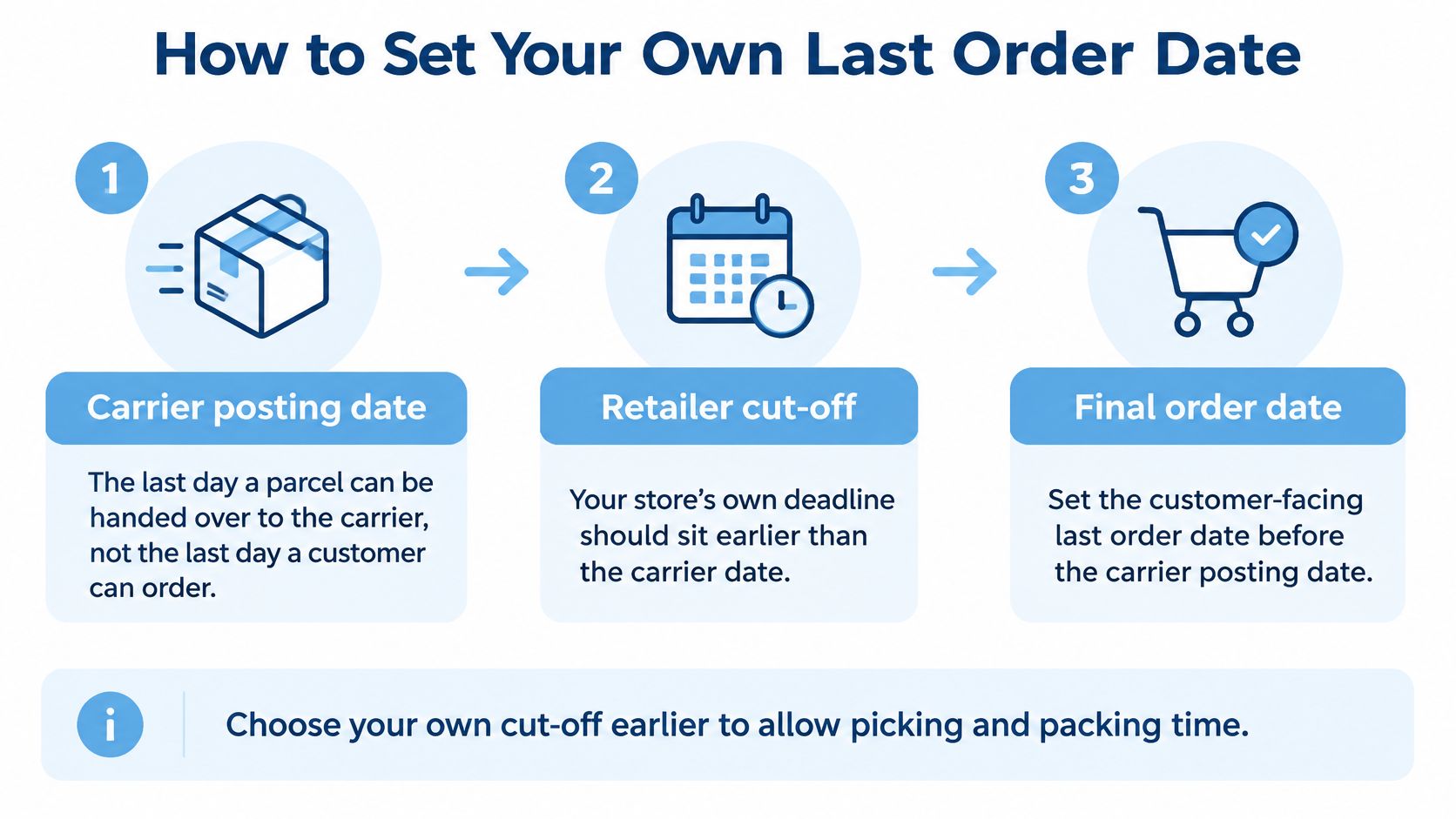
Work backwards, service by service.
- Start from the carrier posting date: Take the 2026 date for each Royal Mail service you offer. Don't plan around a service that isn't live at checkout, because shoppers can't choose it and your ad claim will point nowhere.
- Count back real warehouse time: Use last December's pick, pack and dispatch timings, not a quiet Tuesday in October. Peak queues, temporary staff and gift wrap all slow the line, and that's the version of your operation the ad has to match.
- Deduct a buffer for friction: Payment review, stock checks, address queries and a missed collection all eat hours. Build the buffer in now, while it's a planning choice, rather than discovering you needed it on 20 December.
- Remove days without collection: Skip weekends, bank holidays and any day your courier doesn't collect from you. A Monday posting date is the classic slip, because an order counted back over a weekend can land on a day when nobody's packing.
- Flag slower postcodes: Highlands and Islands, Northern Ireland and other outlying routes may need an earlier date. Give them one, or offer click and collect where that's honest, instead of stretching one national date to cover them.
- Publish one clear line: Put Order by [date] on product pages, at checkout and in the ads, in the same wording. If the three places disagree, shoppers will believe the one they saw first, which is usually your ad.
- Check it against last year: Compare your date with the last order you fulfilled in time last December. If your new date is later than that order and nothing operational has changed, you're being optimistic.
A worked example
Say pick and pack takes two working days in your warehouse. For a Monday 21 December posting date, you'd count back over the weekend and ask for orders by around 16 December, leaving Thursday and Friday to process and dispatch. It's a hypothetical to show the maths, not a date to copy, because your collection times decide the answer.
Practical rule: If operations, customer service and paid search can't all state the same order by date for a service, you don't have a date yet. You have three opinions.
A workable result looks boring. One date per service, one buffer the whole team has agreed, and wording that says order by rather than guaranteeing arrival unless you and the carrier can substantiate that guarantee. Boring is what keeps January refunds down.
Schedule Ad Changes Before Each Cut-Off Passes
Change your ads two to three days before each cut-off, so the new message is live and approved before the old one stops being true. Building replacements on the day relies on someone remembering during your busiest week, and ad review doesn't care that it's urgent. If you're planning seasonal swings more broadly, our guide to mastering seasonality in Google Ads year round covers the pacing around peaks like this.
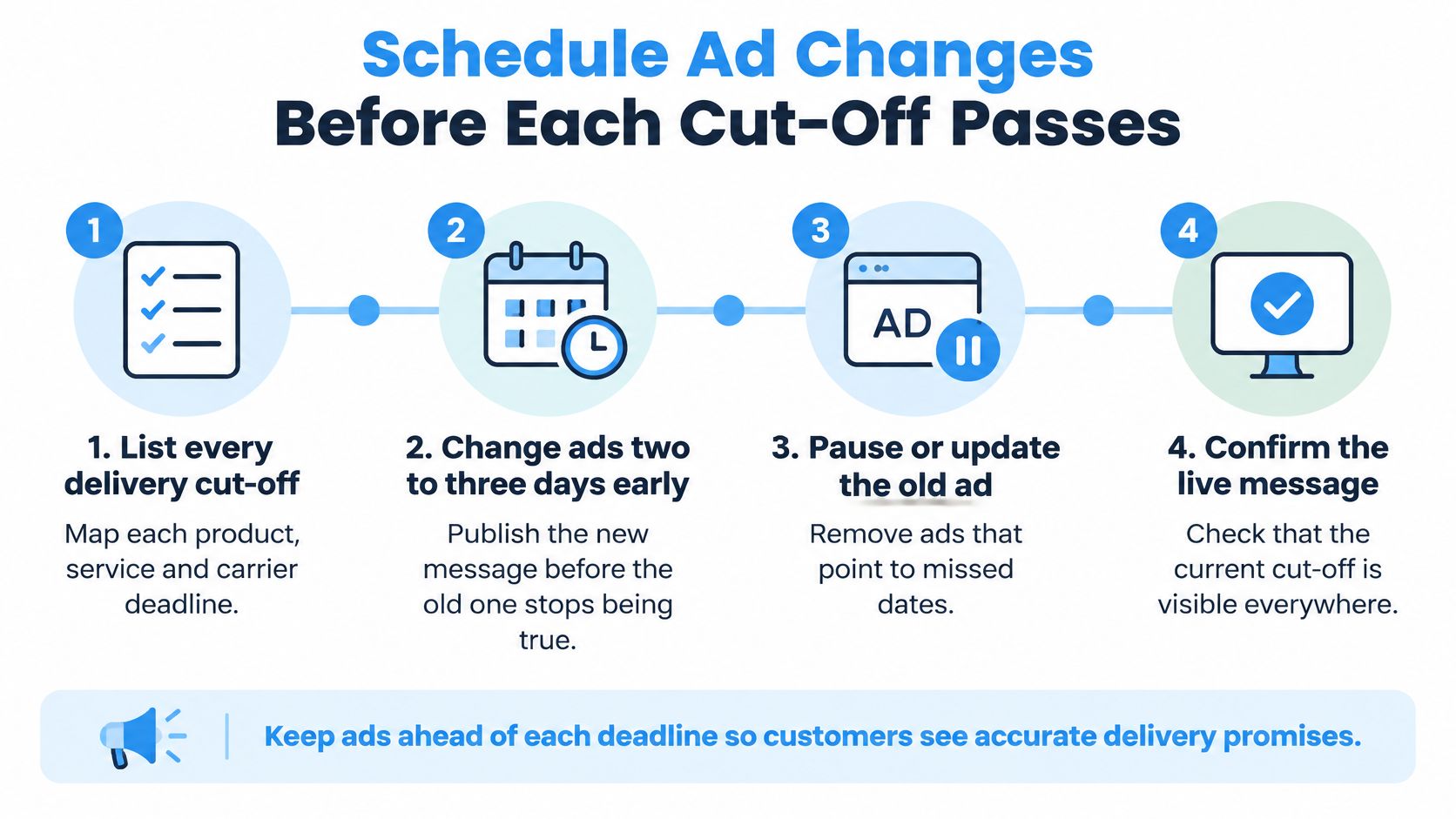
- List every cut-off you offer: Include standard, express, next day and click and collect, because each one expires at a different moment and needs its own switch.
- Set the switch dates: Plan 15 to 16 December for 2nd Class, 16 to 17 December for Tracked 48, 18 to 19 December for 1st Class and Tracked 24, and 20 to 21 December for Special Delivery Guaranteed. Adjust them to your own order by dates, but keep the two to three day lead.
- Build replacements in advance: Write the next headline set, sitelinks and promotions while the current ones are still true. I'd rather approve a spare ad in November than debug a disapproval in December.
- Give every asset start and end dates: Don't rely on a calendar reminder. Use ad scheduling, automated rules or campaign level dates so the switch happens even if the person who owns it is off sick.
- Set both promotion date types: The Google Ads promotion asset scheduling guidance separates displayed promotion dates, which tell users when an offer is eligible, from asset scheduling dates, which control when the asset can serve. If you only set displayed dates, the asset can keep serving outside that window until someone pauses it.
- Check the account time zone first: Campaign end dates run to 23:59 in the account time zone, so a wrong zone can keep a stale claim live overnight. Pin a time sensitive headline in a responsive search ad only where that position must carry the deadline, because pinning everywhere limits the combinations Google can test.
Pair each switch date with its replacement message and one named owner. A date without copy is a task. A date with copy, scheduling and an owner is a plan.
Rewrite Headlines and Promotions as Cut-Offs Pass
The message changes at each cut-off. The whole account doesn't flip on one day. Standard delivery expires while express is still viable, so your copy needs to narrow gradually rather than jump from full promise to nothing.
Ad message before and after each cut-off
| Asset | Before the cut-off | After the cut-off |
|---|---|---|
| Responsive search headline | Order by [next cut-off] for Christmas delivery | Click and collect and gift cards, no delivery promise |
| Sitelink | Christmas delivery dates | Click and collect available today |
| Promotion asset | Christmas offer with delivery by Christmas | Gift cards and digital products, no delivery promise |
| Merchant Center promotion | Free delivery by Christmas | Free click and collect |
| Landing page banner | Order by [cut-off] for Christmas | Choose collection or gift cards at checkout |
| Ad price claims | Sale prices from the offer page | Prices checked against the live site after each change |
The test I'd run is simple. Put a clear Order by [date] for Christmas delivery headline against your evergreen ad and measure conversion rate in the final fortnight. We don't have a published result for Christmas delivery messaging, so we won't quote one. Your own account, in your own peak, is the evidence that matters. For the mechanics of building those variants well, work through these ad copy best practices before you write the seasonal set.
Watch the gap between offer dates and delivery dates. The Google Ads promotion asset guidance lists Christmas as an occasion with a default promotion period from 1 November to 15 January. That window covers promotional eligibility, not whether a parcel can arrive before 25 December.
Your Christmas offer can legitimately run into January. Your Christmas delivery promise cannot. Letting one date do both jobs is how stale claims stay live.
Price claims need the same discipline. When a sale ends, check that sale prices in ads, promotion assets and your feed still match the live site. A price the shopper can't get is the same failure as a delivery date you can't meet, and both erode trust at the point of purchase.
Pair each row in the table with its switch date and assign one owner per asset type. Headlines, Merchant Center promotions and landing page banners usually sit with different people, which is exactly why they drift apart.
Shift Budget to What Can Still Arrive
Late December search isn't mainly about price or range. It's about certainty, speed and immediate availability, and your budget should follow that change in intent rather than stopping when standard shipping closes.
Google reported that global searches for "last minute Christmas gifts for" increased by more than 700% during the week before 25 December, according to a Christmas search calendar summary. That's a global figure, not a UK forecast, so use it as direction. Demand intensifies late, and the shoppers driving it need fulfilment they can trust.

Run it in two stages. Before standard delivery closes, emphasise broad gift discovery and normal shipping. Afterwards, prioritise queries and creative around last-minute Christmas gifts, next-day gifts, click and collect and digital gift cards, using only claims you can still fulfil. Bidding discipline matters more in that second stage, so keep your Google Ads bid management tight by region and fulfilment type rather than raising everything at once.
Where budget goes once standard delivery closes
| Option | Use it when | Budget action |
|---|---|---|
| Click and collect | Stock is in a store or local hub you can reach | Raise local bids and keep spend running to the collection cut-off |
| Next-day or express | The courier still offers it for the postcode | Keep for postcodes you can serve; cap spend elsewhere |
| Local stock | Item is physically available for same-day dispatch | Prioritise these products in Shopping |
| Gift cards | You sell them and they arrive digitally | Move budget here once physical deadlines pass |
| Digital products | You sell downloads or vouchers | Make them the main late-December offer |
| Brand and best sellers | Nothing else can be promised | Hold budget for Boxing Day and the January sales |
Use feed labels to make this enforceable. Tag products by fulfilment route and local availability, so you can pull a group out of Shopping or Performance Max the moment its route expires, instead of editing items one by one under pressure.
If nothing you sell can arrive in time, don't spend your way through the gap. Pull back to brand and best sellers and hold budget for Boxing Day and the January sales, when the same money buys shoppers you can serve.
When to Scale Back and What to Avoid
The costliest mistake in Christmas delivery messaging is ads still promising Christmas arrival after the cut-off has passed. You keep paying for clicks from people you can't serve in time, and then you get the complaints. Sale prices in ads that no longer match the site are the same problem in different clothing.
Regional limits make this worse. The BBC 2025 Christmas posting guide listed Royal Mail Special Delivery Guaranteed, DHL UK Next Day and UPS UK Next Day as options collected on 23 December for Christmas Eve delivery, while separate dates applied to outlying areas and Northern Ireland routes. One national deadline can't cover that spread.
Split campaigns, feeds or location audiences by fulfilment capability. Suppress products or regions once the promised deadline becomes unreliable, and swap arrives by Christmas copy for order by or click and collect wording. Extending national messaging late into December may lift clicks, but it tends to lower conversion quality and raise complaints where transit is slower. More traffic into a broken promise isn't growth.
There's a service cost too. Which? found confusion over whether the retailer or courier is responsible for resolving failed deliveries, based on a nationally representative survey of 2,047 UK adults conducted in January 2025, reported in the same BBC guide. Showing the cut-off clearly on the landing page won't remove that confusion, but it stops your ad creating it.
Scale back when you see any of these:
- No delivery promise remains: A region or service has no credible route left, so the claim comes off today.
- Clicks rise and conversions fall: Traffic after a cut-off that doesn't convert usually means shoppers wanted a date you can't offer.
- Complaints mention delivery promises: That's evidence your ads and your operation have separated, and spend is amplifying it.
Pull the claim first, then the spend. Keep brand and best sellers running for shoppers who aren't buying to a Christmas deadline.
Confirm Your Cut-Off Plan Before Early December
Confirm the whole plan before early December, while every switch date is still in front of you. After that you're reacting, and reacting in peak week is how an old sitelink survives three days too long. The wider seasonal thinking in our piece on turning curiosity into holiday season customers is useful here, but the cut-off plan itself needs dates, not ideas.
Work through this checklist:
- Confirm the live 2026 Royal Mail dates: Check the official Christmas page again, including outlying area and Northern Ireland dates. Don't sign off ads against a screenshot from October.
- Set the order by date per service and region: One date for each fulfilment route, written down where operations and customer service can see it.
- Schedule every asset: Give each ad, sitelink and promotion start and end dates using your switch schedule, and check displayed dates against asset scheduling dates.
- Verify the account time zone: Confirm it before you trust any end date to stop a claim at the right hour.
- Prepare the fallback campaign: Build the brand and best seller version now, with gift card and collection copy ready, so scaling back is a switch rather than a rebuild.
- Set up the headline test: Run Order by [date] for Christmas delivery against the evergreen ad and judge it on conversion rate in the final fortnight.
- Tag late period orders by delivery option: Separate standard, express, collection and digital sales in your reporting. Without that split, you can't tell whether late spend earned its place or just bought expensive clicks.
Then have someone check the plan against the live account. A Google Ads audit and strategy review is the place to do that, because the free Google Ads audit identifies wasted spend, fixes tracking and attribution gaps, and uncovers quick-win growth opportunities. It also looks for issues where automation, attribution or campaign structure makes performance look cleaner than it is, which is a real risk when Performance Max keeps spending into a deadline you've already missed.
Do one thing this week. Run the checklist, then put your first switch date in the calendar with a named owner beside it.
If you'd like a second pair of eyes on your cut-off dates, asset scheduling and late December budget shifts before peak week, PPC Geeks can audit your Google Ads account and flag the claims, tracking gaps and wasted spend that would otherwise surface in January complaints. Start with a free audit and a clear plan for your Christmas last order dates in Google Ads by visiting PPC Geeks.