




Google Shopping Product Feed: Before you even think about opening a spreadsheet, let’s get one thing straight: your Google Shopping product feed is the single most important part of your e-commerce advertising.
It’s not just a file.
Think of it as the digital blueprint of your entire inventory, telling Google exactly how to understand and show your products to millions of potential buyers across the UK.
Why Your Product Feed Is Your Greatest Asset
I like to think of the product feed as the central nervous system of any Google Shopping setup. Every bit of information inside it—from product titles and descriptions to pricing and availability—sends crucial signals to Google’s algorithms.
These signals are what determine if your products show up for the right searches, how compelling your ads look, and, ultimately, what kind of return you get on your ad spend. A huge mistake I see all the time is treating the feed as a one-and-done setup task. In reality, it needs to be a living, breathing sales tool that you constantly refine.
A meticulously crafted feed does more than just tick Google’s boxes; it actively gives you a strategic edge. It lets you control the story around your products, making sure they’re positioned perfectly for the right audience, at the right time.
The Foundation of Performance: Boost Your Google Shopping Product Feed
The quality of your data is everything. There’s no negotiating on this. Poor data will lead to disapproved products, your ads showing up for completely irrelevant searches, and a whole lot of wasted ad spend. On the flip side, a high-quality, clean feed is the bedrock of any successful Google Shopping campaign.
This is even more critical in the hyper-competitive UK market. You have to play by Google’s rules, because failing to meet their strict specifications can get your products disapproved, making them completely invisible. We’ve seen firsthand that UK merchants with optimised, compliant product feeds can boost their product visibility by as much as 30%. That’s a massive, direct impact on sales, especially during peak seasons like Black Friday. You can read more about how Google’s product feed specifications impact UK retailers on litcommerce.com.
To lay a solid foundation, you need to be obsessed with the accuracy of these core attributes:
- Global Trade Item Numbers (GTINs): Essential for Google to match your products precisely.
- Accurate Pricing: Mismatches kill trust and get you penalised.
- Real-Time Stock Availability: Stop paying to advertise products you can’t even sell.
A well-managed product feed isn’t just about dodging penalties; it’s about actively driving better performance. It’s the difference between merely showing up and completely standing out from the crowd.
To help you get this right from the start, I’ve put together a table that breaks down the most important attributes and why they matter so much.
Core Attributes of a High-Performing Product Feed
This table breaks down the essential attributes in your feed, explaining the role each plays in optimising your listings for visibility and clicks.
| Attribute | What It Controls | Why It’s Critical for Performance |
|---|---|---|
| Product Title | The main headline of your ad. | This is your prime real estate. A keyword-rich title matching user searches dramatically increases your ad’s relevance and click-through rate. |
| Product Description | The detailed text that appears in your listing. | Your chance to sell. It should highlight key benefits and features, helping shoppers make an informed decision and improving conversion rates. |
| Product Image | The primary visual representation of your product. | High-quality images grab attention and build trust. They are often the first thing a user notices and can make or break a click. |
| GTIN (EAN/UPC/ISBN) | A unique identifier for your product. | Crucial for Google to understand exactly what you’re selling, enabling price comparisons and improving your ad’s placement in relevant auctions. |
| Price | The cost of the product. | A primary decision-making factor for shoppers. Accurate pricing is non-negotiable and builds customer trust. |
| Availability | Whether the product is in stock, out of stock, or on pre-order. | Prevents wasted ad spend on out-of-stock items and manages customer expectations, avoiding frustration. |
| Product Category | Google’s predefined product taxonomy. | Helps Google’s algorithm understand what you’re selling, ensuring your ads show for the right search queries and improving campaign targeting. |
| Brand | The manufacturer or brand of the product. | Many shoppers search by brand. Including this helps capture high-intent traffic from brand-loyal customers. |
Getting these attributes right isn’t just about compliance; it’s about building a powerful, data-driven foundation that Google’s algorithm will love, leading to better placements and more sales.
From Static List to Strategic Tool
When you start seeing your product feed as a strategic asset, your entire approach shifts. You stop just filling in the blanks and start optimising every field.
A generic product title becomes a keyword-packed headline that perfectly mirrors what your customers are typing into Google. A boring, one-line description transforms into a compelling sales pitch that screams “buy me!” by highlighting all the best benefits.
This kind of proactive, hands-on management is what separates the thriving e-commerce stores from the ones that just can’t seem to get any traction. Honestly, mastering your feed is the single most powerful thing you can do to dominate Google Shopping and drive real, sustained growth for your business.
Building Your First Google Product Feed
Alright, let’s move from theory to action. It’s time to get your hands dirty and build your first Google Shopping product feed. This is the crucial step where all your carefully prepared data gets introduced to Google’s system. We’re going to skip the generic advice and focus on what actually works for UK retailers, helping you dodge the common pitfalls that lead to those frustrating product disapprovals and wasted hours.
Getting your product data over to Google can feel like a maze at first, but it really just boils down to a few key stages. You need to figure out what data Google needs, format it correctly into a file, and then upload it. Simple as that. Mastering this process is the bedrock of a healthy, high-performing feed.
Choosing Your Feed Creation Method
Google Shopping Product Feed: Your first big decision is how you’re going to create and manage this data file. There are really two main paths you can take, and the best choice hinges entirely on your business’s size and how comfortable you are with the technical side of things.
For businesses with smaller, fairly static inventories, a manual approach using Google Sheets can be a fantastic starting point. Google Merchant Centre even provides a template you can fill in directly. This method gives you total, hands-on control and is a brilliant way to learn the required attributes inside and out without spending a penny.
However, if you’re juggling hundreds or thousands of products, or if your prices and stock levels are constantly changing, a manual approach just isn’t realistic. It’ll quickly become a nightmare to manage. This is where automated feed management tools save the day. These platforms plug directly into your e-commerce store (like Shopify or BigCommerce) and automatically create and update your feed for you, saving an enormous amount of time and cutting down on human error.
Manual vs Automated Feeds: A Quick Look
| Feature | Manual Feed (Google Sheets) | Automated Feed (Tool) |
|---|---|---|
| Best For | Small inventories (<100 SKUs), static pricing | Large inventories, dynamic pricing/stock |
| Upfront Cost | Free | Monthly subscription fee |
| Time Investment | High, requires ongoing manual updates | Low, “set it and forget it” for updates |
| Error Risk | Higher risk of human error in data entry | Lower risk, syncs directly with store data |
| Scalability | Poor, becomes unmanageable as you grow | Excellent, easily handles thousands of products |
Expert Tip: Don’t let perfection be the enemy of progress. If you’re just starting out, building a simple feed for your top 10-20 products using the Google Sheets template is a great way to learn the ropes. You can get a feel for the process before committing to a paid tool.
Formatting Your Data Correctly
No matter which method you pick, the data format is completely non-negotiable. Google gives you crystal-clear specifications for every single attribute, and you have to follow them to the letter.
A classic example is the price attribute. For the UK market, you absolutely must format it with the right currency. You should submit the price as a number followed by the ISO 4217 currency code, like this: “19.99 GBP”. If you include a “£” symbol or forget to add “GBP,” Google’s system will reject it, and your product won’t show.
This screenshot from Google’s own documentation shows exactly how to format prices for different countries.
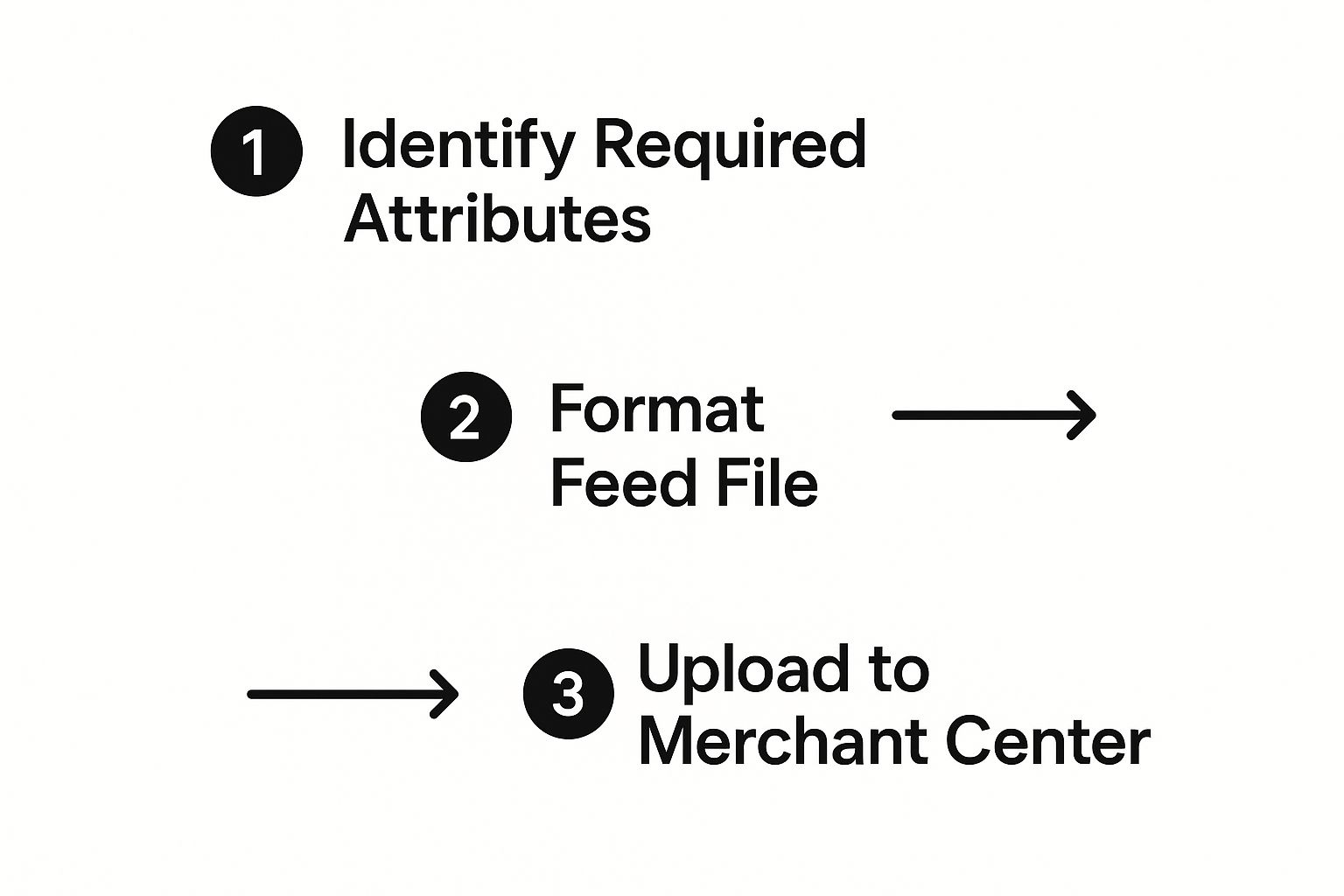
See the pattern? It’s always a numeric value, a space, and the three-letter currency code. This precise structure is what Google is built to read, and any slight deviation will result in an item disapproval.
Google Shopping Product Feed: Building your first Google product feed is a foundational skill for any e-commerce business. While this guide gets you started with the creation process, the real power comes from constantly tweaking and improving it. For a much deeper dive into turning a basic feed into a profit-driving machine, check out our complete guide to https://ppcgeeks.co.uk/ppc/google-shopping-feed-optimisation/. That’s where you’ll learn how to truly gain a competitive edge and maximise your return on investment.
Optimising Attributes for Maximum Search Impact

Getting your Google product feed compliant is just the entry ticket. If you want to actually win in your category, you need an optimised feed. This is where we move beyond the basic box-ticking and into the real art and science of feed management—the stuff that directly grows your bottom line.
Think of your product attributes as levers. Each one influences how Google’s algorithms see and rank your products. Pulling the right levers, in the right order, is what gets you that prime visibility, better click-through rates, and ultimately, more sales.
Crafting High-Impact Product Titles
Your product title is, without a doubt, the most powerful attribute in your entire feed. It’s the headline of your ad, the very first thing a shopper sees, and a massive signal Google uses to match your product to a search query. A weak title makes you practically invisible to your ideal customer.
The secret is to think exactly like your customer. What words are they actually typing into Google when they’re looking for what you sell?
A proven formula that we see work time and time again is:
Brand + Key Feature + Product Type + Model/Size + Colour
For instance, a title like “Running Shoes” is just far too vague. It gets lost in the noise. A much punchier, optimised title would be:
“Nike Air Zoom Pegasus 40 Men’s Road Running Shoes Size 10 Blue”
This structure gets all the critical information upfront, telling both Google and the shopper precisely what you’re selling. It’s brilliant because it captures everything from broad searches like “men’s running shoes” to super-specific ones like “Nike Pegasus size 10”.
Remember, the first 70 characters are gold. They’re what people are most likely to see in full on the search results page. Always lead with your most important keywords.
Transforming Descriptions into Sales Tools
While titles do the heavy lifting for search matching, your product descriptions are where you make the sale. This is your moment to provide rich, persuasive detail that convinces a shopper to click “buy” and helps Google get an even deeper understanding of your product.
Don’t just copy and paste a single, lazy sentence from your product page. Google gives you up to 5,000 characters – use them! While most people won’t read a wall of text, the algorithms absolutely will. A great description should reinforce the keywords from your title and introduce valuable secondary terms and benefits.
The quality of your descriptions really matters. Creating compelling product descriptions that connect with your audience and the search engine is a skill that directly impacts your conversion rates.
- Lead with the good stuff: Pack your most important features and keywords into the first 150-180 characters.
- Use bullet points: Break up the text to highlight key benefits. It makes everything easier to scan.
- Go long-tail: Think about the specific questions customers might have and include those phrases.
Doing this doesn’t just help your SEO; it gives motivated buyers all the info they need to confidently make a purchase.
The Power of High-Quality Images and GTINs
In the world of online shopping, your product images are your digital shopfront. Crisp, professional, high-resolution images on a clean white background aren’t just a good idea anymore—they’re essential for success. Low-quality or cluttered photos will get you disapprovals and instantly kill a customer’s trust.
Just as critical are Global Trade Item Numbers (GTINs). These unique codes (like EANs in the UK or UPCs in the US) are the foundation of Google’s entire product catalogue.
You absolutely must provide the correct GTIN for every product that has one. It’s crucial because it allows Google to:
- Accurately identify your product: It links your listing to the exact same product sold by others.
- Enable price comparisons: Your product can show up in comparison listings, which is a key feature for savvy shoppers.
- Enrich your ad: Google can pull in extra product details and even reviews associated with that GTIN.
Skipping the GTIN when one exists is a massive missed opportunity that will hold back your performance.
Using Custom Labels for Strategic Bidding (Google Shopping Product Feed)
Finally, let’s talk about a powerhouse feature that turns your feed into a strategic PPC weapon: custom labels. You get five optional columns (from custom_label_0 to custom_label_4) that you can use to segment your products in any way that makes sense for your business.
Google doesn’t use these for matching searches. Their sole purpose is for you to organise products within your Google Ads campaigns.
Here are a few real-world examples of how we use them:
- Profit Margin: Tag products as “High Margin,” “Medium Margin,” or “Low Margin” to bid more aggressively on your most profitable items.
- Price Buckets: Group products into ranges like “Under £25,” “£25-£50,” and “Over £50” to apply different bidding strategies.
- Seasonal Items: Use a label like “Summer” or “Christmas” to easily switch seasonal campaigns on or off.
By using custom labels, you can get way more sophisticated than just bidding the same on all your products. You can build a campaign structure that truly reflects your business goals. For a deeper look at how all these pieces fit together, check out our complete guide on how to boost your ecommerce success by mastering your shopping feed.
Got your primary feed dialled in and looking sharp? Great. You’ve laid the foundation for success. But now it’s time to build the rest of the house, and that’s where supplemental feeds come in.
Frankly, this is what separates the good from the great in Google Shopping. Mastering supplemental feeds will give you a powerful competitive edge, especially here in the crowded UK market.
Think of it this way: your primary product feed is the permanent, core source of truth for your inventory. Supplemental feeds are like flexible, temporary layers of data you can pop on top. They let you add or even overwrite specific details without ever touching your main e-commerce platform’s data. This gives you incredible agility for testing, running promotions, and managing your campaigns on the fly.
It’s all about reacting quickly to what’s happening in the market. Want to run a weekend flash sale or add seasonal tags to a product line? With a supplemental feed, you can do it instantly, without needing a complex, permanent update to your core product database.
Drive Urgency with Promotions Feeds
One of the most impactful supplemental feeds you can use is the Promotions Feed. This little powerhouse lets you display eye-catching “special offer” annotations directly on your Shopping ads – things like “20% Off” or “Free Delivery“. These are absolute gold for boosting click-through rates because they create instant urgency and make your ads stand out from the competition.
Just imagine a shopper comparing three identical pairs of trainers. Two have a standard price, but yours has a bright green tag shouting about a limited-time discount. It’s an instant advantage that draws the eye and practically begs for a click.
You can set up promotions for specific products, entire categories, or even your whole catalogue. It’s perfect for:
- Clearing out end-of-season stock.
- Running big bank holiday sales events.
- Offering exclusive bundle deals to increase order value.
Connect Online Clicks to In-Store Visits
For any UK retailer with both a website and physical shops, the Local Inventory Ads (LIA) feed is an absolute game-changer. This supplemental feed works with your main feed to show shoppers that a product is in stock and available for immediate collection at a nearby store. It’s the ultimate bridge between your online advertising and your high street footfall.
This is more than just a nice-to-have for the customer; it’s a massive business driver. The research on this is crystal clear. In fact, UK advertisers who use the Google Local Inventory Ads feed report an average 20% increase in foot traffic to their physical stores. You can find more insights on how different feed types impact UK retailers over at datafeedwatch.com.
This strategy is exceptionally powerful for capturing those high-intent “near me” searches, turning online interest into real, same-day sales. If you have a physical presence, this isn’t optional—it’s essential.
Build Trust Instantly with Product Ratings
Google Shopping Product Feed: Trust is the currency of e-commerce. And one of the quickest ways to earn it is by showing off genuine customer feedback. The Product Ratings Feed lets you pull in your collected product reviews and display them as that familiar five-star rating directly on your Google Shopping ads.
This visual social proof is incredibly powerful. Seeing that dozens of other shoppers have bought and rated a product highly can massively reduce purchase anxiety for a new customer. The data backs this up, with over 70% of UK online shoppers saying product ratings are a vital factor in their buying decisions. Getting these ratings on your ads can lift your click-through rate by a remarkable 15-25%.
By combining these advanced feed types, you create a far more compelling and informative ad experience. You’re not just showing a product; you’re presenting a deal, confirming local availability, and backing it all up with social proof.
Getting these supplemental feeds up and running might sound complex, but the process is quite manageable once you get your head around the structure. Each feed targets a specific business goal, from short-term sales lifts to building long-term brand trust. While our guide covers the “what” and “why,” if you need a hand with the practical side, you can learn more about how to set up Google Shopping campaigns with our expert team.
Embracing these advanced features of the Google Shopping product feed is a clear signal to both customers and Google that you’re a serious, sophisticated retailer.
Troubleshooting Common Feed Errors and Disapprovals

There are few things more disheartening than logging into Google Merchant Center only to be greeted by a sea of red error messages. We’ve all been there. It’s a common hurdle, but one that can bring your entire Google Shopping operation to a grinding halt if you don’t tackle it head-on.
Navigating the Merchant Center diagnostics pane can feel like trying to decipher a secret code. The key is to approach it systematically, understanding what each error actually means for your product feed and how to prioritise your fixes.
This is where you shift from being a reactive manager to a proactive problem-solver. A clean feed isn’t just about appeasing Google’s bots; it’s about ensuring a seamless, trustworthy experience for your customers.
Navigating the Diagnostics Pane
First things first, you need to get familiar with the territory. Your diagnostics pane is ground zero for identifying any issues. It handily breaks down disapprovals into three levels of severity:
- Errors (Red): These are the showstoppers. Products with errors are completely disapproved and won’t show in any Shopping ads until you fix the problem. Always, always tackle these first.
- Warnings (Yellow): These are potential problems that could be limiting your performance or might lead to future disapprovals if you leave them. While your products are still live, ignoring warnings is a risky game.
- Notifications (Blue): These are usually suggestions for optimisation or simple informational alerts. They don’t typically affect your product’s live status but are well worth reviewing when you have a spare moment.
This tiered system immediately helps you focus your attention where it’s needed most. Don’t get overwhelmed by a long list; start with the red, move to the yellow, and review the blue when you can.
Decoding Common Merchant Centre Errors
Let’s break down some of the most frequent errors we see with UK retailers and, more importantly, what to do about them. In my experience, most of these stem from a simple mismatch between the data on your website and the data in your feed.
We often find that getting to the bottom of Merchant Center errors can be a real headache. They aren’t always straightforward. Here’s a quick-reference guide I’ve put together to help you diagnose and fix some of the most frequent feed errors that get products disapproved.
Decoding Merchant Center Errors and How to Fix Them
| Error Message | What It Really Means | Your Action Plan |
|---|---|---|
| Invalid or Missing GTIN | Google can’t confidently identify your product in its global catalogue. This kills your visibility in comparison listings. | Find the correct 13-digit EAN on the packaging or from your supplier. If your product is custom or genuinely has no GTIN, set the identifier_exists attribute to no. |
| Price Mismatch | The price in your feed doesn’t exactly match the VAT-inclusive price on your landing page. You’re breaking a core rule of trust. | Double-check that the price attribute in your feed is the final price a customer will pay. Enable “automatic item updates” in Merchant Center as a safety net. |
| Policy Violation | You’ve crossed one of Google’s red lines, like using “SALE” text in your main image or listing a restricted product. | Carefully read the specific policy mentioned in the error. Remove any promotional text, swap out non-compliant images, or delete the prohibited product from your feed. |
Fixing these issues as they pop up is crucial. A clean, accurate feed is the foundation of any successful Google Shopping campaign.
A consistent pattern of errors, especially policy violations, can put your entire Merchant Center account at risk of suspension. It’s crucial to address these issues promptly and thoroughly to show Google you’re a trustworthy seller.
Sometimes, diagnosing persistent issues across a large and complex account requires a more detailed look. If you find yourself constantly firefighting the same errors, it may be time for a comprehensive review. A professional audit can often uncover underlying structural problems that a simple fix won’t solve. For those needing a deeper dive, consider exploring expert PPC audit services to get to the root cause of recurring feed problems.
A Pre-Submission Checklist for a Healthier Feed
Honestly, the best way to fix errors is to prevent them from happening in the first place. Before you upload a new or updated product feed, get into the habit of running through this quick checklist:
- Check All GTINs: Are they present for all branded products and correctly formatted?
- Verify Prices: Does every single price in the feed match the final, VAT-inclusive price on the website?
- Confirm Stock Status: Is the
availabilityattribute (‘in stock’, ‘out of stock’) completely accurate? - Review Image Links: Do all image links work? Do they point to clean, high-resolution photos without watermarks or promotional text?
- Sanitise Titles & Descriptions: Have you stripped out any promotional fluff like “Free Delivery” or “50% Off”?
By making this checklist a routine part of your feed management process, you’ll catch the vast majority of common issues before they ever have a chance to become red flags in your account.
Frequently Asked Questions About Google Shopping Product Feed
Even with a perfectly tweaked feed, questions always pop up. Let’s be honest, managing a Google Shopping product feed involves a lot of moving parts, and it’s completely normal to hit a few snags. Here are some of the most common questions we hear from UK retailers, with straight-talking answers to help you get unstuck.
How Often Should I Update My Google Shopping Product Feed?
For most retailers, a daily update is the gold standard. Think of it as your daily health check. This keeps your pricing and stock levels spot on, which is absolutely critical for both Google’s algorithm and keeping your customers happy. A daily fetch ensures your data is fresh and, crucially, stops you from advertising and selling out-of-stock items.
However, if your business is fast-paced—maybe you run flash sales or have stock that flies off the shelves—you need to ramp that up. Submitting stale data is a fast track to product disapprovals and a rubbish user experience.
The good news? Automated feed tools can make daily, or even hourly, updates a completely seamless background process. This kind of automation is the real key to keeping your data in check without driving yourself mad with manual uploads.
Google Shopping Product Feed: What Is the Difference Between a Primary and a Supplemental Feed?
It’s simpler than it sounds. Your primary feed is the cornerstone of your product data in Google Merchant Center. It holds all the core, essential information for your products, and you have one for each country you sell in.
A supplemental feed, on the other hand, is like a clever add-on. It’s an optional, secondary data source that lets you add or even override specific bits of information in your primary feed. You just need to link it using a common attribute, like the product id.
For instance, we often use supplemental feeds to apply temporary sale prices for a weekend promotion, add strategic custom labels for more granular bidding, or fix pesky errors without having to mess with the data coming from the e-commerce platform. They add a massive amount of flexibility for more advanced optimisation.
Google Shopping Product Feed: Can I Use One Product Feed for Multiple Countries?
Technically, yes, you can. But it demands a very careful setup. You can get away with a single feed for multiple countries if they all share the same language. The trick is to submit the correct currency for each country within the feed itself and then configure your country-specific shipping and tax settings directly in Merchant Center.
But here’s the reality: for countries with different languages, you absolutely should create a separate, fully translated primary feed. Proper localisation of your product titles and descriptions is essential for getting found (SEO), giving users a good experience, and actually converting them into customers. A direct, clunky translation just won’t cut it – you’ll miss all the local search terms and nuances that make a real difference.
Google Shopping Product Feed: What Happens If My Product Images Don’t Meet Google’s Requirements?
This is a big one. If your product images break Google’s rules, those items will be disapproved. Simple as that. They won’t show up in any Shopping results until you fix them. It’s one of the most common issues we see, but thankfully, it’s also one of the easiest to avoid.
Google is really strict about wanting clean, high-resolution images of just the product, usually on a plain white or transparent background. The most common slip-ups include:
- Watermarks or logos plastered over the image.
- Promotional text like “Sale” or “Free Delivery”.
- Low-resolution or blurry photos.
- Placeholder images or illustrations instead of a photo of the actual item.
This isn’t just Google being picky; it ensures a consistent, professional look across the shopping results. Always double-check the official image specifications in your Merchant Center account. Sorting out your images is often a quick win that can dramatically improve your feed health and get your products seen.
At PPC Geeks, we thrive on turning feed complexities into growth opportunities. If you’re tired of battling Merchant Center errors and want a team of experts to manage your Google Shopping product feed for maximum ROI, we’re here to help. Discover how our specialist PPC management can save you time and drive real, measurable results. Visit us at https://ppcgeeks.co.uk/ to get your free, in-depth PPC audit today.


